How to Choose a Wiki Tool: A Buyer's Checklist
Find the right wiki tool for your team with a practical checklist covering important features, permissions, hosting, security, and data export.

TL;DR
- Settle three questions before you shortlist anything: who the wiki is for, how sensitive its contents will become, and who owns it after launch.
- Where your data lives is important because it shapes your access controls, retention policy and audit story.
- Test the exit before you sign. A vendor who can export pages but not history, permissions and page relationships is not offering you a real way out.
- The items that matter most depend on your situation, so decide which ones carry the weight before you start testing.
Six months after launch, many wikis start to look the same. There’s a well-organised onboarding space, a collection of engineering runbooks, and an HR section that was started but never finished.
The search bar doesn't return anything useful. The deployment guide still points to a server that was retired months ago. When a new engineer needs to find an answer, they ask a teammate instead of opening the wiki.
It's easy to blame the software and start looking for a better tool. Sometimes that's the right decision. But sometimes, the problem isn't the software.
Many teams choose a wiki before deciding what it's for, who will keep it up to date, or what information belongs in it. Without clear answers to those questions, it's hard to build documentation that people trust and use.
Those decisions shape everything that comes next. Skip them, and you can spend weeks comparing products based on features that don't actually matter to your team.
This guide helps you answer the important questions first. It explains how to choose the right hosting option, what to look for during a product trial, and how to compare your shortlist based on your team's needs instead of a vendor's feature checklist.
Start With Three Questions.
Before you compare tools, answer these three questions. They will quickly narrow your options and help you understand what "best" actually means for your team.
If you skip this step, you'll likely spend your trial comparing features that have little impact on whether people will actually use the wiki a year from now.
Who is this wiki for?
Today, "wiki" can mean two very different things, and each has different requirements.
An internal wiki is built for your team. It's where you keep onboarding guides, standard operating procedures, engineering runbooks, HR policies, and the everyday knowledge people need to do their jobs.
The goal is simple: help people find answers on their own and keep important knowledge from disappearing when someone leaves.
A customer-facing wiki is built for your customers. It contains product documentation, help articles, and frequently asked questions. Its purpose is to help people solve problems without needing to contact your support team.
Many organizations eventually need both. The mistake is trying to plan them as one project. An internal wiki and a customer-facing wiki have different audiences, different content, and different ways of working. They also need different navigation, editing permissions, review processes, and visibility.
Decide which one you’re building now, and note whether the other is coming later.
If you're building an internal wiki for a specific department, our guide to creating a wiki for marketing teams shows what this planning process looks like.
How sensitive is what will end up in it?
Notice the phrasing of the question. Don't think about what you plan to store in the wiki. Think about what will actually be there six months from now.
Wikis naturally collect more information over time because they're easy to use.
- A space created for clinical procedures might eventually include case notes with patient initials.
- An engineering wiki can grow from architecture decisions to design files and supplier contracts.
- An HR space that starts with holiday policies may end up containing performance notes.
Nobody decides to do this, and it happens anyway, because a wiki is the easiest place to put something you want your colleagues to find.
If there's a good chance your wiki will contain sensitive or regulated information, let that guide your decision from the start. Compliance requirements are much harder to change later than missing features.
For teams working under regulations such as HIPAA in healthcare or FERPA in higher education, security and compliance requirements often narrow the list of suitable tools much faster than any feature comparison.
Who owns it after launch?
A wiki without clear owners quickly becomes outdated. Pages stop reflecting how work is actually done, people lose confidence in the information, and before long they stop checking the wiki altogether.
No software can prevent that. A good tool can support good documentation habits, but it can't create them.
The best approach is to assign ownership by section instead of giving one person responsibility for the entire wiki. Someone owns the engineering documentation, someone else owns HR, and each person is responsible for keeping their area accurate and up to date.
It's also important to state how often content will be reviewed. Agree on owners and a review schedule before you launch the wiki, not months after the initial excitement has passed.
If you're documenting company policies, our guide to setting up a company policies wiki shows what this kind of ownership model looks like.
Decide Where Your Data Lives Before You Compare Features
Hosting is one of the first decisions you should make, even though it's often treated as something to figure out later. It's easy to think the engineering team can handle it once you've chosen the software, so it gets pushed behind things like the editor, integrations, or search.
But in reality, hosting affects where your data is stored, who can access it, how long it's kept, and how you meet your security and compliance requirements.
Those things are much harder to change once your wiki is full of years of documentation, so it's important to decide your hosting approach before you start comparing tools.
What Self-hosting Gives You, And What It Requires
Choosing to self-host gives you more control, but it also means taking on more responsibility.
- Your data never leaves infrastructure you control: You decide where it's stored and which country or region it lives in, rather than relying on a third-party provider.
- You define your own compliance posture rather than inheriting whatever a vendor offers: You can configure access controls, encryption, backups, and data retention policies to meet your organization's requirements. This is especially important if your industry or internal policies have stricter requirements than a hosted service provides.
- The work of running it now belongs to your IT team: Hosting, backups, upgrades and security patching all become internal responsibilities, and somebody has to be accountable for them.
What A Cloud Wiki Gives You
A hosted wiki moves the same three things in the opposite direction.
- The infrastructure work belongs to the vendor: Patching, uptime and backups are handled for you, and there is no server to provision or maintain.
- You can be writing your first page within minutes: Setup is an account rather than a deployment, which matters when you have no operations capacity to spare.
- You inherit the vendor's compliance posture: Their data residency choices, retention policies, and access controls become the framework you work within. If your requirements later outgrow what the service supports, you may have to migrate to another platform.
What moving later does and doesn't fix
Moving sounds like a clean escape hatch, but there are some things it doesn't save you from.
A good export protects you on the day you leave. Everything else about your setup stays the vendor's decision for as long as you stay, which could easily be three or four years.
This is what those three or four years would look like:
- Residency: A future export does not answer a regulator asking which country a specific page is stored in right now.
- Retention: If your policy requires records destroyed on a schedule, you need the tool to enforce it, not a way to download everything afterwards.
- Access controls: You work within the vendor's permissions model for as long as you’re there, however easy the exit is.
None of this makes a hosted wiki the wrong choice for most teams. It just means an export button tells you how easily you could leave, but it says nothing about how much control you have while you stay.
|
Factor |
Cloud hosted |
Self hosted |
|
Where data sits |
Vendor infrastructure, often across multiple regions |
Infrastructure you control |
|
Data residency guarantee |
Depends on vendor tier and available regions |
You choose the region |
|
Compliance posture |
Inherited from the vendor |
Defined by you |
|
Upgrades and patching |
Handled by the vendor |
Handled by your IT team |
|
Time to first page |
Minutes |
Hours to days |
|
Best fit |
Smaller teams, non regulated content, no operations capacity |
Regulated data, residency requirements, existing IT capacity |
If you’re leaning toward running it yourself, our selection of self-hosted wiki software covers what the deployment and maintenance look like across the main options.
The Wiki Buyer's Checklist
Test these seven things against every tool in your shortlist. Use real content and work with a colleague during the trial, because there may be some problems that only appear when people use the tool together.
- Search
What to test: Search for a page using words that don't appear in its title. Then search using the terms your team actually uses, not the official page name.
Someone searching for "reset password" should still find "Changing Your Credentials."
Red flag: Two failed searches inside a fifteen-minute trial. That’s the same experience your colleagues will have on their first day. And two failures is usually all it takes for someone to give up and ask a teammate instead.
- Editing and real time collaboration
What to test: Have two people edit the same page at the same time. Paste in a formatted table, add a diagram, and write a longer page to see whether the editor gets in your way.
Red flag: Edit conflicts that overwrite work or an editor that expects everyone to write in Markdown. If contributing feels like a chore, people stop contributing.
Teams working across time zones should pay particular attention here, and our guide to wiki software for remote teams goes deeper on what asynchronous editing needs to support.
- Permissions and access control
What to test: Create a space that only one group can see. Add someone to that group, then remove them, and confirm what they can still reach afterwards. Check whether permissions apply at the workspace, space or page level, and whether groups exist at all or every rule has to be set per person.
Red flag: No way to make a space private without creating an entirely separate workspace, or a permissions model that only works one user at a time. Managing access individually is fine for eight people and unmanageable at eighty.
One practical habit: review permissions whenever someone changes roles or leaves. Most access problems come from permissions that were never updated after a reorganization, not from the initial setup.
- Structure and navigation at scale
What to test: Don't stop at a handful of pages. Import a few hundred if you can, then see how well the tool handles growth. Check how deeply you can organize pages, how easy they are to reorder, and whether moving a page breaks links to it.
Red flag: A flat structure with little hierarchy or a tool that relies on search for everything. That may work with 20 pages, but once your wiki grows into the hundreds, finding information quickly becomes much harder.
- Compliance and audit trail
What to test: Edit a page and review its version history. You should be able to see what changed, when it changed, and who made the change, then restore an earlier version if needed. Also check whether audit logs can be exported, retention policies can be configured, and which plans include single sign-on.
Red flag: Version history that records changes but not who made them. Without attribution, it's difficult to know whether a page reflects current practice or who approved a procedure when an auditor asks.
Teams in regulated sectors usually need more than history alone. Our guides on wiki software for financial services and government and public sector teams cover the additional controls those environments tend to require.
- Integrations and authentication
What to test: Focus on single sign-on (SSO) and user provisioning before the integrations list. Confirm that the tool works with your existing identity provider, and check which pricing tier includes SSO.
Red flag: SSO is only available after contacting sales or on a custom enterprise plan. If you cannot see the price, assume it’s higher than you would like, and factor that into the comparison rather than discovering it at renewal.
- Maintenance burden
What to test: Ask what routine maintenance involves and how updates and backups are handled. If you're self-hosting, decide who on your team will be responsible and how often these tasks will be performed.
Red flag: No one can say who owns updates and maintenance. Without clear ownership, important tasks are easy to delay or overlook until something goes wrong.
Run the Exit Test Before You Sign
A wiki gets harder to leave every year you use it. Unlike a project tracker, which holds work you finish and forget, a wiki fills up with decision records, process documentation and policy pages that exist nowhere else in the company.
Test how easily you could get all of that out before you sign, not when you need it.
Ask for a real export, not a description of one
During the trial, put some content in and export it. Don’t settle for a line on a feature page confirming that export exists, and don’t settle for a sales engineer telling you it works. Download the file and open it.
The point is to check if the content is usable, not just downloadable. A vendor can hand you a zip archive that technically contains your pages while being nearly impossible to import anywhere else.
Check what the export leaves behind
Pages themselves usually survive an export. Some of these do not:
- Version history, including who authored each change
- Permission structures and group assignments
- Page relationships and internal links between pages
- Attachments and embedded media
- Comments and review threads
A tool that gives you the text of every page but none of the history, permissions and links between pages has not given you a real exit.
It has given you a folder of orphaned documents that somebody will have to reorganise by hand.
Two things a trial won't show you though, so ask before you commit: how long a full export takes once you have years of content in there, and whether the vendor charges a fee or limits how often you can do it?
If a vendor cannot answer those clearly, that is information too.
Anyone who has been through a forced platform change knows how quickly a decision made elsewhere becomes your migration project, and our breakdown of Confluence Cloud versus Data Center shows what that looks like from the buyer's side of the table.
Which items matter most for your team
- If sensitive or regulated information is heading into the wiki: Start with where the data is stored, who can see each space, and whether the tool records who changed what. If a tool fails one of those, it is out, no matter how much you like the editor.
- If you’re growing fast and nothing you document is regulated: Put search, the editing experience and how well the tool handles hundreds of pages at the top. Your real risk is not compliance, it’s that people find the wiki annoying and stop writing in it.
Our buyer's guide for startups and small businesses works through that version of the decision in more detail.
- If you’re replacing an existing wiki, you need a clean export from the tool you’re leaving and a workable import path into the one you’re joining.
If open source is part of your criteria, our collection of the best open source knowledge base software is a reasonable place to start building the shortlist.
How Docmost Scores Against This Checklist
Docmost is an open source wiki and documentation platform, licensed under AGPL 3.0, that you can run on your own infrastructure or use as a hosted service.
Against the checklist above, this is how it scores:
- Structure: Spaces can be organised by team, project or department, with permissions applied at the workspace and space level and granted through groups rather than one person at a time.
- Search: Full text search across every space you have access to, so pages surface without you remembering where they were filed.
- Editing and collaboration: Real time collaborative editing, so two people on the same page do not overwrite each other.
- Version history: Page history records what changed, who changed it and an option to restore an older version if needed.
- Hosting: Run it yourself and your documentation stays on infrastructure you control, with upgrades and backups sitting with your IT team. The cloud-hosted version is there if you would rather not.
- SSO and authentication: Single sign on through SAML 2.0, OIDC or LDAP is included in the Business plan at a published price, so you can work out what it costs before speaking to anyone. Multi factor authentication is in the same tier.
For a closer look at how that compares to the tool most teams are migrating away from, see our Docmost and Confluence comparison.
Frequently Asked Questions
- What is the difference between a wiki and a knowledge base?
A wiki is collaborative by default. Anyone with access creates and edits pages, and structure grows from how people link them. A knowledge base is more curated, with defined authors and an approval step. Internal documentation usually suits the wiki model, while customer facing support content benefits from tighter control.
- Do we still need a wiki if we already use Google Drive or SharePoint?
They solve different problems. A drive holds documents but does not connect them, so finding the current version of a process means opening four files and guessing. A wiki is built around linked pages, so there is one canonical page instead of five drafts. Most teams keep both, using the drive for actual documents like contracts and spreadsheets.
- How do we get people to use the wiki once it is set up?
Put it where people already work. Link pages in chat instead of explaining things twice, answer questions with a link rather than a paragraph, and seed it with real content before launch so it does not look empty on day one. A wiki nobody links to is a wiki nobody visits.
- What should go in the wiki, and what should not?
Anything that describes how your company works belongs there: processes, decisions, policies, onboarding. Files that are genuinely files belong in storage. Conversations belong in chat. The test is whether someone will need to look it up again in six months.
- How many people should be able to edit the wiki?
More than feels comfortable. Restricting edits to a small group is the fastest way to make a wiki go stale, because the people who spot errors are rarely the ones allowed to fix them. Broad access plus clear ownership per space and version history you can roll back keeps mistakes cheap.
- Should we pilot with one team first or roll it out to everyone at once?
Start with one team, and pick one with a real documentation problem rather than the one most excited about new software. A pilot gives you honest answers on search and structure, and it produces enough content that the wiki looks useful when everyone else arrives. Four to six weeks is usually enough.
Run the Checklist on Docmost
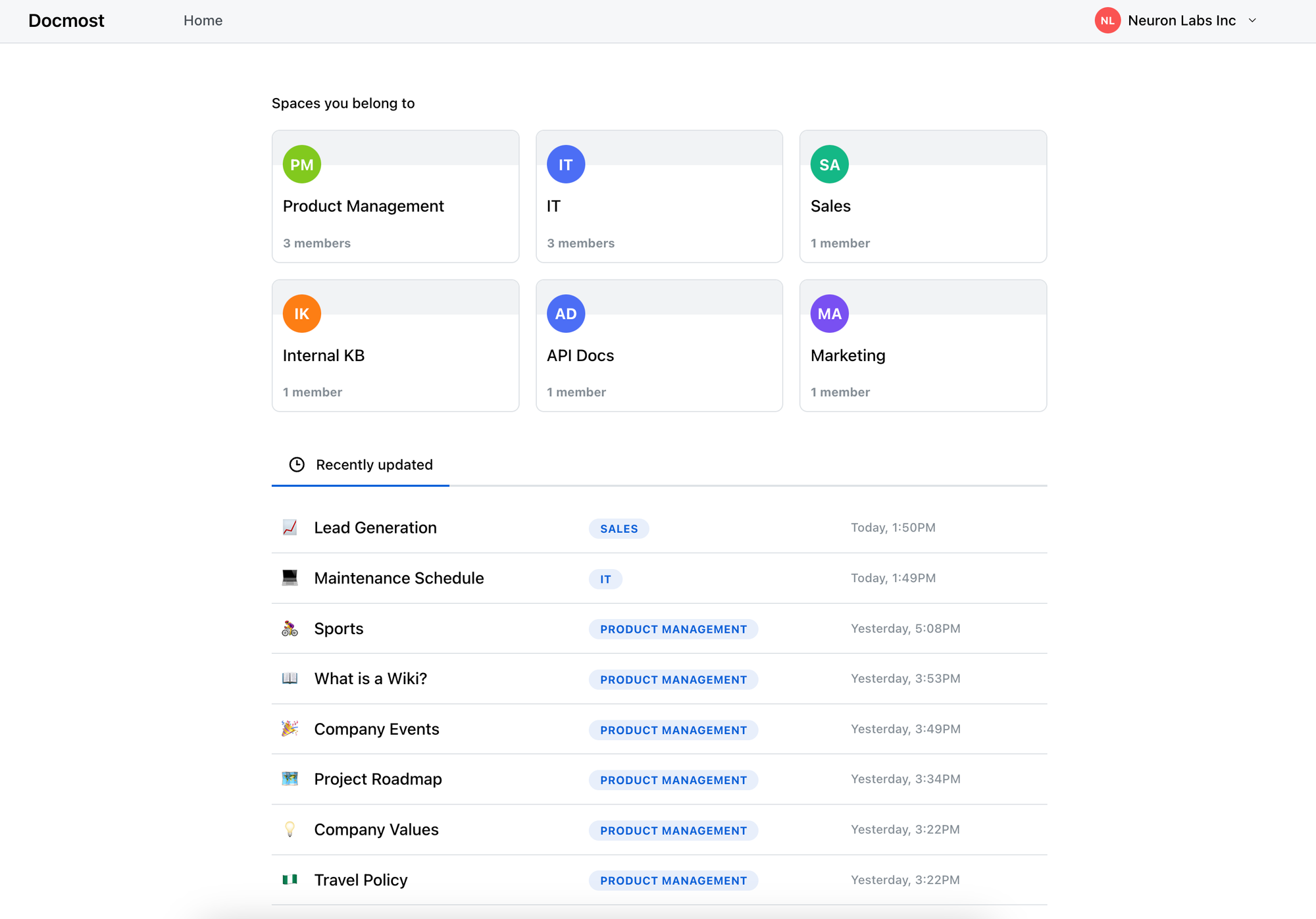
The quickest way to judge a wiki is to put real content in it and see what happens.
Docmost gives you spaces for each team, page history that shows who changed what, and an export you can run yourself, so most of the list above takes an afternoon to check rather than a sales call.
Self-host it and your documentation stays on infrastructure you control, or use the hosted version if you would rather skip the server.
Start a free trial or talk to our team about what your documentation setup needs.