Wiki Software for Remote Teams
Discover how wiki software helps remote teams organize documentation, reduce knowledge silos, streamline onboarding, and collaborate more effectively.

TL;DR
- Remote teams rarely lose information because they write too little. They lose it because the writing ends up spread across six tools, with no clear owner and no way to tell which version is current.
- The documentation that matters most for distributed work is the kind office-based teams get away with skipping: decision records, written procedures, and onboarding that works without a person attached to it.
- Distributed teams carry a data question that office-based teams can mostly ignore, because a workforce spread across countries means internal documentation crosses borders every time someone opens a page.
- A self-hosted wiki gives you control over where your documentation and data live. That control comes with the responsibility of operating the platform, but it also lets your organization meet security, compliance, and governance requirements on its own terms.
Your engineering team ships code from Poland, marketing runs campaigns out of Canada, customer success covers the working day from Australia, and leadership sits in New York. On a good week there might be two hours when most of the company is awake at the same time, and those hours usually get spent in the meetings nobody could find a way to avoid.
What slows a team down in that setup is not the amount of communication, because distributed teams tend to communicate constantly. The trouble starts when somebody needs a dependable answer and the only place it exists is inside a conversation that happened while they were asleep.
A question asked at four in the afternoon in Warsaw gets answered at nine the next morning in New York, and a week later that answer has scrolled out of reach in a channel nobody thinks to search.
A wiki solves that problem by turning conversations into knowledge that is always available. Instead of depending on who happens to be online, teams document decisions, processes, and institutional knowledge in one place where anyone can find the latest answer, regardless of time zone.
In this guide, we’ll explain what a wiki for remote teams should include, how to evaluate the available options, and one question many buying guides overlook: where your documentation physically lives, and which privacy, security, and data residency laws apply once your team operates across multiple countries.
Where Remote Teams Lose Track of What They Know
Almost everything your team needs to know already exists somewhere. But it has been scattered across tools that were each built for a different job, and none of them were built to serve as a permanent record.
|
Where information ends up |
What goes wrong |
|
Slack and Teams threads |
Decisions scroll away, and search returns the discussion rather than the outcome |
|
|
Context stays locked inside individual inboxes |
|
Google Docs and shared drives |
Several near-identical versions exist, none of them marked authoritative |
|
Meeting recordings and transcripts |
The answer is in there somewhere, but nobody can find the ninety seconds that contain it |
|
Personal notes |
The knowledge leaves when the person does |
|
Project management tools |
Built for tasks in flight, not for information meant to outlive them |
What is missing in every one of those cases is a single agreed place where the current version of anything lives, which is the job a wiki is meant to do.
If you are still deciding what kind of platform that should be, our guide to the best open source knowledge base software covers the wider category.
What a Wiki For Remote Team Actually Has to Hold
A wiki only works when people know what they will find inside it. That means deciding up front which categories of knowledge belong there and who is responsible for each one.
Four groupings cover most of what a remote company needs:
Company handbook and policies
Mission, benefits, expense rules, leave policy, and expectations around working hours and availability. These are the pages new joiners read first and everyone else searches for twice a year, usually in a hurry.
They carry real consequences when they are wrong or out of date, so they need a named owner and a fixed review date rather than a vague sense that someone in operations is probably looking after them. We have covered the structure in more depth in our guide to setting up a company policies wiki from scratch.
Team playbooks and standard operating procedures
Every function has work it repeats: how marketing launches a campaign, how support escalates an incident, how finance closes the month. Writing these down matters more for a distributed team than for an office-based one, and the reason comes down to how they get read.
An office procedure can quietly assume a colleague is nearby to answer questions or explain the parts that were never written down. A remote procedure has to stand on its own because someone may be following it alone at midnight with no one available until the next morning, which means the details that seem too obvious to document are often the ones that matter most.
Technical and product documentation
Architecture notes, runbooks, deployment guides, API references, feature specifications, and release notes. Engineering teams tend to be both the most disciplined documenters in a company and the most likely to keep their knowledge in a system of their own, so the practical question is often less about whether the documentation exists and more about whether the rest of the company has any way of finding it.
The decision log
In an office, the people who were in the room remember the discussion. They know what was argued, what got ruled out, and roughly why. That knowledge gets passed along in conversation, so the reasoning survives even when nobody writes anything down.
A distributed team has none of that. When a decision gets made in a meeting that half the company didn’t attend, it either gets written down or it disappears. Six months later somebody asks why the checkout flow works the way it does, and nobody can remember who decided it, what else was on the table, or why the other option lost.
A decision log fixes this with very little effort. You add a new entry each time something gets decided, and you never delete or rewrite the old ones. When a decision changes later, the original entry stays where it is with a short note pointing to the one that replaced it. Keeping the old versions is the whole point, because it lets anyone look back and see what the team worked with at the time.
Each entry needs very little:
- The decision itself, written in one plain sentence
- The date it was made, and the people accountable for it
- The problem it was meant to solve
- The alternatives that were considered, and why each one lost
- What would have to change for the decision to be reopened
Writing down what would make you rethink a decision gives the team something specific to watch for, and it gives anyone who disagrees a proper way to raise it again rather than quietly working around it.
Engineering teams often do a version of this already, in what they call architecture decision records. The same format works just as well for pricing changes, hiring policy, tooling choices, and the kind of leadership calls that otherwise sit in one person's inbox.
Where Your Documentation Physically Lives
When your team is spread across several countries, your documentation is spread across them too, and each country has its own rules about personal data. Personal data means anything that identifies a real person, and a company wiki holds more of it than most teams expect.
Some are easy to spot, like an onboarding page listing a new hire's home address. But most of it gets in by accident: an incident report that names a customer, notes written up after an interview, a line in a team playbook explaining why one person handles a particular account. Every time somebody opens one of those pages from another country, that data crosses a border, and almost nobody thinks of it as going anywhere.
Whose Access Counts as an International Transfer
Under the GDPR, simply reading a page counts as processing, because the definition covers consultation and making data available alongside storing and collecting it. That sounds alarming for a distributed team until you look at who is doing the reading. The regulation treats people working under a company's direct authority as part of that company rather than as outside recipients, so your own staff opening pages from wherever they happen to be is handled as something internal.
A manager in Toronto reading a colleague's onboarding page is not, by itself, sending data anywhere in the legal sense. That holds as long as everyone works for the same legal entity, which is important to check if your team is spread across subsidiaries or hired through an employer of record.
A vendor sits on the other side of that line. When your wiki runs on someone else's platform, that company is processing your data on your behalf, and where they keep it becomes a question you have to ask. The same goes for their own suppliers, since the rules follow the data onward from one country to the next. This is why compliance teams ask vendors for a list of sub-processors, and why the answer tends to be longer than anyone expected.
By the way, self-hosting doesn’t make you compliant, and GDPR has never required European data to sit on European soil. Transfers out of Europe are allowed when the right arrangements are in place. What running the wiki yourself does is remove one whole category from the picture. There is no vendor holding your pages, no sub-processors to map, and nobody else's location to account for. The obligations you are left with sit inside your own company, and those are the ones you can see, plan for, and change.
Residency, Localization, and Sovereignty are Three Different Things
These three terms get used interchangeably in vendor marketing, and they mean quite different things.
|
Term |
What it means |
Practical consequence |
|
Data residency |
Your data is stored in a region you choose |
A cloud vendor's regional hosting option usually satisfies this |
|
Data localization |
Your data may never leave that region, including backups and replicas |
A vendor that stores backups in another region breaks this rule, usually without telling you |
|
Data sovereignty |
Your data is subject to the laws of the country it sits in |
Foreign legal access requests can conflict with local obligations |
The difference matters most when you are reading a vendor's compliance page.
A platform can store your data in an EU region and still copy those backups to servers on another continent, because that is how most cloud systems protect against outages. And wherever the data physically sits, the company holding it answers to the laws of the country it is based in, so a government there can compel it to hand things over.
There is No Office Network to Hide Behind
An office gives you a bit of security for free. People sit on the company network while they are at their desks, so systems can be set up to trust anyone connecting from inside the building and question anyone connecting from outside it. That rough dividing line does a lot of quiet work.
A distributed team has no such line. Everyone is outside the building, connecting from a home network, a coworking space, or a cafe, and there is nothing about where a person is sitting that tells you whether they should be trusted. Plenty of the people with wiki access are not employees at all, but contractors or staff hired through another company in a different country.
That means access control carries far more weight than it would in an office. It stops being something you set up once and forget, and becomes the main thing deciding who can read what.
Three things matter most:
- Space-level and page-level permissions, so a contractor working on one project cannot browse the entire company record
- Single sign-on and directory integration, so that removing someone from your identity provider removes their access everywhere at once
- Access reviews when people move between teams, not only when they leave, because someone changing roles usually gets the new permissions added while the old ones stay exactly where they were.
Teams working under specific regulatory regimes will recognize this shape of problem. We have written separate guides for financial services and for higher education, and a broader overview of self-hosted wiki software that goes deeper on the hosting question.
How to Evaluate Wiki Software For a Remote Team
Work out what you need before you start looking at products, because it’s the only reliable way to avoid being sold a feature you will never use.
For a distributed team, check these:
- Search that holds at volume: Search is the most used feature in any wiki and the one most often judged on a fifty-page demo rather than a five-thousand-page reality. Test it against the volume you expect to have in two years.
- Page history and restore: When two people edit the same page twelve hours apart, neither of them sees the other working. History is what lets you find out who changed what, and undo it if the change was wrong.
- Granular permissions: You need control at the space level and at the individual page level. Most distributed companies have contractors, agencies or partners working in the wiki all the time, so you have to be able to open one project to an outsider without opening everything else.
- Single sign-on, connected to your staff directory: Adding and removing people should happen in one place. If wiki access has to be revoked separately, sooner or later somebody will forget.
- Import and export: Import decides how much work the move in will be, and most buyers check it carefully. Export decides how easily you could leave later, and almost nobody checks it at all.
- Control over where the platform runs: This matters more the more personal data your documentation holds. If your wiki has employee or customer details in it, being able to say exactly where those pages sit is worth a lot.
Take the points that matter most to your team and check each option against them. If you would rather see two tools compared directly, our Docmost and Confluence comparison goes through the differences in detail.
Keeping Documentation Current Across Time Zones
Setting a wiki up is the straightforward part, but keeping it worth trusting is the real work, and it’s harder when everyone is spread out.
In an office, someone spots the outdated poster on the wall or overhears a colleague repeating advice that stopped being true months ago. But nothing catches those mistakes automatically when your team is scattered, so the checking has to be deliberate.
A few habits do most of the work:
- Every page has a named owner, shown on the page itself rather than tracked in a spreadsheet somewhere
- Anything describing a process carries a review date, and the review actually happens
- Decisions get written down the same day they are made, while the reasoning is still fresh
- Old pages that have been replaced get archived, so they stop showing up in search alongside the current version
- Everyone works from the same templates, so a runbook written in Manila looks like one written in Berlin and can be read just as easily
- Access gets reviewed when someone changes role, not only when they leave
None of this needs a dedicated documentation team. It just needs the same discipline you would apply to any other shared system where your company keeps its answers. For more on what tends to break as a wiki grows, we have covered how to make an enterprise wiki scale separately.
Where Docmost fits
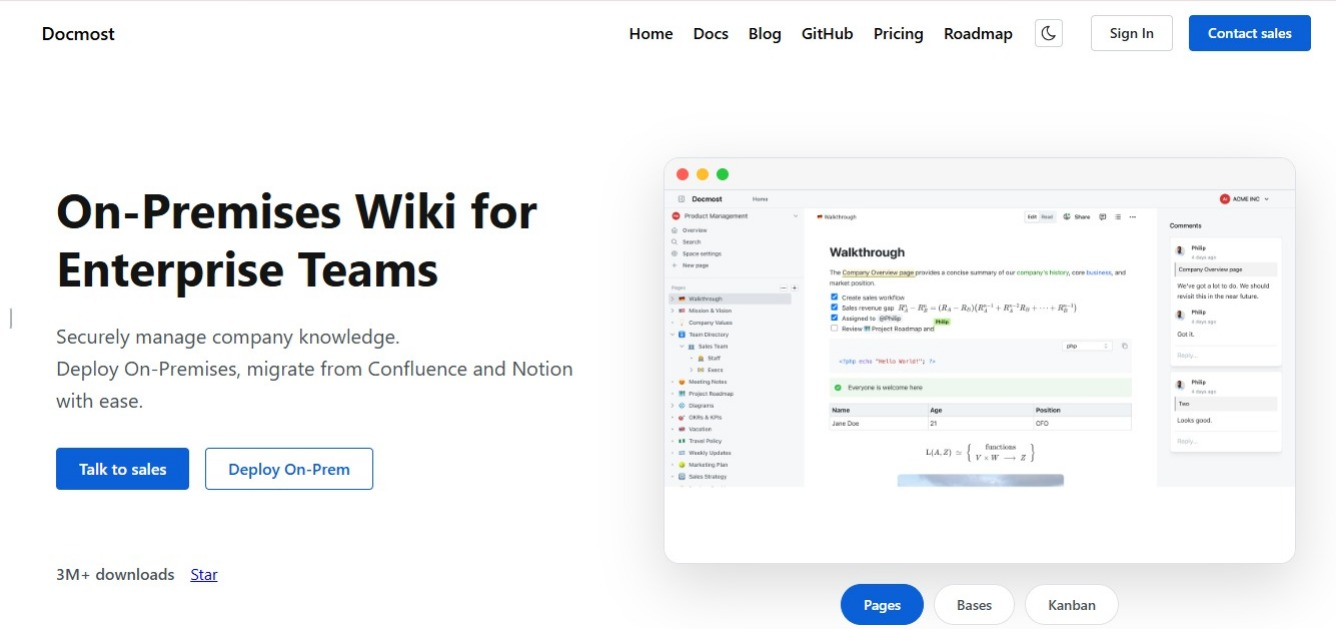
Docmost is an open source wiki and documentation platform you can run on your own infrastructure.
If you plan on self-hosting, you need to know what it entails:
- Your data never leaves the infrastructure you control.
- You define your own compliance posture, covering access controls, encryption and retention, instead of inheriting whatever a vendor offers.
- The work of running it, the hosting, backups, upgrades and security patching, now belongs to your IT team.
If you have no one to run servers and no plans to hire anyone, that last point matters more than the other two. On the product side, Docmost covers what the criteria above ask for. Pages can be edited by several people at once, spaces with nested pages let you organize documentation by team or project, and permissions run down to the individual page.
Teams running Docmost include the University of Bern, Airbus, and the Australian Government.
Frequently asked questions
- What is the difference between a wiki and a knowledge base?
Mostly who is allowed to edit. A wiki is written and updated by the people who use it, while a knowledge base is usually written by a smaller group for a particular audience. The software is often the same either way, so the difference is in how you run it.
- Is our team too small for a wiki?
Probably not. What matters is not headcount but the first time somebody leaves and takes knowledge with them, or the first hire who works somewhere else. A team of five spread across two countries needs one more than a team of twenty sharing an office.
- Should everyone be able to see everything by default?
Start open and tighten later. A wiki people do not trust to be complete is not worth searching. Carve out HR records and anything commercially sensitive, then leave the rest open until you have a reason to close it.
- What do we do with everything already sitting in Slack and Google Drive?
Leave most of it where it is. Start the wiki with whatever people ask about most often, and move other things across as they come up. If nobody has gone looking for something in six months, it can stay where it is.
- Does self-hosting make our wiki GDPR compliant?
No. It removes one thing: your provider is no longer handling your data, so their location and their suppliers stop being your concern. Everything else stays with you, including a lawful basis for holding the data, retention limits, access controls, and answering requests from the people the data is about.
- Does a wiki reduce the number of meetings a distributed team needs?
Some of them. Meetings held to share information can usually become a page people read on their own time. Meetings where a decision gets made cannot, though writing decisions down does remove the follow-up meetings that happen because nobody remembered what was agreed.
Choose a wiki your remote team can rely on
A wiki earns its place on a distributed team when three things are true. People know what belongs in it, every page has somebody responsible for keeping it accurate, and the whole thing sits somewhere you can account for.
The first two are habits, built over months and maintained by whoever owns each page. The third gets settled the day you choose the software.
Whichever tool you land on, the goal is the same. One place your team can reach at any hour, holding answers they can trust without needing to ask anyone who might be asleep.
Try Docmost or contact sales to talk through what a self-hosted deployment would look like for your team.