Top 6 Atlassian AI (Rovo) Alternatives for Confluence Teams
Not sold on Atlassian Rovo? Compare 6 Confluence alternatives by AI capabilities, search, writing tools, privacy, and where their AI runs.

TL;DR
- Atlassian AI (Rovo) comes with paid Confluence plans, but it runs on monthly credits shared across your whole organization.
- Extra usage billing for Rovo credits starts on December 3, 2026.
- The alternatives below split into cloud AI wikis and wikis that can run AI models on your own servers.
- If where your models run matters to your team, start with Docmost and XWiki. Docmost and XWiki offer self-hosting options for teams that want more control over their wiki infrastructure and AI deployment.
- AI capabilities, model choices, hosting options, and permissions vary across the alternatives, so teams should compare the available features against their technical and security requirements.
Atlassian AI (Rovo) comes with every paid Confluence cloud plan, and it's measured in credits. Standard gets 25 credits per user a month, Premium gets 70, and Enterprise gets 150, all shared across your organization. Admins get a notice when your team has used 80% of its monthly credits, and another when it has used all of them.
Extra usage is switched on by default, so if your team goes past its credits, the AI keeps working and the extra credits get billed. That billing starts on December 3, 2026, at $0.01 per credit. Admins can set a spending limit or turn extra usage off. This guide compares six alternatives, including whether their AI runs on your own servers or in the cloud.
Quick Comparison of Confluence AI Alternatives
This table compares Rovo with six alternatives on where the AI runs and who controls it.
|
Tool |
Where AI models run |
Who picks the AI provider |
AI answers respect permissions |
Self-hosted wiki option |
AI capabilities |
|
Atlassian Rovo (Confluence) |
Cloud only (Atlassian-hosted and third-party models) |
Atlassian picks the models |
Yes |
Data Center only; AI runs in Atlassian's cloud |
Search, Chat, Agents, Studio |
|
Docmost |
Your servers, or a cloud provider you choose |
Your workspace admin |
Yes |
Yes |
AI Search, AI Answers, AI Chat, MCP server |
|
Notion |
Cloud only |
Notion; you can switch between its models |
Yes |
No |
AI search, writing, AI Agents, Research Mode |
|
Slite |
Cloud only |
Vendor-managed |
Yes |
No |
Ask, Slite Agent |
|
Guru |
Cloud only |
Vendor-managed |
Yes |
No |
AI answers, content verification |
|
XWiki |
Your servers, or a cloud provider you choose |
Your admin |
Yes |
Yes |
LLM-powered chatbot, summarization, rewriting, translation |
|
Outline |
Cloud on hosted plans; OpenAI or Azure OpenAI on licensed self-hosted installs |
Outline, or your admin on licensed self-hosted installs |
Yes |
Yes |
AI Answers |
What Is Atlassian AI (Rovo) in Confluence?
Rovo is Atlassian's AI product, built into its cloud apps, including Confluence and Jira. It comes with every paid Standard, Premium, and Enterprise cloud plan and has four main parts: Search, Chat, Agents, and Studio.
What Rovo Includes in Confluence
- Rovo Search lets you search Confluence, Jira, and connected apps by asking a question.
- Rovo Chat answers questions and helps you draft content in a chat window.
- Rovo Agents are Atlassian's ready-made agents, plus agents your team builds for specific jobs.
- Rovo Studio lets your team build its own agents.
In Confluence, you'll also see editor features like Create with Rovo, page summaries, definitions, and AI-generated slides.
Atlassian Intelligence vs Rovo
Atlassian Intelligence is the umbrella term for everything AI at Atlassian, while Rovo is one Atlassian product within that. Rovo is now built into every paid plan.
How Rovo Credits Work in Confluence
Rovo credits are the unit Atlassian uses to measure AI use. Every paid Confluence cloud plan comes with a monthly allowance, and each plan gets a different amount per user.
Included Rovo Credits by Plan
|
Confluence plan |
Credits per user per month |
|
Standard |
25 |
|
Premium |
70 |
|
Enterprise |
150 |
- Shared across the organization: Everyone takes from the same balance, so people who use Rovo a lot can use what lighter users leave untouched.
- Reset monthly: Allowances start fresh each month on your usage billing date. Any credits you haven't used by then expire, so nothing is saved for the next month.
- Combined across apps: If you pay for Jira and Confluence, both allowances are added together. In Atlassian's own example, 100 Confluence Premium users plus 100 Jira Premium users give an organization 14,000 credits a month.
What Uses Rovo Credits
Not every AI action costs credits. Atlassian splits AI actions into free actions and billable events, and the cost of a billable event depends on how much work the AI has to do.
|
Action |
Credit use |
|
Rovo Search in Atlassian apps |
Free |
|
Summaries and definitions |
Free |
|
Rovo Chat quick answers |
10 credits per billable event |
|
Advanced agents, Think deeper, Confluence slides, Create with Rovo |
Variable |
|
Enriched Teamwork Graph and MCP calls |
Variable; most are 1 to 10 credits per call |
In Rovo Chat, each message you send counts as its own billable event, and a long back-and-forth conversation uses more credits than a single question.
Think deeper is a Rovo Chat mode that plans, searches, and reasons in several steps to give a fuller answer. Teamwork Graph is how Atlassian connects your work across its apps and other tools, and MCP is how outside AI tools like Claude or ChatGPT connect to it. Enriched calls pull context from several tools at once, while looking up a single Jira work item or Confluence page is free.
What Happens When You Finish Your Rovo Credit Allowance
The credit costs in the table above have applied to all Rovo use since August 31, 2026. Before that date, credits were counted under Atlassian's previous pricing. Atlassian will start charging for credits beyond your monthly allowance on December 3, 2026. Once your team uses all of its credits, this is what happens:
- Extra usage is switched on unless an admin turns it off. That means Rovo's credit-based features keep working when your credits run out, and the extra credits are billed once Atlassian starts charging.
- The list price for extra usage is $0.01 per credit, or $10 per 1,000 credits.
- Admins can set a spending limit or switch extra usage off. With it off, billable features pause until the allowance resets or you buy more credits.
- Organization and billing admins get a notice when your team has used 80% of its monthly credits, and another when it has used all of them.
Why Teams Look for Atlassian AI Alternatives
Teams that start looking for an alternative often run into one of these four issues:
- Credits are limited and shared: Everyone uses the same balance, so if a few teammates use Rovo a lot, the rest of the team can run short.
- Extra usage is on by default: If your team goes past its allowance, Rovo keeps working and the extra credits are billed from December 3, 2026. Admins can set a spending limit or turn extra usage off.
- Atlassian picks the models: By default, Rovo sends each request to whichever model Atlassian thinks fits best. Advanced agents let you pick a model, but only from the list Atlassian offers.
- The models run in the cloud: Rovo uses open models that Atlassian hosts alongside models from third-party providers, and none of them run on your servers. Cloud Enterprise organizations can ask Atlassian to use only its own hosted models, but those still run in Atlassian's cloud.
What to Look for in a Confluence AI Alternative
Before you compare tools, ask your vendor these questions.
|
What to check |
Why it matters |
Question to ask |
|
Where AI models run |
Decides whether your questions and page content stay on your servers or are sent elsewhere |
Do our questions and pages leave our servers? |
|
Who picks the provider |
Decides whether you can switch models later |
Can an admin change providers? |
|
Permission-aware answers |
Stops the AI from showing pages a user can't open |
Does AI search follow page permissions? |
|
Writing help in the editor |
Covers drafting, editing, and translation |
Which editing actions are built in? |
|
Admin controls |
Lets you switch AI on or off |
Can admins disable it workspace-wide? |
|
How usage is limited |
Helps you avoid billing surprises |
Is AI use limited or billed, and who controls that? |
Why It Matters Where Your AI Models Run
When your wiki runs on your own servers and your AI models run there too, a few things change for your team:
- Data never leaves infrastructure you control.
- You define your own compliance posture (access controls, encryption, retention) instead of inheriting a vendor's.
- Hosting, backups, upgrades, and security patching become your IT team's responsibility.
If your admin connects a cloud AI provider instead, your questions and page content are sent to that provider.
Top 6 Atlassian AI Alternatives
Each of these tools can take over some or all of what Confluence does, and each has its own AI features (details below). If you're also comparing documentation tools more broadly, see our list of the best documentation tools for product teams.
1. Docmost: Best for Teams That Want AI Models on Their Own Servers
Best for: teams that want their wiki and their AI models running on infrastructure they control.
AI features: Docmost offers four AI capabilities: AI Search, AI Answers, AI Chat, and an MCP server.
- AI Search: This uses semantic search to understand the intent behind queries and help users find relevant information across their workspace.
- AI Answers: While this generates answers to natural-language questions using information from workspace content, helping users find information without manually searching through multiple pages.
- AI Chat: The AI chat feature lets users interact with their knowledge base through AI-powered conversations, ask questions, explore documentation, and get answers grounded in their content.
- MCP server: Allows external AI assistants and compatible tools to interact with Docmost. Depending on the permissions granted, connected tools can search, read, create, and update pages and interact with other workspace resources.
Where the models run: Docmost supports self-hosted AI models and cloud-based AI providers. Teams can configure their preferred supported provider, including options such as Ollama, OpenAI, Google Gemini, and OpenAI-compatible endpoints. This gives teams flexibility over where AI processing takes place, depending on their configuration.
Keep in mind: Docmost's AI capabilities are available on paid editions and require an AI provider to be configured by a workspace admin. Admins can manage AI settings, including enabling or disabling supported features.
AI interactions respect users' existing workspace permissions, and the MCP server allows external AI tools to access only the content and actions authorized for the connected account. For more on running this on your own servers, read about Docmost's self-hosted enterprise wiki with AI.
2. Notion: Best for Teams That Want AI Inside an All-in-One Workspace
Best for: Teams that want documentation, project management, collaboration, and AI capabilities within a single workspace.
AI features: Notion AI supports writing assistance, content summarization, workspace search, and AI-powered conversations. It can search information from Notion pages, connected apps such as Slack and Google Drive, and the web. Notion also offers AI Agents that can create and edit pages and databases, Research Mode for in-depth research, and AI Meeting Notes for transcribing and summarizing meetings.
Where the models run: Notion AI uses cloud-based models from third-party providers, including OpenAI and Anthropic. Users can access supported AI models through Notion's model options, but Notion does not provide a self-hosted deployment option or a general way to connect an arbitrary, privately hosted model.
Keep in mind: Notion AI availability and usage allowances depend on the subscription plan. Some advanced AI features and connected app integrations require Business or Enterprise plans. Teams should review Notion's current AI pricing, usage allowances, and data-handling practices before adopting it. See how Notion compares to Confluence.
3. Slite: Best for Company-Wide Knowledge Bases With AI Search
Best for: Companies that want a centralized knowledge base where employees can find answers from internal documentation and connected tools.
AI features: Slite offers AI-powered search, answers, writing assistance, and agent-based workflows. Its Ask feature provides answers based on workspace documentation, with references to the source documents. On Pro and Enterprise plans, Slite Agent extends this functionality by connecting to external tools such as Slack, Google Drive, Notion, and Jira. Slite also offers AI-powered documentation maintenance that can identify potentially outdated content and propose updates for review.
Where the models run: Slite uses cloud-based AI processing through third-party providers, including Anthropic Claude and Google Gemini. Its AI processing is described as EU-hosted in its documentation. Slite does not offer a self-hosted deployment option.
Keep in mind: Slite's AI capabilities vary by subscription plan. Ask is available on the Basic plan, while Slite Agent provides expanded search across connected tools on Pro and Enterprise. Teams should review the available features, usage limits, and connected-source permissions for their specific plan before choosing Slite.
4. Guru: Best for AI Answers Delivered Where People Already Work
Best for: Support, sales, and operations teams that want to access verified company knowledge directly within their existing workflows.
AI features: Guru provides AI-powered answers based on company knowledge, with references to the sources used. It integrates with tools such as Slack and Microsoft Teams, allowing employees to access information where they already work. Guru also offers content verification features that help teams identify whether information has been reviewed and confirmed as accurate and up to date.
Where the models run: Guru provides a cloud-based knowledge management and AI platform. Check Guru's current technical and security documentation for the specific AI processing and hosting arrangements applicable to your plan.
Keep in mind: Guru is designed to make company knowledge accessible across existing tools and workflows. Teams considering it as a replacement for a traditional page-based wiki should evaluate its knowledge organization, documentation and collaboration features against their requirements.
5. XWiki: Best for Open-Source Wikis With Local Model Support
Best for: Teams that want an extensible, open-source wiki that can be hosted on their own infrastructure.
AI features: XWiki offers an LLM Application that integrates large language models into its wiki environment. Its AI capabilities include conversational interactions with wiki content and assistance with tasks such as summarization, rewriting, and translation. The availability and maturity of specific features depend on the version and configuration being used.
Where the models run: XWiki can be integrated with compatible AI model providers, including locally hosted models, depending on the configuration. This gives teams the flexibility to choose an AI deployment approach that aligns with their infrastructure and data requirements.
Keep in mind: XWiki is highly extensible, but implementing AI capabilities may require additional configuration and technical expertise. Teams should check the current status, supported integrations, and maintenance requirements of the LLM Application before deploying it. See how XWiki compares to Confluence for more detail.
6. Outline: Best for Lightweight Self-Hosted Team Wikis
Best for: Teams that want a lightweight, collaborative wiki with AI-powered answers and a straightforward documentation experience.
AI features: Outline offers AI-powered answers that help users find information from their documentation by asking questions in natural language. The answers reference relevant documents to help users trace the information back to its source.
Where the models run: Outline offers hosted deployment and licensed self-hosted deployment options. AI availability and the supported model providers depend on the deployment type and license configuration. Teams considering self-hosting should confirm the currently supported providers and configuration requirements in Outline's documentation.
Keep in mind: Outline's AI functionality is subject to its licensing and configuration requirements. Teams should verify which AI features are available for their chosen deployment before migrating their documentation.
How to Move From Confluence to an Atlassian AI Alternative
Leaving Confluence Cloud usually means leaving Rovo too, since Rovo is built into Atlassian's cloud apps. Start with the spaces your team uses most, check how each tool imports Confluence content, and test page permissions before anyone relies on AI answers.
If you pick Docmost, Confluence import is available on the paid edition. Export a Confluence space as HTML, then upload it through Docmost's import dialog. The import keeps your formatting, page tree, internal links, images and attachments, and Draw.io diagrams. See how to import a Confluence space into Docmost for the steps.
For a closer look at two of the tools above, see how Notion compares to Confluence and how XWiki compares to Confluence.
Frequently Asked Questions
- Is Atlassian AI (Rovo) Included With Confluence?
Yes, on paid plans. Standard, Premium, and Enterprise Confluence cloud plans include Rovo along with a monthly allowance of 25, 70, or 150 credits per user. Some features, like Rovo Search, don't use credits at all.
- What Happens When You Run Out of Rovo Credits?
If extra usage is on, which it is by default, credit-based features keep working and you'll be billed at $0.01 per credit up to the spending limit your admin sets. If extra usage is off, those features pause until your allowance resets or you buy more credits. Extra usage billing starts on December 3, 2026.
- Which AI Models Does Rovo Use?
Rovo uses a range of AI models from third-party providers and models hosted by Atlassian. Its AI Gateway and Model Garden support multiple models and providers, including OpenAI, Anthropic, Google, and Meta.
Atlassian selects models based on the requirements of different AI features and continues to evaluate its model options. This allows Rovo to use different models for different tasks across Atlassian products.
Atlassian states that its third-party hosted LLM providers have zero data retention for customer inputs and outputs. For details about data processing, privacy, and security, refer to Atlassian's official AI and security documentation.
- Does Rovo Work With Confluence Data Center?
Yes, through a connector. Atlassian's Rovo connector syncs Confluence Data Center content to the cloud so Rovo Search, Chat, and agents can use it. You need an active cloud Premium or Enterprise plan for Jira, Confluence, Jira Service Management, or Teamwork Collection. The AI itself still runs in Atlassian's cloud.
- Can Admins Turn Rovo Off?
Not completely. Organization admins can block Rovo's AI features for Confluence in Atlassian Administration, which turns off features like Chat and agents in that app. Rovo Search and Studio stay available because Atlassian treats them as part of its platform.
- Is Rovo SOC 2 and HIPAA Compliant?
Rovo has completed external assessments and certifications for SOC 2 and ISO 27001. For HIPAA, Atlassian says Rovo can be used in a HIPAA-compliant way within limits. Rovo Chat, Agents, and Search are supported in HIPAA-enabled Confluence, Jira, Jira Service Management, and Jira Product Discovery environments. Rovo's browser extension, command-line tool, MCP server, mobile app, and desktop app must not be used with protected health information. To turn Rovo on in a HIPAA-enabled environment, contact Atlassian Support.
See Docmost's AI Running on Your Own Servers
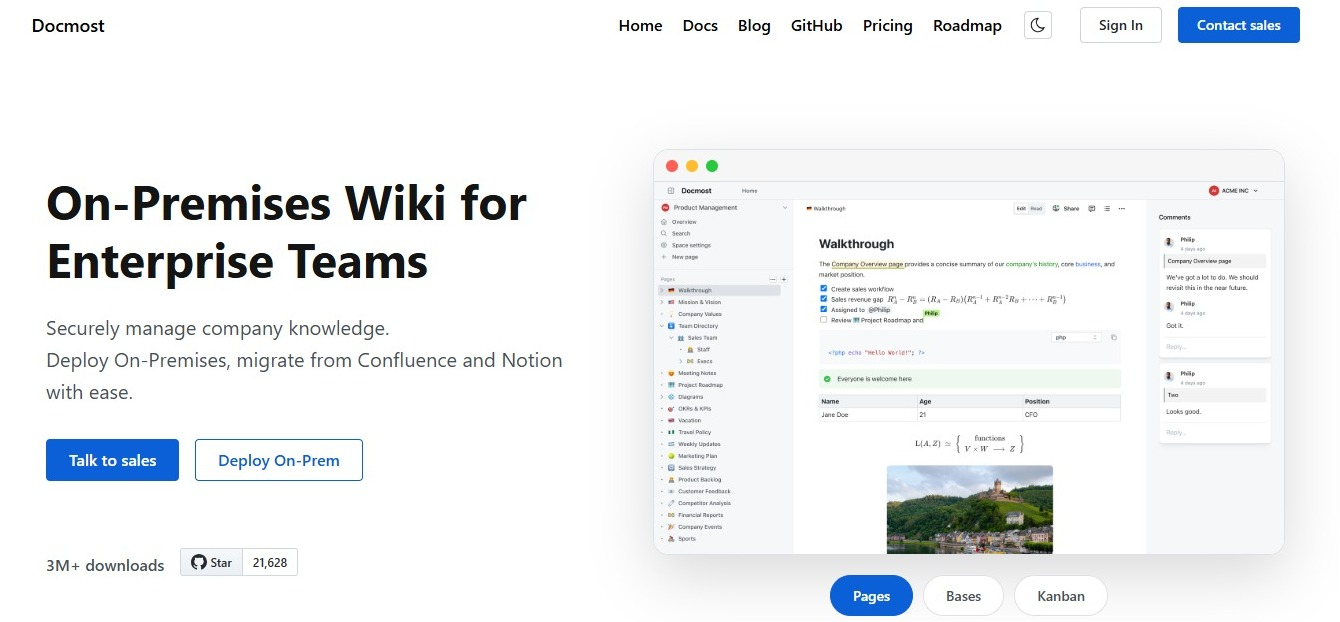
If you want AI Search, AI Answers, AI Chat, and MCP integrations, with the flexibility to configure supported AI models, contact our sales team to see how Docmost's AI works on your own infrastructure.