Wiki.js vs Confluence: Free and Self-Hosted or Paid and Managed
Compare Wiki.js and Confluence on hosting, real-time editing, search, and permissions to see which wiki fits your team.

TL;DR
- Wiki.js is free, open source, and self-hosted, while Confluence is a paid Atlassian product delivered as a managed cloud service.
- Wiki.js has no real-time collaborative editing. Confluence does.
- Wiki.js 2.5 is the current stable release. Version 3 is still in alpha.
- Atlassian is retiring Confluence Data Center. All licenses expire on March 28, 2029, so self-hosted Confluence isn't a long-term option.
- Docmost is self-hosted and open source like Wiki.js, with real-time editing and a Confluence importer in the Enterprise tier.
You've been running Confluence on your own servers for years and it works well for your team. But then Atlassian sets an end date for Data Center, with every remaining license expiring on March 28, 2029 and instances going read-only. The choice in front of you now comes down to two: move to Confluence Cloud, or move off Confluence.
Cloud seems to be your best choice. But it also means your documentation stops living on infrastructure you control, and for plenty of teams that's the one thing they can't give up. So you start looking at open source, and Wiki.js is usually one of the first names that come up. It's free, it's self-hosted, and it looks modern.
The question is whether it holds up as a Confluence replacement once you look past the license.
|
Feature |
Slab Enterprise |
Slite Enterprise |
|
Pricing |
Custom |
Custom |
|
User minimum |
At least 100 |
Not published |
|
Audit logs |
Yes |
Yes |
|
SCIM |
Included from Business |
First appears here |
|
HIPAA |
Not published |
Yes, BAA available |
|
Uptime SLA |
Included from Business |
Yes |
|
Support |
Dedicated |
Dedicated account manager |
|
Onboarding |
Not published |
Migration and onboarding support |
What you're choosing between
Wiki.js
- An open-source wiki built on Node.js, first released in 2016
- AGPL licensed and free to self-host
- Runs on PostgreSQL, MySQL, MariaDB, SQLite, or MS SQL, so it fits whatever database your team already operates
- Git synchronization, several editor formats, and module-based authentication
Confluence
- Atlassian's documentation and collaboration product, and the default in a lot of engineering organizations
- Deep integration with Jira and the rest of the Atlassian suite
- Spaces and page hierarchy, plus macros, templates, and detailed permissions
- Cloud is the edition still on sale, and it's a managed service, so Atlassian handles the infrastructure
Self-hosting vs cloud hosting
What self-hosting gives you
- Data never leaves infrastructure you control
- You define your own compliance posture, including access controls, encryption, and retention, instead of inheriting a vendor's
- Hosting, backups, upgrades, and security patching become your IT team's responsibility
Who usually handles the maintenance
|
Maintenance |
Wiki.js |
Confluence Cloud |
|
Install |
Docker or Node on your own server |
None, hosted by Atlassian |
|
Upgrades |
You run them |
Handled for you |
|
Backups |
You own the schedule |
Handled for you |
Confluence Cloud handles all the maintenance and upgrade work for you. But if your documentation contains material your organization can't place on a third-party service, you already know Confluence Cloud wouldn't satisfy that requirement. If your documentation doesn't, you should plan for how the maintenance will be handled, and budget for it before you make a final decision.
If you're checking several self-hosted options at once, our roundup of open-source Confluence alternatives covers more options.
Day-to-day use
Editors and formats
- Wiki.js gives you Markdown, a visual editor, and AsciiDoc, plus diagram support through Mermaid and Draw.io
- Confluence gives you one rich-text editor, extended through macros and templates
- Technical teams often prefer the Wiki.js approach, since they can write in the format they already know. Mixed teams, where some writers have never touched Markdown, tend to do better with a single editor that works the same way for everyone
Real-time editing
- Wiki.js: no real-time collaborative editing. If two people edit the same page at once, the second person to hit save is asked to choose between their own work and the version already saved. Nothing is lost automatically, but nothing is merged either
- Confluence: simultaneous editing, with live cursors showing you who's working where
- Both: version history, so you can see what changed and restore an earlier version
Editing seems like a small part of the job until you look at what teams write together. Meeting notes get typed while the meeting happens, incident reports get written by several people at once while the incident is still open, and even runbooks get corrected by whoever sees the mistake. Every one of those is a page more than one person types on at the same time.
Version history only lets you see earlier versions of a document. It doesn't help two people writing at once.
Search
- Wiki.js: search works from the moment you install it, using the engine Wiki.js ships with. If that stops being good enough as your wiki grows, you can replace the engine behind it and keep your content where it is. The options include PostgreSQL full-text search, Elasticsearch, Algolia, AWS CloudSearch, and Azure Search, and you pick one from the administration area
- Confluence: search comes configured by Atlassian, with filters for space, contributor, type, date, and label. Advanced search adds creator, title, date range, and ancestor page, and results respect your permissions, so people only see content they're allowed to open
With Wiki.js you pick the search engine and you look after it. With Confluence, Atlassian picks it and looks after it for you.
Permissions and content structure
- Wiki.js: one page tree for all content. Access comes from groups, with page rules that match paths by exact match, starts with, ends with, or regex, and each rule allows or denies read and write
- Confluence: permissions work at three levels. Site-level for what everyone can do, space-level for each space, and content-level restrictions on individual pages. Permissions are additive, so belonging to one group that grants access is enough. Content restrictions aren't available on Confluence's free tier
If you're moving off Data Center, this is where most of the work sits. Wiki.js has nothing that matches a Confluence space, so your permissions can't come across unchanged. Each space becomes a path in the Wiki.js page tree, and you write group rules that say who can read and edit that path. Then you go through the pages and check that nobody can see what they shouldn't.
For a closer look at how Wiki.js handles this against another self-hosted option, see how Wiki.js compares to BookStack.
How actively each one is developed
The current Wiki.js stable release is 2.5.x, last updated in May 2026. Version 3 has been in development since 2021, and a developer preview appeared in October 2022. The beta is gated on version 3 reaching feature parity with 2.x, and it hasn't shipped.
Alpha builds do keep shipping, so this isn't an abandoned project. What hasn't arrived is a version you'd put in front of your team, and 2.x carries the production load in the meantime with security fixes and the occasional feature.
Confluence is the opposite case. Atlassian keeps building it, but the edition getting that work is Cloud.
So there's risk on both sides of this comparison. One tool has a next version that has been coming for years, while the other is retiring the edition you're on.
When to use Wiki.js or Confluence
Pick Wiki.js if
- You want open source with no licensing cost and you can run your own infrastructure
- Your writers work in Markdown and mostly edit alone
- Git sync and multiple content formats matter to how your team works
Pick Confluence if
- You're already in the Atlassian ecosystem and Jira integration carries real weight
- You want somebody else running the infrastructure
- Real-time editing isn't negotiable and Cloud is acceptable to your organization
If you need self-hosting and real-time editing
Most people reading this comparison are here because Data Center is going away and they want to stay self-hosted. There's a third option that covers both. Docmost is self-hosted and open source like Wiki.js, but with the real-time collaborative editing Wiki.js lacks. The Enterprise tier adds a Confluence importer that brings your existing spaces, page hierarchy, and attachments across, so a move off Data Center to Docmost doesn't mean rebuilding your pages all over again.
You can see how Docmost compares to Confluence feature by feature.
Frequently asked questions
- Does Wiki.js support real-time collaborative editing?
No. Two people can open and edit the same page, but only one version can be saved. The second person to save is shown both versions and has to choose which one to keep, because Wiki.js won't merge them. Version history is there to review changes afterward, but it doesn't allow two writers to work on the same page at once.
- Is Wiki.js 3.0 released yet?
No. Version 3 has been in development since 2021 and a developer preview came out in October 2022, but it remains in alpha. The beta depends on version 3 matching what 2.x already does, and that hasn't happened. If you deploy Wiki.js today, you're deploying 2.5.x.
- Can you import Confluence content into Wiki.js?
There's no native Confluence importer in Wiki.js. Moving content across means exporting from Confluence and converting it into a format Wiki.js accepts, which is manual work that grows with the size of your space. Attachments, page hierarchy, and macros are where most of the effort goes.
- Does Wiki.js support SSO and SAML?
Yes, and it's included in the free release. Wiki.js handles authentication through modules covering SAML 2.0, LDAP and Active Directory, Okta, Azure AD, Auth0, Keycloak, and generic OpenID Connect or OAuth2, plus two-factor authentication on supported modules. You enable and configure them from the administration area. One gap to know about: Wiki.js 2.x doesn't map groups from your identity provider to Wiki.js groups, so group membership is managed inside the wiki.
- What is the best wiki editor?
It depends on who's writing. Markdown editors suit teams whose writers already work in Markdown and want formatting that stays predictable across pages. Rich-text editors suit mixed teams where not everyone writes code, since there's nothing to learn before the first page. Wiki.js offers Markdown, a visual editor, and AsciiDoc, so writers choose per page. Confluence gives everyone the same rich-text editor. Docmost supports both rich text and Markdown in one editor.
Bring your documentation to Docmost
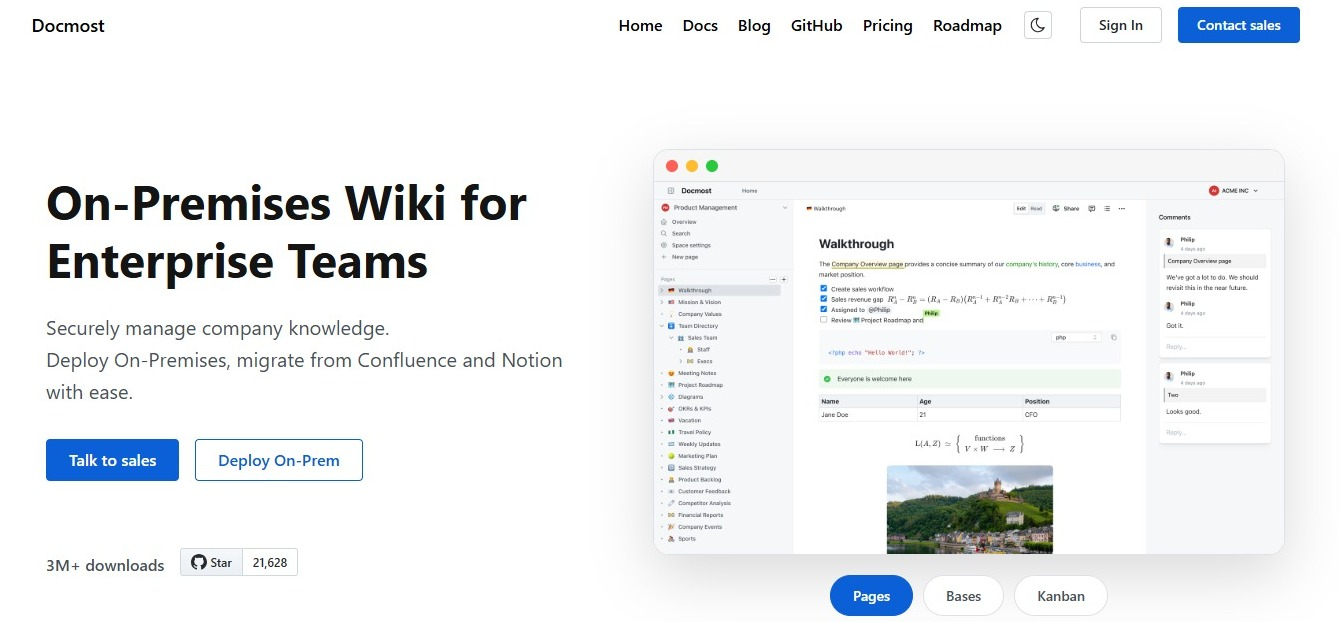
Docmost gives your team spaces with their own permissions, inline comments on any page, full page history, nested navigation, file attachments, and search across everything. Two people can write on the same page at the same time without anyone choosing whose version survives. It runs on infrastructure you control, and the Enterprise tier adds SSO through SAML 2.0 and OIDC along with the Confluence importer. Talk to our team about what a move would look like for your organization.