Odoo Knowledge vs Confluence: Editions, Hosting, and Licensing
See which Odoo plan includes the Knowledge app and how it compares to Confluence on hosting, licensing, and permissions.

TL;DR
- Odoo Knowledge only comes with Odoo Enterprise, so a free self-hosted Odoo install won't give you a wiki.
- Confluence Data Center closed to new customers in March 2026, so unless you already hold a license, Confluence is cloud only. Existing licenses expire and go read-only on March 28, 2029.
- Odoo Community is open source under LGPLv3, but the Knowledge app itself isn't.
- Odoo Knowledge suits teams already paying for Odoo Enterprise. Confluence suits teams already inside Atlassian.
Can the Knowledge app that comes with Odoo replace your Confluence subscription? If you're already paying for Odoo, you're probably paying Odoo for your ERP and Atlassian for your wiki, and one of those two looks like it could do both jobs. Odoo's Knowledge app only arrived in late 2022, so plenty of teams started paying for a separate wiki tool long before Odoo had one, then never went back to check.
The answer depends on which edition of Odoo you're running. That decides whether the Knowledge app costs you extra, whether you can keep it on your own servers, and whether it counts as open source. So let's sort that out first, before we start comparing editors and features.
Quick comparison
|
Feature |
Odoo Knowledge |
Confluence |
|
Edition or plan |
Enterprise only |
Free up to 10 users, then paid plans |
|
Hosting |
Odoo Online, Odoo.sh, on-premise |
Cloud only for new customers |
|
Editor |
Rich text, slash-command powerbox |
Rich text, macros |
|
Permissions |
Article level, inherited by nested articles |
Global, space, and page level |
|
Standout feature |
Embeds live Odoo data in articles |
Deep Jira integration |
What Odoo Knowledge is
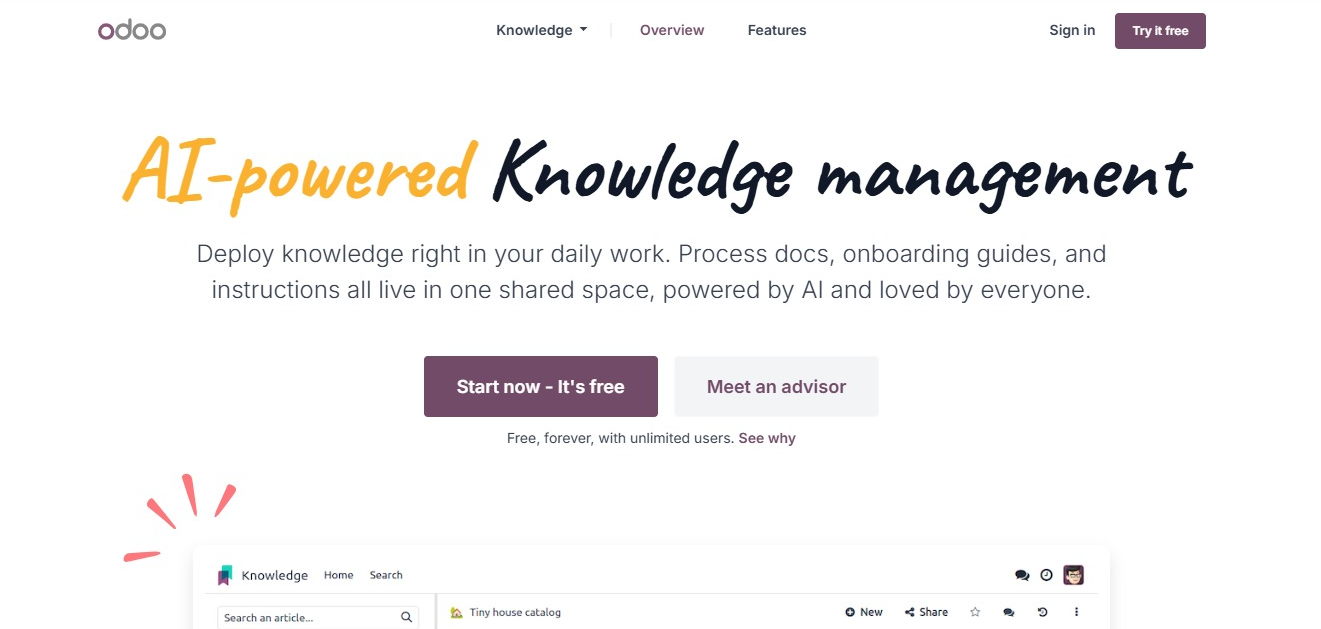
Odoo Knowledge is one app inside the Odoo suite, which also includes CRM, Inventory, Accounting, and the rest.
Odoo calls its pages articles. Each one is a title plus a body, and you organize them as parent and child so they nest into a tree in the left-hand menu. That menu splits into four sections: Favorites, Workspace, Shared, and Private.
This is what you get inside an article:
- Text, images, links, and templates, plus real records from other Odoo apps. You can drop a customer record, a sales order, or a list of open deals straight into the page
- A formatting toolbar that appears when you select text
- Slash commands, where typing a forward slash opens a menu of options Odoo calls the powerbox, some of which only exist inside Knowledge
- Comments on any selected passage
- A cover image at the top of the article
- Search, either as a plain search or a filtered one
There's also a version history. Open an article, click the history icon, pick an earlier version, and restore it. Deleted articles go to a trash that keeps them for 30 days before they're fully deleted.
How it connects to the rest of Odoo
Knowledge links up with the other Odoo apps in two directions.
- Live data inside your articles: Say you build a chart in the Sales app showing this month's orders. You can place that same chart inside a Knowledge article, and it stays connected to Sales, so the numbers update on their own. Your pipeline review page shows the pipeline instead of describing it.
- Your articles inside other app: When you're working on a sales order or a project task, a Knowledge icon in the corner opens your documentation right there, so you don't switch tabs to find the process notes.
If your team lives in Odoo all day, that's an advantage Confluence can't match. A page that shows you this month's numbers is more use than one that tells you where to find them.
One consequence of that connection: if someone doesn't have access to the data behind a chart, they won't see the chart in the article, even when they can read everything else on the page. This is because the live data respects your Odoo permissions, which is correct behavior, though it does mean two people can open the same article and see different things.
Does Odoo Community include Odoo Knowledge?
No. Odoo Knowledge comes with Odoo Enterprise, which is a paid subscription.
Community does carry placeholder records for Knowledge and a few other Enterprise apps, and their documented job is to make the app show up when someone searches for it, then point that person to an upgrade page.
Why "Odoo is open source" doesn't mean the wiki is
Odoo Community is free and open source. So most people think: Odoo is open source, and Odoo has a Knowledge app, therefore I can self-host an open source wiki for free.
That conclusion is wrong.
If you put Odoo Community on your own server to avoid subscription costs, and documentation was part of the plan, you won't get a wiki unless you move to Enterprise.
Where Odoo Knowledge and Confluence can be hosted
|
Deployment |
Odoo Knowledge |
Confluence |
|
Vendor cloud |
Odoo Online |
Confluence Cloud |
|
Managed platform |
Odoo.sh |
Not offered |
|
Your own servers |
On-premise, Custom plan only |
Data Center, existing customers only |
Only one of these two products still lets a new customer run the software on their own hardware.
Odoo supports on-premise deployment, though only on its Custom plan. Standard customers are on Odoo's cloud.
Confluence Data Center closed to new customers on March 30, 2026. If you don't already hold a Data Center license, Cloud is now the only way into Confluence. Existing customers can keep running it, but they lose the ability to expand licenses on March 30, 2028. And on March 28, 2029, every Data Center license and Marketplace app license expires, and instances become read-only.
Which means nobody can edit your documentation any more. People can still open pages and read them, but your wiki has turned into an archive.
If you're on Data Center now and you need to stay on your own infrastructure, that's a deadline, and you need to make a decision. We've covered the full timeline and the options in our Confluence Data Center end of life guide.
Licensing
People treat "Odoo is open source" and "Odoo Knowledge is open source" as the same statement. Only the first one is true.
|
Product |
License |
|
Odoo Community |
LGPLv3, open source |
|
Odoo Knowledge (Enterprise app) |
Proprietary |
|
Confluence Cloud |
Proprietary |
|
Confluence Data Center |
Proprietary |
The Enterprise edition contains proprietary applications, and Odoo Knowledge is one of them.
So if open source is a hard requirement for you, Odoo Knowledge won't meet it. That applies whether the requirement comes from a security review, a procurement policy, or a preference for software you can inspect and change yourself. You can run it on your own servers if you're on the right plan, but that only decides where the software sits. It doesn't give you the right to open up the code and see how it works.
Writing and organizing content
Confluence organizes around spaces. A space is a container, usually one per team or project, and pages nest inside it in a tree.
- Templates for pages you create repeatedly
- Macros that pull dynamic content into a page
- Page history, so you can see changes and roll them back
- Inline comments on specific passages
- Search across everything in the site
Odoo Knowledge uses article items, which are blocks inside an article that hold organized content. It also uses properties, which are custom fields shared across all the child articles under a single parent.
- Article items can be converted back into full articles, and full articles into items
- Properties suit documentation with repeating structure, like a set of client pages that each need an owner and a review date
- One limit on properties: they only work on child articles or article items, so a top-level article can't have them
Both give you a version history you can restore from.
Which is better: Confluence has the more familiar structure for a large documentation set, and spaces make it easier to hand a section to a team and walk away. Odoo Knowledge is lighter and quicker to start, and properties are a nice touch if your pages follow a pattern.
Permissions and access control
Confluence works at three levels:
- Global permissions decide who can log in and create spaces at all
- Space permissions decide who can see and work in each space
- Page restrictions lock down individual pages inside a space
The most restrictive level wins, so a page restriction can't be overridden by space permissions.
Odoo Knowledge works at the article level:
- Default Access Rights on every article, set to Can edit, Can read, or No access, which apply to all your internal Odoo users
- Invited people override that default with their own permissions
- Nested articles inherit whatever the parent has, so the tree carries permissions down through it
- Share to web generates a public URL for an article, though it needs the Website app installed
What this means
The phrase to pay attention to is internal users. In Odoo, that means people with an Odoo user account.
Say you want a contractor to read one onboarding article, or a partner agency to see your brand guidelines. Neither of them works for your company, so neither has an Odoo account. Your choices are to give them one, or to switch on the public link and put that article on the open web for anyone who has the URL. There's no setting in between, where an outsider logs in and reads only the pages you picked for them.
If everyone who reads your documentation already works in Odoo, none of this will bother you. But if you work with a lot of contractors, freelancers, or agencies, it will bother you. Try it out with someone who doesn't have an Odoo account before you make a final decision.
Which is better: Confluence is more flexible for mixed internal and external audiences. Odoo Knowledge is simpler when your readers are all Odoo users already.
Getting content in and out
Moving content in
Odoo implementation partners have built tools to move Confluence pages and spaces into Knowledge, and Confluence has its own import paths for teams coming the other way.
Getting the content across is easy. Getting the structure, permissions, and internal links across intact is harder, so test it with a small sample before you move everything.
Getting content back out
With Confluence, your documentation lives in a documentation tool. If you leave, you export it and move on.
With Odoo Knowledge, your documentation lives inside your ERP. Your runbooks, policies, and process notes are tied to the same subscription that runs your invoicing and inventory.
In Knowledge, the Export button on an article opens your browser's print window. You save that one page as a PDF, then repeat for the next one.
For ten articles, that's easy. But for a few hundred, it's a long time. And a folder of PDFs doesn't keep your article tree, so you'd be rebuilding the structure by hand at the other end. The live charts you embedded won't survive the move either, because they were reading from Odoo records you no longer have access to.
So the same connection that makes Odoo Knowledge useful is what makes it expensive to leave.
Which one wins, category by category
|
Category |
Winner |
|
Editions and access |
Confluence. It has a free tier, and Knowledge needs a paid Odoo Enterprise plan |
|
Hosting |
Odoo Knowledge. On-premise Odoo is still available to new customers, but Confluence Data Center isn't |
|
Licensing |
Tie. Both are proprietary |
|
Editor |
Tie. Both are comfortable to write in |
|
Structure |
Confluence. Spaces hold up better for large documentation sets |
|
Permissions |
Confluence, for mixed audiences. Odoo Knowledge, if all readers are Odoo users |
|
Live data |
Odoo Knowledge, clearly. Nothing in Confluence matches embedded views |
|
Exit cost |
Confluence. Documentation in a documentation tool is easier to take with you |
Choose Odoo Knowledge if:
- Your team already runs Odoo Enterprise and your documentation is mostly about work happening inside Odoo
- You want live data in your pages, which Confluence can't do
- You'd rather keep everything in one system with one search
- You're on an all-apps plan, so Odoo Knowledge costs you nothing extra. Check your own plan first, because Odoo's entry tier covers a single app only.
Choose Confluence if:
- Your team already lives in Jira and Atlassian's other tools
- You need to bring external collaborators into your documentation
- Your documentation set is large enough that spaces earn their keep
- You're already on Data Center, in which case the 2029 date belongs in your planning now, not later.
Choose neither if what you're after is documentation that's open source and runs on infrastructure you control. Odoo Knowledge is proprietary and needs an Enterprise subscription on the Custom plan. Confluence is proprietary, and unless you already hold a Data Center license you can't self-host it at all. That's a common requirement, and neither of these two answers it.
Docmost covers both

Docmost is an open source wiki and documentation platform. The core is released under AGPL-3.0, and you run it on your own infrastructure, including air-gapped environments with no external dependencies.
That core gives you:
- Real-time collaborative editing
- Spaces, each with its own permissions
- Groups, comments, page history, and search
- Diagrams through Draw.io, Excalidraw, and Mermaid
- Imports from Notion, Markdown, and HTML
A paid Enterprise edition adds the pieces larger organizations tend to need:
- SSO through SAML and OIDC, plus LDAP and MFA
- Page-level permissions
- A Confluence importer that brings your spaces across with hierarchy, attachments, and formatting intact
Running it yourself does mean your team owns hosting, backups, and patching, so it suits organizations with someone who can take that on.
If you're weighing other self-hosted options first, our roundup of open source Confluence alternatives walks through the main ones, and we've compared XWiki and Confluence and Notion and Confluence in more detail.
Frequently asked questions
- Is Odoo Knowledge free?
Only in the sense that you don't pay for it separately. Knowledge has no standalone price, and Odoo's paid plans bundle every app into one per-user rate, so a team already on Enterprise adds it at no extra cost. What you can't do is get it for nothing. There's no free path to Odoo Knowledge, because the free edition of Odoo doesn't include it.
- Can you self-host Odoo Knowledge?
Yes, but only on Odoo's Custom plan. Standard customers run on Odoo's cloud with no on-premise option, so self-hosting means upgrading every user in your company to Custom, including the ones who never open the wiki. Self-hosting and open source are separate things here. You'd be running proprietary software on your own hardware.
- What happens to your articles if you cancel Odoo Enterprise?
Your documentation is inside the Odoo database. In the Knowledge app, the Export option on an article opens your browser's print window, which works for one page at a time and doesn't preserve your article structure. Any live Odoo views embedded in articles won't function outside Odoo either, since they pull from Odoo records. If there's any chance you'll move on later, test a full export early instead of assuming it'll be simple.
- Can Odoo Knowledge work as a public help center for customers?
Partly. There's a Share to web toggle that makes an article available at a public URL, which needs the Website app installed. It works for publishing individual articles. It's less suited to a full customer-facing help center with its own navigation, branding, and search.
- Are there third-party modules that add a knowledge base to Odoo Community?
Yes. The Odoo Apps Store has a Knowledge category, and the Odoo Community Association maintains free open source modules there, including a document pages module and an add-on that puts access-group controls on top of it. There are paid third-party options too, some of which state Community compatibility. All of them are built and supported by their authors, not by Odoo, so check the maintenance history and which Odoo versions they support before you put your documentation on one.
- Can you keep Confluence and connect it to Odoo instead of replacing it?
Not as smoothly as you might hope. A pair of connector apps was built for this years ago, one on the Atlassian Marketplace and one in the Odoo Apps Store, letting you link Odoo records into Confluence pages. The Marketplace listing is now archived and may not install, and it targeted an Odoo version from 2018. Both products have APIs, so a custom link is possible, but there's no maintained off-the-shelf bridge. In practice, most teams either paste links between the two by hand or pick one tool and move.
Own your documentation
Your wiki holds your processes, your policies, and your team's internal knowledge. Where it lives, who can reach it, and whether you can take it with you are questions you want answered before you commit to a tool.
Docmost is open source and self-hosted, with a Confluence importer in its Enterprise edition.