Corporate Wiki: What It Is And How To Set One Up
Find out what a corporate wiki is and how to set one up for your team.

TL;DR
- A corporate wiki is a shared, editable space where employees document how the company runs, from onboarding to decision records.
- The advantage is knowledge retention: information stays with the team instead of walking out the door with one person.
- The main risk is it being outdated. Without an owner and a review habit, wikis get messy and stop being trusted.
- A wiki is not the same as a knowledge base. Wikis are good for open collaboration, while knowledge bases are good for structure and verified answers.
- Setting a wiki up takes a little time, but getting people to use it takes longer.
Every company has that someone who knows how billing works, where the onboarding checklist is, or why a decision got made two years ago. Now, when that person gets sick, goes on vacation, or even leaves the company, that knowledge doesn't automatically transfer to anyone else. It usually just disappears, and the next person who needs that information has to start from zero.
A corporate wiki exists to fix that. It's a shared home for everything your team knows, so the answer lives somewhere any colleague can find it, instead of staying stuck in one person's memories.
One of the first calls you'll make is where that wiki lives. It could be on infrastructure your team runs (self-hosted) or on a vendor's servers (cloud). This is what it means to do both:
|
Category |
Self-hosted |
Cloud |
|
Where data lives |
Infrastructure your team controls |
Vendor's servers |
|
Compliance posture |
You decide who can access it and how it's encrypted and retained |
Inherited from the vendor's setup |
|
Setup effort |
Requires initial hosting and configuration |
Ready to use right away |
|
Ongoing maintenance |
Your IT team handles hosting, backups, upgrades, and patching |
Handled by the vendor |
|
Best fit |
Teams that want direct control over where information lives |
Teams that want to start without managing infrastructure |
What is a corporate wiki?
A corporate wiki is an internal, collaborative website where your team creates and edits pages about how the company works. Think onboarding guides, policies, process documentation, meeting notes, and decision records, all living in one place instead of scattered across chat threads and shared drives.
What makes it different from a regular shared document is who gets to write in it. Anyone with access can usually create or edit a page. Nobody has to wait on one person to update it, neither do they have to ask around to find out if the page they're looking at is current. One edit updates the page for everyone, instead of a new version getting passed around every time something changes.
Corporate wiki vs. knowledge base
A corporate wiki and a knowledge base often get used interchangeably, but they solve different problems.
|
Category |
Corporate wiki |
Knowledge base |
|
Editing model |
Open. Anyone on the team can contribute. |
Managed. Content has designated owners. |
|
Structure |
Grows as pages link to each other |
Organized in a fixed structure, often with templates |
|
Audience |
Internal teams |
Internal teams and/or external customers |
|
Best for |
Knowledge that evolves and needs many contributors |
Verified answers that shouldn't change often |
Which one does your team need?
If the goal is internal documentation that many people update as things change, a wiki fits. If the goal is a single set of verified answers, especially something customer-facing, a knowledge base fits better. Plenty of teams end up running a wiki and a knowledge base side by side, each doing a different job.
Why teams set up a corporate wiki
Teams that build a corporate wiki are usually solving a handful of the same problems:
- Faster onboarding. New hires have somewhere to look before they interrupt a teammate.
- Institutional knowledge retention. Process knowledge stays with the company when someone leaves or changes roles.
- Fewer repeated questions. Answers get written once instead of re-explained in chat every time someone new asks.
- Cross-team visibility. Teams can see how other departments work without booking a meeting to ask.
Where corporate wikis stop working
Not every wiki remains useful past its first few months, and the ones that stop working usually do so for one of these predictable reasons:
- No owner. Pages get created and never updated because nobody's responsible for them.
- No review habit. Without a periodic check, content usually gets outdated.
- Search that doesn't work. If people can't find a page, they stop trusting the wiki has the answer and go back to asking in chat.
- Everything and nothing gets written down. A wiki that tries to hold every possible document type without any structure becomes hard to navigate, and eventually people stop opening it at all.
Self-hosted vs. cloud: where should a corporate wiki live?
Where a corporate wiki lives is as much a decision as which software you pick. Self-hosting and cloud hosting solve the same problem, but both come with different types of responsibility.
With self-hosting:
- Data never leaves infrastructure you control.
- You define your own compliance posture, covering access controls, encryption, and retention, instead of inheriting a vendor's.
- Hosting, backups, upgrades, and security patching become your IT team's responsibility.
With a cloud tool:
- The responsibility of hosting, backups, and upgrades goes to the vendor.
- You get started faster and someone else handles the infrastructure, but you're working within whatever compliance posture and access model they've already built.
Neither option is automatically right. The decision usually depends on how much control your team wants over where information lives, versus how much of that responsibility you'd rather give up.
How to set up a corporate wiki
1. Define scope and purpose
Decide what the wiki is for before you open it up to the whole company. Is it for onboarding? Process documentation? Decision records? All of the above? A wiki with no defined scope tends to turn into a dumping ground for all company information with no structure.
2. Choose self-hosted or cloud
Use the comparison above to choose between these two early. If control over where your data lives matters most, self-hosting will be your best option. A closer look at how two wiki platforms compare explains this better, if you want to look before deciding.
3. Import your existing documents
Pull in whatever already exists: that shared drive folder, the old wiki, even the doc nobody remembers writing. A wiki that starts already full of information invites people to keep adding to it. But a wiki that starts blank has the opposite effect. Docmost's import and export docs walk through how to bring existing content in.
4. Set structure and permissions
Start with the page types you already need, like: onboarding, runbooks, meeting notes, decision records. You can always add more structure later, but starting with too many categories makes the wiki harder to navigate before it even has real content.
On permissions, decide who can edit what. Fully open editing works for plenty of teams. Others need per-space permissions once sensitive content, like HR or legal pages, needs tighter access.
Teams built around IT or MSP work often need a bit more structure, since a lot of what they document is being seen by clients. Wiki software for IT teams and MSPs covers what that setup should look like.
5. Build the "write it down" habit
Set one rule: when someone answers a question in chat, the answer moves to the wiki, and when someone asks that same question again, the chat message gets a link to the answer in the wiki, instead of having the full answer typed out again. That single habit is what separates a wiki people keep using from one that gradually stops getting opened.
This particular rule is more important for remote teams, since there are no office teammates you can easily ask when a wiki page is missing. Wiki software for remote teams goes deeper on how that habit can get built even when a team is scattered across the globe.
How Docmost supports a corporate wiki
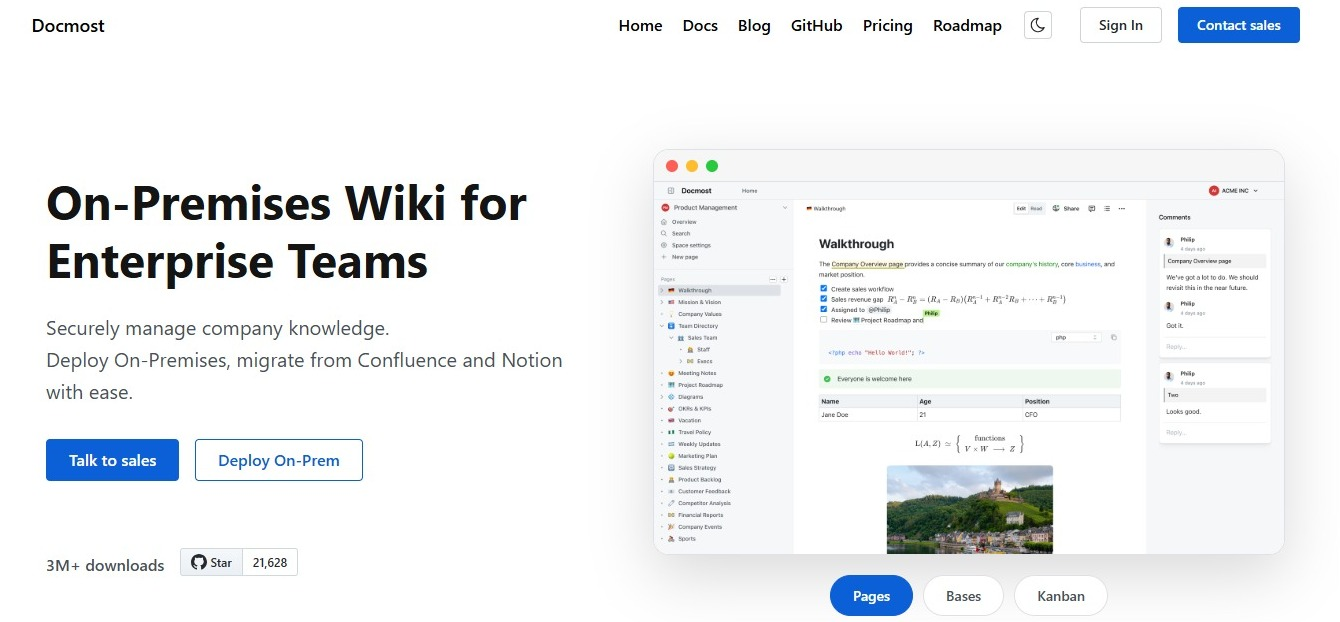
Docmost is built to support a corporate wiki in these ways:
- Self-hosted control. Your team decides where the wiki lives and who's responsible for it.
- Import and export. You move in documents you already have, and don't have to start from scratch.
- Spaces and page hierarchy. Content is organized into spaces, and pages within a space can be nested, so the page types (onboarding, runbooks, meeting notes, decision records) have a designated space.
- Per-space permissions. Each space carries its own permission levels, from full access down to view-only, so "who gets to edit what" is decided space-by-space, without needing separate software to manage it.
FAQ
- Is a corporate wiki the same as a knowledge base?
No. A wiki favors open, collaborative editing where anyone can contribute. A knowledge base favors structure and content with designated owners.
- Who should be able to edit a corporate wiki?
Most teams start with open editing and add per-space permissions later, once certain content, like HR or legal pages, needs tighter access.
- What's the difference between a corporate wiki and an intranet?
An intranet is usually a broader internal portal, covering company news, employee directories, and links out to different tools. A corporate wiki is one piece of that: the part focused specifically on documentation people write and edit together.
- What should the first pages in a new wiki be?
Start with whatever gets asked about most: onboarding, runbooks, and any process people currently explain over chat or in person.
- Can a wiki replace Slack or email for documentation?
Not directly. It replaces the need to re-explain the same answer over and over, not the conversation itself.
- What happens to a wiki's content when an employee leaves?
The content stays. That's the whole point of setting one up in the first place: keeping knowledge in the company instead of letting it leave with the person who wrote it.
Ready to build your corporate wiki?
Ready to set up your corporate wiki? Contact sales to get started with Docmost.