Coda vs Confluence: which one fits your team in 2026
Compare Coda vs Confluence on documentation, tables, pricing, and hosting, and see what to do if neither one fits your team.

TL;DR
- Coda is now Superhuman Docs. The rename happened on July 8, 2026, and your existing docs, tables, and automations carried over unchanged.
- Confluence Data Center is ending. Atlassian stopped selling it to new customers in March 2026, and every remaining license expires on March 28, 2029, leaving instances read-only.
- Pick Coda if your team wants documents, tables, and automations living on one flexible surface.
- Pick Confluence if you already run Jira and want structured documentation sitting next to it.
- Neither one is a long-term option if you want to host your own documentation. If that matters to you, you're looking at a different category of tool.
Coda and Confluence are both places to write things down as a team, but they're built on different ideas. Coda is a flexible canvas where documents, tables, and automations sit on the same page, while Confluence is a structured wiki built around spaces and page trees, with deep ties to Jira.
One recent change should affect your decision. Confluence Data Center, the version you could run on your own servers, is being retired on a fixed timeline that ends in 2029. So if you're looking into a self-hosted option, keep reading.
But first, let's compare Coda and Confluence on documentation, tables, and pricing.
Coda vs Confluence Comparison
|
Feature |
Coda (Superhuman Docs) |
Confluence |
|
Hosting |
Cloud only |
Cloud only going forward |
|
Structure |
Docs with pages inside |
Spaces with page trees |
|
Real-time editing |
Yes |
Yes |
|
Tables |
Work like databases. Typed columns, saved views, formulas |
Databases, added in 2024 |
|
Issue tracker integration |
Jira, Linear, GitHub, and Asana via Packs |
Native Jira |
|
Billing model |
Per Doc Maker |
Per user |
Two Coda terms in that table need a quick definition. A Doc Maker is someone who creates and structures docs, and Packs are Coda's integrations with other tools.
The Coda To Superhuman Docs Rename
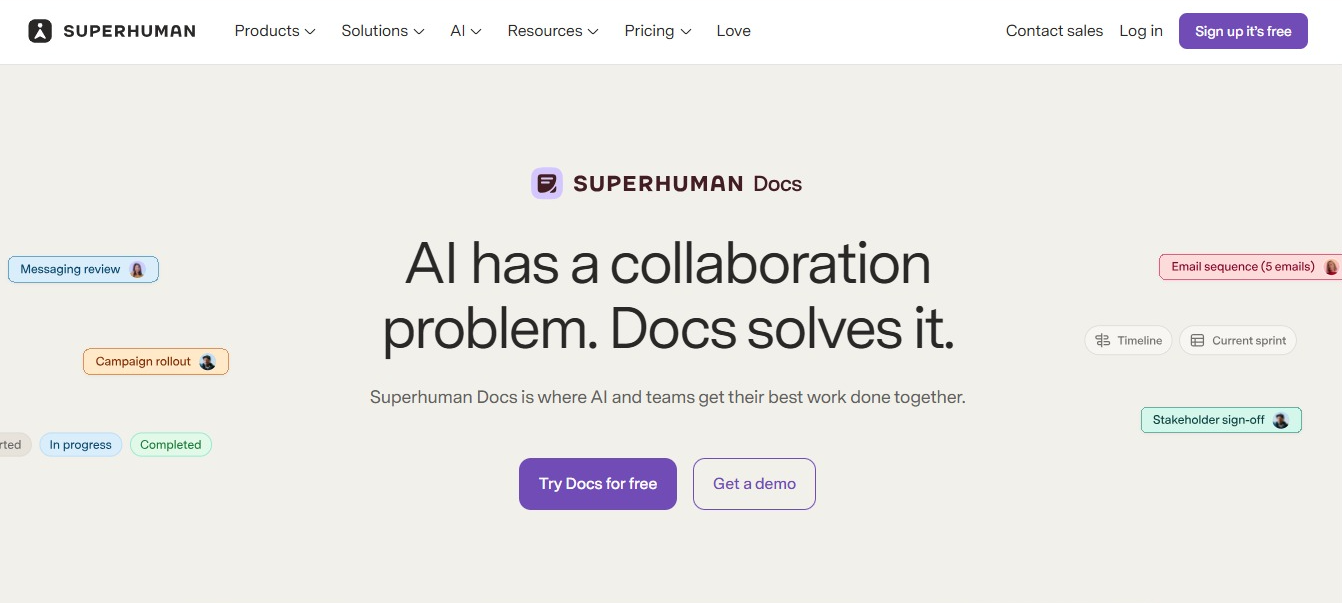
On July 8, 2026, Coda was renamed Superhuman Docs, and if you've used Coda before, the important thing to know is that nothing about what worked previously has changed. Your docs, tables, Packs, automations, and formulas all still work exactly as they did.
Every link you've shared to a coda.io document now redirects automatically to docs.superhuman.com, so you don't need to go back and update anything. There's no shutdown date, no forced export, and nothing you need to do because of this update.
Underneath the name change, the product picked up a rebuilt AI assistant that works inside your documents, along with connections to outside AI tools.
What Changed On Pricing
Coda's Team tier is now called Business, and the tiers are Free, Pro, Business, and Enterprise.
Billing works on a Doc Maker model, which means you only pay for the people who create and structure docs. Everyone else joins as an editor for free.
Editors aren't locked out of much day to day. They can write, change content, work with Packs, and set up automations inside a doc someone else built. What they can't do is create new docs and folders or change how the structure is put together. That's the part reserved for Doc Makers.
|
Tier |
Cost |
|
Free |
$0 |
|
Pro |
$12 per Doc Maker per month billed annually, or $15 monthly |
|
Business |
$33 per Doc Maker per month billed annually, or $40 monthly |
|
Enterprise |
Custom pricing |
If most of your team reads documentation and a handful of people build it, that model works in your favor.
Two things to consider. Coda's newer Databases feature sits on the Business tier and is still in beta. Version history stops at 30 days on Pro and only becomes unlimited when you reach Business.
Where Confluence stands after the Data Center announcement
In September 2025, Atlassian announced the end of Confluence Data Center, its self-managed edition. Data Center was the version large organizations ran inside their own infrastructure when they needed control over where their content lived.
Since March 2026, new customers haven't been able to buy it. Existing customers lose the ability to expand their licenses in March 2028, and every remaining license expires on March 28, 2029.
But your instance doesn't vanish on that date. The software keeps running and your team can keep reading pages. What stops is the editing, and a wiki nobody can edit is more of an archive than a working documentation system. Everything written after that point has to live somewhere else, which means running two systems and asking people to guess which of them is current.
You can read the full Confluence Data Center end-of-life timeline for the detail on support windows and what Atlassian has said about exceptions.
What this leaves you with
- Confluence Cloud is the supported path forward if you want to stay with Confluence.
- Teams that need their data in a specific country or on their own hardware will need a different plan.
- If you wait until 2028 to decide, you'll be moving in a hurry with less time to plan, alongside everyone else leaving Data Center.
Coda vs Confluence: how each one handles documentation
Structure and organization
Confluence organizes content into spaces, and each space holds a page tree. One space per team or project is the usual pattern, and that structure keeps working as your documentation grows into the thousands of pages.
Coda works differently. You create docs, and pages and subpages live inside each one, with a single Coda doc able to hold an entire project. But once you have a lot of docs, it gets hard to tell where a new page should go, and people start writing the same thing twice.
If your documentation is going to grow steadily for years, Confluence's model is the better fit.
The editor
Coda gives you an open canvas. Text, tables, and data pulled in from other tools all sit together on one page, and you can assemble those building blocks into something closer to a small tool than a document.
Confluence is more like a traditional page editor. You write, then extend the page with macros when you need something beyond text. It's less flexible and easier to learn, which is perfect for teams where most contributors write occasionally.
Permissions
Confluence handles permissions at the space level, so you set access once for a team and every page inside inherits it. When something needs to be tighter, you can restrict individual pages inside that space.
Coda works much the same way through folders. Share a folder with a team, and new docs created inside it pick up those rules on their own. Larger organizations also get an admin console for setting policies across the whole workspace at once.
This probably won't be what decides this for you. Both let you set access for a whole team at once, and both let you lock down individual pages when you need to.
What Coda does better
- Tables work like databases. Each row is a record, and each column stores one type of information about it, like a date, an owner, or a status.
- Automations let a doc do things on its own. Set a rule once, and Coda can notify the owner when a task is marked done, or send a summary every Friday morning.
- Packs are Coda's integrations. Connect one to Jira, Slack, or GitHub, and information from that tool shows up in your doc and stays current.
- Views let you show the same table in different ways. The team view might list every task, while your view shows only the ones assigned to you, sorted by due date. It's the same table underneath, so when someone marks a task done, the change shows in both.
Confluence added databases in 2024, which brought it closer to Coda, but its formula depth can't be compared to Coda's. So, if you need a document that calculates, Coda is the better tool.
What Confluence does better
- Jira works better inside Confluence than anywhere else. Drop an issue, a board, or a report into a page, and it updates automatically.
- Large companies have used it for two decades, so the admin settings, permission controls, and security paperwork are all well established.
- There's a big app marketplace if you need something Confluence doesn't do on its own.
- It's the easier pick when your documentation and your Jira tickets need to live in the same place.
Coda vs Confluence pricing compared
|
Pricing |
Coda (Superhuman Docs) |
Confluence Cloud |
|
Free tier |
Yes |
Yes, up to a user limit |
|
Billing model |
Per Doc Maker |
Per user |
|
Paid tiers |
Pro, Business, Enterprise |
Standard, Premium, Enterprise |
Confluence charges for everyone with access, while Coda charges for the people creating content. Which one costs less depends entirely on how many people on your team build docs and how many only read them, so calculate the cost for your own team before you decide.
Which one should you pick
Pick Coda if your documentation needs to hold data you can sort and calculate with, your team is comfortable building on a flexible canvas, and cloud hosting is fine for you.
Pick Confluence if Jira is already central to how you work, you want your documentation and your Jira tickets in the same place, and you're prepared to be on Confluence Cloud.
Look elsewhere if you need to control where your documentation lives.
If neither one fits
By this point you may have noticed something about both options. Both put your documentation on infrastructure you don't control, and the vendor decides when things change, whether that's the price going up, a feature moving to a higher tier, or the product being renamed.
If that's what matters most to you, you need to know what running your own documentation platform means:
- Your data never leaves infrastructure you control.
- You set your own rules for who can see what, how data is encrypted, and how long it is kept, instead of accepting whatever your vendor decided.
- Hosting, backups, upgrades, and security patching become your IT team's responsibility.
If you don't have someone who can look after a server, self-hosting will create more problems than it solves.
If you do, Docmost is an open-source wiki built for exactly this. The Community edition is free under AGPL-3.0, so you can read the code and run it on your own server. It covers real-time collaborative editing, spaces with nested pages, full-text search, and page history, plus diagrams through Draw.io, Excalidraw, and Mermaid.
The paid Business tier adds page-level permissions, AI, a Confluence importer, and single sign-on through SAML, OIDC, or LDAP, so teams moving off Data Center can bring existing spaces across instead of rebuilding a wiki by hand.
This is how it compares against Coda and Confluence:
|
Feature |
Coda (Superhuman Docs) |
Confluence |
Docmost |
|
Self-hosting |
No |
Ending March 2029 |
Yes |
|
License |
Proprietary |
Proprietary |
Open source (AGPL-3.0) |
|
Real-time editing |
Yes |
Yes |
Yes |
|
Spaces and nested pages |
Yes |
Yes |
Yes |
|
SSO and SAML |
Enterprise tier |
Paid tiers |
Business tier |
|
Confluence import |
Cloud on any plan. Data Center needs Enterprise |
Not applicable |
Yes, on Business |
|
Where your data lives |
Vendor controlled |
Vendor controlled |
Your own server |
You can see how Docmost compares to Confluence feature by feature if you want the direct breakdown.
Frequently asked questions
- What happened to Coda?
Coda was renamed Superhuman Docs on July 8, 2026, after Grammarly acquired it and later rebranded as Superhuman. The product itself didn't change. Your docs, tables, Packs, automations, and formulas all still work, and old coda.io links redirect to docs.superhuman.com on their own.
- What happens to my Confluence Data Center instance in 2029?
On March 28, 2029, your licenses expire and the instance becomes read-only, so people can still read what's there, but nobody can edit. Atlassian has said it will consider extended maintenance by exception for some customers, so if you think you qualify, ask early.
- Can I move my Confluence content into another tool?
Yes. Confluence exports your spaces, and most documentation platforms can read those exports. Coda imports from Confluence Cloud on any plan, though its Data Center importer needs the Enterprise tier. Docmost has a built-in Confluence importer on its Business tier that brings pages across with their structure intact. How clean the result is depends on how many macros and marketplace apps you've been using, so test with one space before committing to the whole thing.
- Does Coda offer a self-hosted option?
No. Coda is cloud only and always has been, and that hasn't changed under the Superhuman Docs name. So if self-hosting is a requirement for you, Coda won't work no matter how the rest of the comparison goes.
- Can Coda replace Confluence as a company wiki?
For plenty of teams, yes. Coda handles documentation well, and its tables go further than anything Confluence offers, but it gets harder at scale. Confluence's spaces and page trees are built for documentation that keeps growing, while Coda's docs and folders ask more of whoever is keeping things organized. If your wiki is heading toward thousands of pages, that difference will show up.
- Can I still self-host Confluence?
Not for much longer. Server ended in February 2024, and Data Center follows in 2029, which leaves Cloud as the only supported way to run Confluence itself. If self-hosting is something you can't give up, you'll need to look outside Atlassian.
Still comparing Coda vs Confluence? Try Docmost
If you want a wiki your team can use and your IT team can own, Docmost runs on your own server or ours. Talk to our sales team or read the docs to see what a self-hosted setup involves.