Zendesk vs Helpjuice: Which Knowledge Base Is Better?
Zendesk vs Helpjuice? Here's how their knowledge bases compare on price, AI, and hosting, plus a self-hosted option if neither fits.

TL;DR
- Zendesk is a customer support platform with a knowledge base built in. The knowledge base starts on the Suite Team plan, and you pay per agent.
- Helpjuice is a knowledge base tool on its own. It has flat monthly plans from $249 to $799, and the first two plans limit how many users you can have.
- Pick Zendesk if you need tickets and a help center in one place, and pick Helpjuice if a knowledge base is all you need.
- Docmost is a third option if you want a self-hosted, open source wiki that can also share pages publicly.
Your head of support wants a knowledge base live before the next product launch, and the job lands on you. You start comparing Zendesk and Helpjuice, and within an hour you notice they don't sell the same kind of product. Zendesk is a support platform that includes a knowledge base, while Helpjuice is just a knowledge base.
So before you compare editors and AI features, decide one thing: do your support tickets and your help articles need to be handled in the same tool? Once you know that, figuring out which one suits your team gets a lot easier.
Quick Comparison: Docmost, Zendesk, and Helpjuice
|
Feature |
Docmost |
Zendesk |
Helpjuice |
|
Self-hosting |
Yes |
No, hosted only |
On-premise version available |
|
Free plan or trial |
Free Community edition |
14-day free trial |
14-day free trial |
|
How pricing works |
Free Community edition, paid editions |
Per agent |
Flat monthly fee, with user caps on the lower plans |
|
Public pages |
Yes, you pick which pages to share |
Yes, through the help center |
Yes, you can publish a customer-facing knowledge base |
|
Standout feature |
Real-time wiki editing on servers you control |
Tickets and help center in one platform |
Fully customized design for your brand |
Zendesk vs Helpjuice: What's the Difference?

Zendesk is a full support platform. It covers tickets, live chat, phone support, and a help center, all in one place.
Helpjuice only does knowledge bases. It doesn't handle tickets on its own, but it connects with help desks like Zendesk and Help Scout.
That's why this post compares them as knowledge bases only. If you need a ticketing system, Zendesk is the only one of the two that has one.
Zendesk Knowledge Base
On Zendesk's pricing page, the AI Knowledge Base shows up as a Suite Team feature. Suite Team includes a single help center. The $19 Support Team plan lists email and ticketing, ticket routing, analytics dashboards, pre-written responses, customer context, and automations.
Beyond that, these features stand out:
- Knowledge Builder: Zendesk says it can build a ready-to-use knowledge base from your ticket history and business context, using AI.
- AI agents: Suite Team and up include AI agents that answer customers. Each plan comes with a set number of automated resolutions per month (a customer request the AI agent resolves without handing it to a person), and extra ones cost more.
Zendesk Pricing
Zendesk charges per agent, per month. For Suite Enterprise + Copilot, the page doesn't list a price, so you need to talk to Zendesk's sales team.
|
Plan |
Yearly billing |
Monthly billing |
What it adds |
|
Support Team |
$19 |
$25 |
Email and ticketing system, ticket routing, prebuilt analytics dashboards, pre-written responses, customer context, automations and triggers |
|
Suite Team |
$55 |
$69 |
Everything in Support Team, plus AI Agents, AI Knowledge Base, Action Builder, omnichannel routing, messaging and live chat, telephony |
|
Suite Professional |
$115 |
$149 |
Everything in Suite Team, plus Admin Copilot, App Builder, Writing Tools, Quick Reports, skills-based routing, IVR phone tree |
|
Suite Enterprise + Copilot |
Talk to sales |
Talk to sales |
Everything in Suite Professional, plus Intelligent Triage, Auto Assist, Generative AI for Voice, approval workflows, sandbox environment, custom agent roles |
Zendesk Help Center Features by Plan
|
Feature |
Suite Team |
Suite Professional |
|
Help centers |
1 |
Up to 5 |
|
Languages |
1 default language |
40+ languages |
|
Themes (how it looks) |
Standard themes |
Standard, custom, and marketplace themes |
|
Community forums |
Not included |
Included |
Zendesk Pros and Cons
Pros
- Tickets, chat, phone, and a help center in one platform
- AI agents included in every Suite plan
- Professional adds up to 5 help centers and community forums
Cons
- Hosted only, with no on-premise option
- You pay per agent, so the price follows your agent count
- Extra AI resolutions cost more once you pass your included amount
- Revision history isn't included on Suite Team
- Approval and publishing workflows aren't included on Suite Team or Professional
Helpjuice Knowledge Base
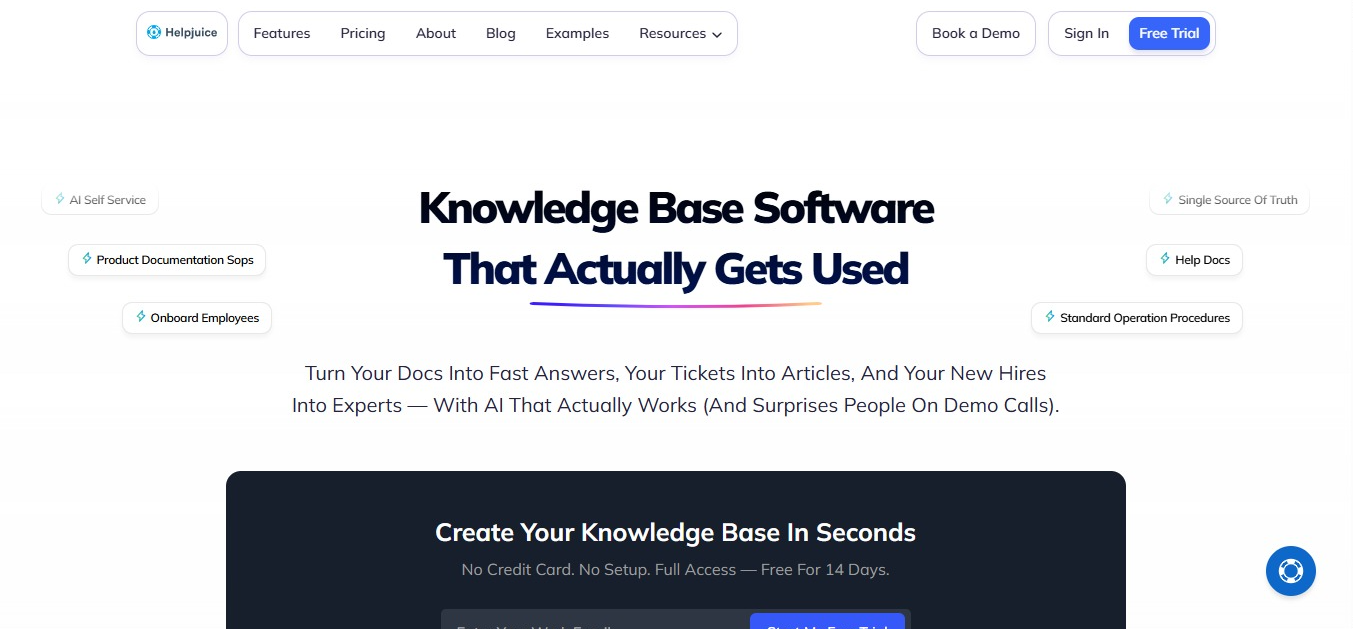
Helpjuice builds knowledge bases for customers, for staff, or for both.
Every plan includes:
- Live collaboration and workflows, so several people can work on articles together
- Publish approval, so an article can be reviewed before it goes live
- AI translation into 40+ languages
- A fully customized knowledge base design for your brand, set up by Helpjuice when you sign up
- Free migration help if you're moving over from Zendesk, Confluence, or Help Scout
Helpjuice also has an on-premise version. Which means it runs only on your own internal network and works with LDAP and SAML sign-in.
Its page for this option points you to a personalized demo.
Helpjuice Pricing
|
Plan |
Price |
Users |
Storage |
AI Suite |
SSO |
|
Knowledge Base |
$249/month |
30 |
12GB |
Not included |
Not included |
|
AI-Knowledge Base |
$449/month |
100 |
24GB |
Included |
Included |
|
Unlimited AI-Knowledge Base |
$799/month |
Unlimited |
38GB |
Included |
Included |
SSO, or single sign-on, lets your team log in with your company's existing credentials.
Note: Helpjuice counts anyone who has login details as a user. You can try it free for 14 days, and no credit card is needed to start.
Helpjuice Pros and Cons
Pros
- A flat monthly price instead of a price per agent
- Live collaboration and publish approval on every plan
- A fully customized design, plus free migration help
Cons
- The first two plans cap users at 30 and 100
- The $249 plan doesn't include the AI Suite or SSO
- No free plan. After the 14-day trial, your account goes inactive until you pick a paid plan
- It doesn't handle tickets on its own
Zendesk vs Helpjuice: A Direct Comparison
Price
Zendesk's knowledge base starts at $55 per agent per month on Suite Team with yearly billing. Helpjuice starts at $249 a month, flat, for up to 30 users. They're hard to compare directly, because Zendesk's price also covers tickets, chat, and phone support, and Helpjuice's covers the knowledge base only.
Writing and Teamwork
Helpjuice includes live collaboration and publish approval on every plan. On Zendesk, Suite Team has no revision history, and neither Suite Team nor Professional includes approval and publishing workflows.
AI
Zendesk's AI is built around support. AI agents answer customers, and Knowledge Builder drafts a knowledge base from your tickets. Helpjuice's AI Suite covers an article writer, AI search, and a chatbot, but it starts on the $449 plan.
Languages
Zendesk gives you 1 default language on Suite Team and 40+ on Professional. Helpjuice includes AI translation into 40+ languages on every plan.
Hosting
Zendesk is hosted only, while Helpjuice offers cloud and on-premise versions.
|
Feature |
Zendesk |
Helpjuice |
|
Best for |
Teams that need tickets and a help center together |
Teams that only need a knowledge base |
|
How pricing works |
Per agent |
Flat monthly, with user caps on the lower plans |
|
AI on the lowest plan with a knowledge base |
AI agents included |
AI Suite not included |
|
Hosting |
Hosted only |
Cloud and on-premise versions available |
|
Free trial |
14 days |
14 days |
A Third Option: Docmost
Zendesk and Helpjuice are two ways to run a knowledge base. But if your documentation is mostly for your own team, with a few pages you want to share with the public, a wiki you host yourself might suit you better.
Docmost is an open source wiki you run on your own servers. Your team can edit pages together at the same time, organize pages into spaces, leave comments right on the page, and look back through page history.
How Public Sharing Works in Docmost
- Share any page with a public link, even with people outside your workspace.
- Include subpages: When you share a page that has other pages nested under it, this setting decides whether those pages become public too. Turn it on and all of them are publicly accessible.
- Allow search engine indexing: This setting decides whether search engines can index the shared page, which means it can show up in search results. Turn it off and the page still opens for anyone with the link, but it's hidden from search results.
- Workspace admins can switch off public sharing for the whole workspace, while space admins can switch it off for a single space.
- Settings > Public sharing shows every page that's shared right now.
What Self-Hosting Means for You
Running Docmost yourself means three things:
- Your data never leaves infrastructure you control
- You define your own compliance posture (access controls, encryption, retention) instead of inheriting a vendor's
- Hosting, backups, upgrades, and security patching become your IT team's responsibility
Docmost Editions
|
Edition |
Price |
What it includes |
|
Community |
Free, open source |
Real-time collaboration, spaces, full-text search |
|
Business |
Paid |
Everything above, plus SSO, AI, page-level permissions, Confluence import, and email support |
|
Enterprise |
Custom pricing |
Everything in Business, plus SCIM, audit logs, SIEM, and priority support |
If you're moving off Confluence, the Confluence importer comes with our Business edition. Read our guide to the Confluence Data Center end of life, or see how Docmost compares to Confluence.
When Docmost Isn't the Right Fit
Docmost is a wiki, not a help desk. It doesn't do ticketing, live chat, or phone support. So, if your tickets and articles have to be managed in one tool, Zendesk is the better match.
Which Knowledge Base Should You Choose?
|
If you... |
Pick |
|
Need tickets and a help center together |
Zendesk |
|
Only need a knowledge base and expect lots of people to log in |
Helpjuice |
|
Want self-hosting, open source, and a free place to start |
Docmost |
|
Want a fully customized design for your brand |
Helpjuice |
If none of these fits, compare more Helpjuice alternatives.
Zendesk vs Helpjuice FAQ
- Does Zendesk Have a Knowledge Base?
Yes. It starts on the Suite Team plan, which includes a single help center. You pay per agent.
- Does Helpjuice Have Ticketing?
No. Helpjuice is a knowledge base tool that connects with help desks like Zendesk and Help Scout.
- Which Is Cheaper, Zendesk or Helpjuice?
It depends on your team. Zendesk charges per agent, and its knowledge base starts at $55 a month on Suite Team with yearly billing. Helpjuice charges a flat $249 to $799 a month, depending on how many users you need. Keep in mind that Zendesk's price also covers tickets, chat, and phone support.
- Can You Self-Host Zendesk or Helpjuice?
Zendesk is hosted only. Helpjuice has an on-premise version that runs on your own internal network, and the page about it points you to a personalized demo.
- Can You Move Zendesk Articles to Helpjuice?
Helpjuice lists free migration help for teams moving over from Zendesk, Confluence, and Help Scout.
- Can a Wiki Work as a Public Knowledge Base?
It can. In Docmost, you turn sharing on for the pages you choose and get a public link for each, and you can include the pages nested under them.
- Can You Keep Shared Pages Out of Search Engines?
In Docmost, yes. Every shared page has an "Allow search engine indexing" switch. With it off, anyone with the link can still open the page, but it's hidden from search results.
- What's the Difference Between Docmost Community and Business?
Community is free and open source, with real-time collaboration, spaces, and full-text search. Business adds SSO, AI, page-level permissions, Confluence import, and email support.
Zendesk, Helpjuice, or Docmost? Find the Right Fit With Our Team
Zendesk fits teams that need tickets and a help center together, and Helpjuice fits teams that only need a knowledge base.
But if you want a knowledge base that runs on your own servers and can still share pages with the public, Docmost is built for that. Contact sales to find the right edition for your team.