Best 7 Helpjuice Alternatives
Compare the 7 best Helpjuice alternatives for internal wikis and customer help centers, including self-hosted and cloud options.

Helpjuice is a knowledge base platform built for teams that need a polished, searchable library of articles, either for customers or for staff.
Its search ranks results across keywords, article titles, body text, and attachments, weighing things like exact matches and how often an article gets viewed or upvoted. You can style the help center to match your brand, so it doesn't look like a separate site just added on top of yours. It handles multiple languages, and its analytics point you at the questions people are asking that your content doesn't answer yet.
So if it works this well, why do teams leave Helpjuice? They usually leave because their documentation grew in a direction the product wasn't built for.
It happens in two different ways. Either you need a stronger customer-facing help center with deeper publishing and product documentation features, or you find that most of your content became internal: onboarding guides, runbooks, policies, engineering notes, and meeting records. At that point what you want is a structured company wiki, not an article library with a public front door. Which one you're in decides which replacement fits.
There's a third group that leaves too. These are teams whose documentation started holding information that shouldn't sit on somebody else's servers, and who need to move it somewhere they control.
If any of that sounds familiar, these are seven Helpjuice alternatives you can migrate to.
Why look for a Helpjuice alternative?
Helpjuice organizes content as articles inside categories. That model works well while your knowledge base is a reference library. But it gets harder to live with once documentation becomes the place your company thinks out loud.
The needs that tend to push teams to look elsewhere:
- A structured internal wiki rather than a flat article library
- Spaces and nested pages that map to teams, departments, and projects
- Page-level permissions so sensitive documentation stays restricted
- Search that reaches inside uploaded PDF and DOCX files, not just page text
- Databases and Kanban views for tracking work alongside the docs
- SSO, MFA, and automated user provisioning
- Review and verification workflows so pages get checked on a schedule
- APIs and automation
- Self-hosting or on-premises deployment
There's also the issue of pricing. Each Helpjuice plan includes a set number of users, starting at $249 a month for 30 users, $449 a month for 100, and unlimited users only on the $799 plan. SSO isn't available on the entry plan, and the AI features, including AI search and the AI writer, start on the middle tier. For an internal knowledge base where plenty of people need read access, those user limits can push you up a plan sooner than the size of your documentation would suggest.
A better help center and a better internal wiki are two different purchases, and most of the tools below only cover one side.
Best Helpjuice alternatives compared
|
Tool |
Best for |
Deployment |
|
Docmost |
Self-hosted internal documentation and company wikis |
Self-hosted / on-premises |
|
Document360 |
Product documentation and public help centers |
Cloud |
|
BookStack |
Simple self-hosted knowledge bases |
Self-hosted |
|
Zendesk Guide |
Help centers tied to a ticketing system |
Cloud |
|
Confluence |
Internal documentation in Atlassian organizations |
Cloud for new customers |
|
Help Scout Docs |
Lightweight customer-facing help centers |
Cloud |
|
Guru |
Knowledge delivered inside daily tools |
Cloud |
1. Docmost
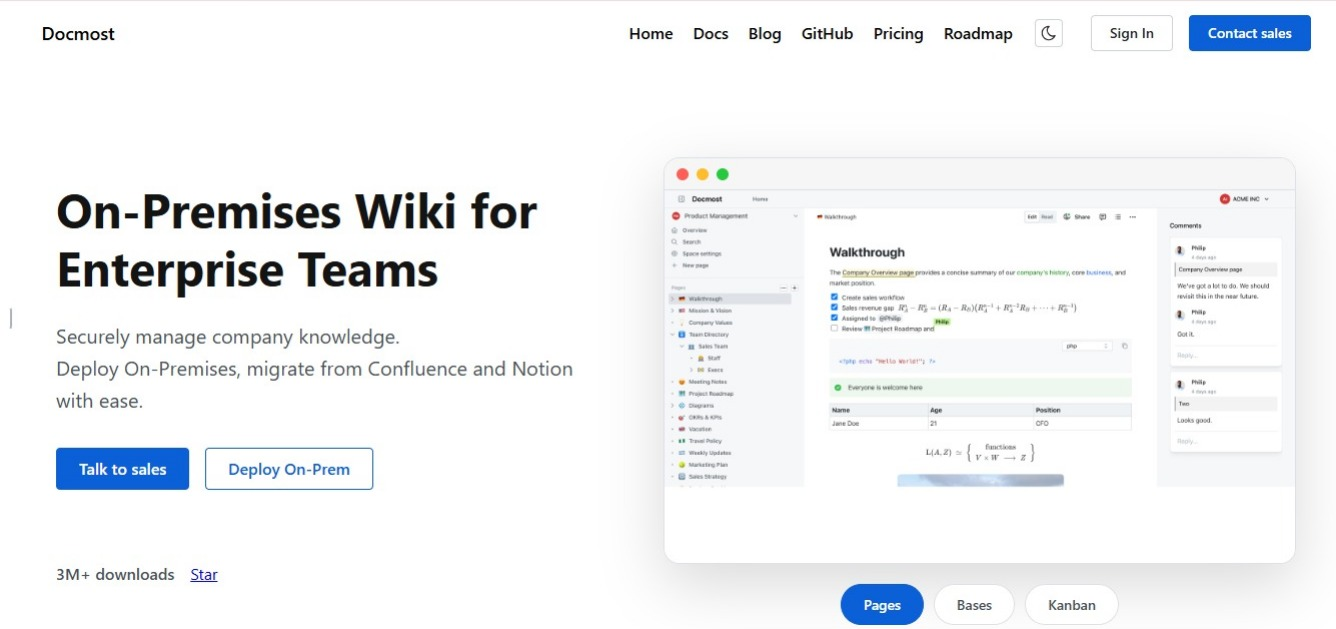
Docmost is an open source collaborative wiki and documentation platform for enterprise teams. If most of what lives in your Helpjuice account is internal, it's the closest direct replacement on this list.
The difference shows up immediately in how your content is organized. Helpjuice gives you articles and categories, while Docmost gives you a wiki, and that changes what your documentation can hold.
Spaces and nested pages
Content in Docmost lives inside Spaces. A Space can be an engineering team, an HR department, a product, a client project, or a customer documentation portal.
Each Space carries its own permissions, and pages nest inside it as deeply as you need. You can also drag pages around to reorder or move them.
That structure holds up as your content and company grows. Instead of a long list of articles that gets harder to scan every quarter, you end up with clear areas for policies, onboarding, technical documentation, product knowledge, and internal processes.
Real-time collaboration
Several people can work on the same page at once without overwriting each other.
You also get:
- Inline comments and resolvable comment threads
- @mentions
- Page history and restoration
- Groups
- Templates
- Labels
- Synced blocks
- Public page sharing
- File attachments
The editor handles rich tables, callouts, toggle blocks, math equations, and Markdown shortcuts. For technical teams, Draw.io, Excalidraw, and Mermaid diagrams are built in, so architecture diagrams sit on the same page as the documentation explaining them.
Bases and Kanban
Not everything your team documents belongs in prose. Bases let you organize information in table and Kanban views using properties, filters, sorting, and formulas.
Teams use them for documentation review queues, project tracking, editorial calendars, research collections, and team directories. The structured work then sits beside the documentation instead of in a separate spreadsheet nobody remembers to update.
Search and AI
Docmost has full-text search across pages, with filters for spaces and content types. Paid editions can also search inside PDF and DOCX attachments, so knowledge that arrived as an uploaded file still turns up in results.
The AI runs self-hosted too, covering search, chat, and assistants. Answers are grounded in your own documentation, so you get what your content says rather than a general model's interpretation. You can point Docmost at cloud AI models or connect it to local ones, and it supports MCP so compatible AI tools can work with your workspace content.
Self-hosting and data control
This is the biggest gap between Docmost and Helpjuice, and it's the reason a lot of teams end up here.
Docmost runs on infrastructure you control, including air-gapped environments with no external dependencies.
That gives you three things a cloud knowledge base can't:
- Your data never leaves infrastructure you control
- You define your own compliance posture, including access controls, encryption, and retention, instead of inheriting a vendor's
- Hosting, backups, upgrades, and security patching become your IT team's responsibility
For teams handling information that can't sit with a third-party platform, that's a fair exchange. But for a five-person startup, it might not be.
Enterprise capabilities and imports
For larger teams, Docmost supports SAML, OIDC, and LDAP authentication, MFA, SCIM provisioning, page-level permissions, API access, attachment indexing, security controls, and page verification and approval workflows that prompt owners to recheck content on a schedule.
Docmost is AGPL-3.0 open source, and paid tiers add the enterprise features above.
Docmost imports from Markdown, HTML, Notion, Confluence, DOCX, and PDF depending on the edition. Helpjuice exports categories as PDF, DOCX, or HTML, so the formats line up on both sides. You'll be moving one category at a time rather than lifting the whole knowledge base in one go, so give yourself room for a bit of tidying once everything is in.
If you're weighing this against other self-hosted options, start from Docmost vs Outline.
2. Document360
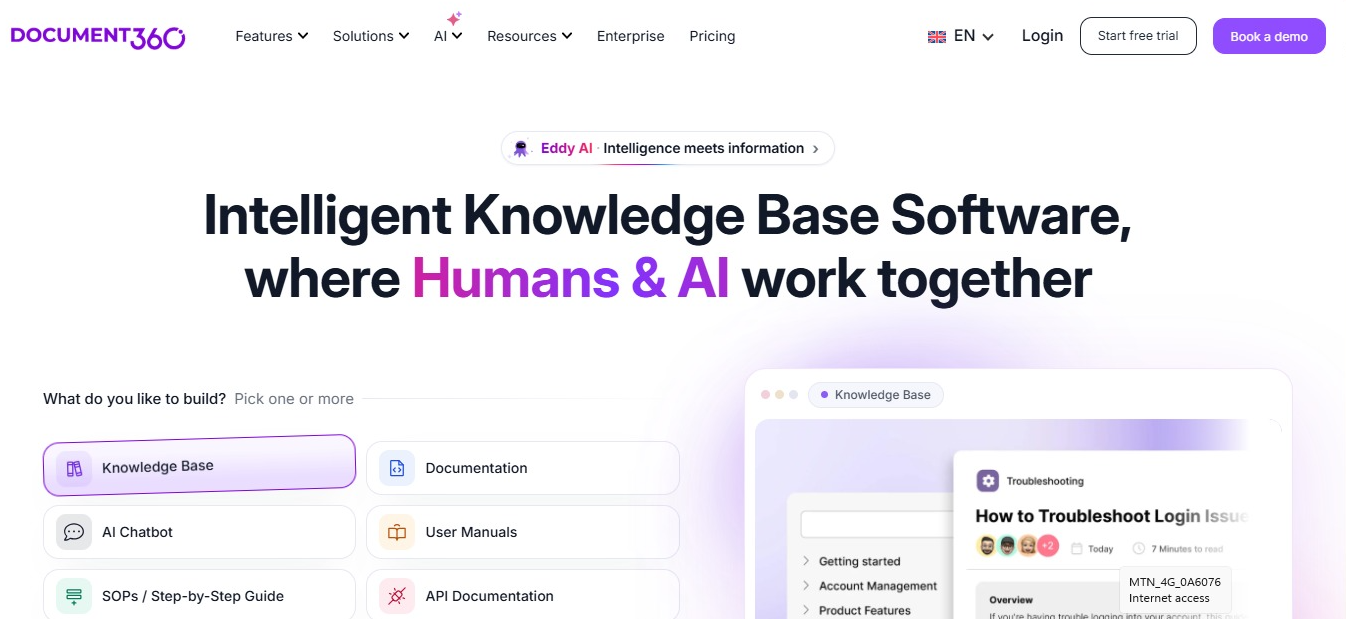
Document360 is the alternative most Helpjuice users end up comparing against, because both tools are built to do the same thing.
It's built for product documentation and customer help centers. You get a category-based structure, versioning for documentation that tracks product releases, a review reminder system, and workflows that move an article through drafting and approval before it goes live. For developer-facing docs, you can publish API reference documentation with a try-it console so readers test endpoints without leaving the page, and it works with Swagger and Postman.
Writing and editing is where it wins. Teams that found Helpjuice's editor frustrating tend to find this one more predictable, and the publishing controls are more developed.
It is cloud only. If your reason for leaving Helpjuice has anything to do with where your content is stored, Document360 doesn't change that. Pricing is quote only. Document360 no longer publishes rates on its website, so you'll have to talk to their sales team before you know what it costs, which makes it harder to compare against Helpjuice's published plans.
Best for: Teams that want a stronger customer-facing help center and product documentation platform, and are happy staying on SaaS.
3. BookStack
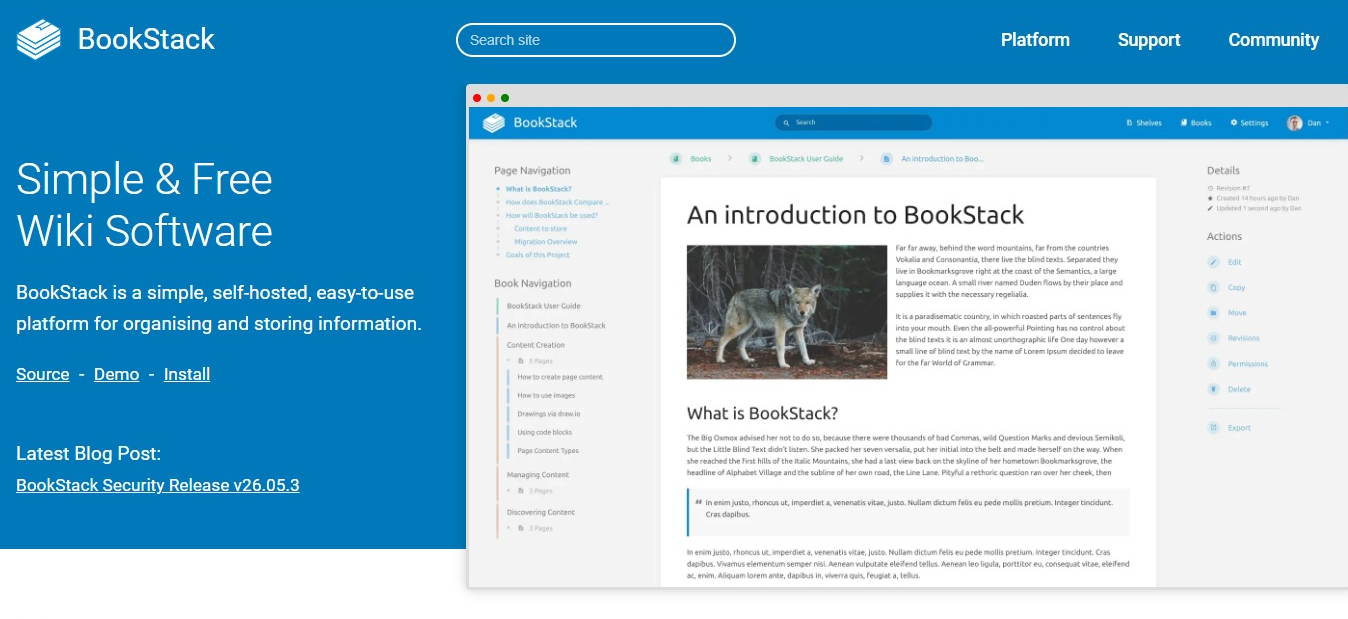
BookStack takes the opposite approach to almost everything else here. It hands you a fixed structure and asks you to work inside it.
Pages sit in chapters, chapters sit in books, and books sit on shelves. That's the whole model. Nobody spends the first week debating how to organize things, because the decision has already been made. If your Helpjuice categories turned into a long list nobody could navigate, BookStack's fixed structure comes as a relief.
The editor is a clean WYSIWYG with a Markdown option. Search supports exact phrases in quotes, tag lookups, and filters for date, author, and content type. Authentication covers SAML, LDAP, and the common providers. It runs on PHP and MySQL, so hosting is modest and installation is quick.
It's free, open source, and self-hosted, which puts it in the same category as Docmost on data control.
The limitation is collaboration. BookStack uses a draft-and-save model with edit notifications rather than live multi-cursor editing. If your documentation is mostly long pages owned by one person at a time, that's fine. If your team likes to edit the same page together during a meeting, you'll notice what's missing. And if you're publishing to customers, BookStack looks plainer than a tool built specifically as a help center.
Best for: Teams that want a simple self-hosted knowledge base and don't need live co-editing.
See how Docmost compares to BookStack if you're weighing the two.
4. Zendesk Guide
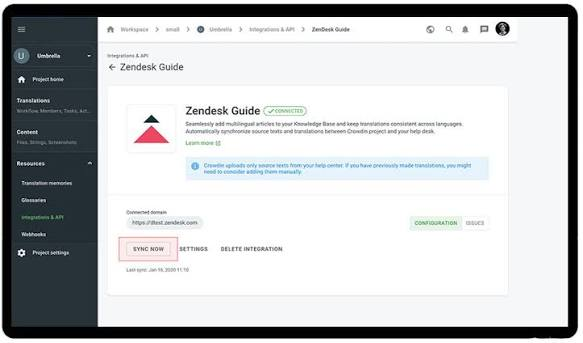
Zendesk Guide is the knowledge base layer inside Zendesk's support suite, and its strength comes from that connection.
Articles sit next to your ticket queue, so agents can pull an article into a reply without leaving the conversation. The tickets also work in the other direction, showing you which questions your documentation isn't answering. If your knowledge base exists mainly to reduce support volume, keeping the documentation and the ticketing system in one place saves your team a lot of back and forth.
You also get multi-brand help centers, community forums, and AI-assisted answers depending on your plan.
However, the issue is that it doesn't work on its own. Zendesk Guide is designed as part of the suite, so its full value depends on running Zendesk for support as well. If you only want the knowledge base, you're adopting a larger system to get it. It's also built around customer support, so it's a weak fit for internal documentation like engineering runbooks or company policies.
Best for: Support teams already running Zendesk, or planning to.
5. Confluence
Confluence is one of the most established platforms for internal documentation, and for a lot of teams leaving Helpjuice with internal-heavy content, it's the obvious choice.
It organizes content into spaces and pages, with templates, permissions, whiteboards, and automation. Its close relationship with Jira is the real reason companies choose it. If your engineering and product teams already work in Atlassian, you can link a page straight to the Jira ticket it belongs to, so the spec and the work sit together instead of in two separate tools.
How it's deployed matters if you're comparing it as a self-hosted option. Atlassian stopped selling Data Center licenses to new customers on March 30, 2026. Existing customers have until March 30, 2028 to renew or expand, and everything reaches end of life on March 28, 2029, when subscriptions expire and the products turn read-only.
So you can't start a new Confluence deployment on Data Center at all. If you're evaluating Confluence today, you're evaluating a cloud product, and future updates and AI features are heading to the cloud platform too. Our guide to the Confluence Data Center end of life walks through the full timeline.
The other thing to consider is that Confluence is built for internal documentation, so if part of what you run in Helpjuice is a public help center for customers, Confluence won't replace that side of it.
Best for: Organizations already standardized on Jira, where the documentation is internal.
Docmost and Confluence side by side covers the differences in more detail.
6. Help Scout Docs

Help Scout Docs is the lightweight end of the customer-facing options.
It's a clean, fast help center that comes bundled with Help Scout's shared inbox. Setup takes very little time, articles are quick to write, and its Beacon widget embeds into your site or app so customers can search your knowledge base and get answers without leaving the page. For a small support team that found Helpjuice heavier than the job required, this simplicity is the whole appeal.
Customization here is more limited than in Helpjuice, but that's deliberate, so you get a tidy help center with less to configure. It's also cloud only, and it isn't built to hold internal documentation. Runbooks, policies, and engineering notes don't belong here.
Best for: Small support teams that want a simple public help center without much setup.
7. Guru

Guru approaches the problem from a different angle. Rather than asking people to visit a knowledge base, it pushes knowledge into the tools they already have open.
Content lives in cards that surface through a browser extension, Slack, and other integrations, so an answer appears where the question came up. Guru also assigns a verifier to every card, either a person or a group, and prompts them on a set schedule to confirm the information still holds. If your Helpjuice content went out of date, that maintenance structure is what pulls you in.
It works well for getting staff a quick answer, especially support and sales teams mid-conversation.
Where it fits less well is long-form documentation. Cards are built for short, self-contained answers, not multi-page technical guides or nested project documentation. It's also cloud only, and it isn't a customer-facing help center.
Best for: Internal teams that want short, verified answers surfacing inside the tools they already use.
If you need both quick answers and long-form documentation, Docmost vs Guru covers where the two differ.
What to look for in a Helpjuice alternative
Our wiki tool buyer's checklist goes through this in more depth. Here's the short version for anyone comparing against Helpjuice specifically.
- Internal documentation or a customer-facing help center
A customer help center needs public publishing, branding, SEO controls, and search built for people who don't work at your company, while an internal wiki needs spaces, nested pages, permissions, and a structure that holds together as your team grows.
A few tools do both, but most do one of them properly. The best way to choose a good alternative is to check which features your team needs most.
- Search
Documentation only helps you if your teammates can easily find it later.
Full-text search across page content is the minimum you should accept. If a lot of your knowledge arrived as uploaded Word files and PDFs, you should check whether the platform searches inside attachments or only reads their file names.
- Permissions and access control
For small teams, basic sharing does the job. But for larger ones, page-level permissions, groups, SSO, MFA, and SCIM provisioning become necessary, so access is removed when someone leaves the company.
This gets more pressing the moment your documentation holds anything sensitive, which happens sooner than most teams expect.
- Deployment
Most Helpjuice alternatives are cloud only, and for plenty of teams, that's completely fine.
But if you're in a regulated industry, working under data residency rules, or handling information that can't sit with a third-party vendor, you need a self-hosted or on-premises option. Our guide to the best open source knowledge base software covers the platforms you can run yourself.
- Import and export
Check that the new tool accepts the formats Helpjuice exports, and check what it lets you export in turn. Your documentation will outlive several tools. Getting it out cleanly should never depend on the vendor's goodwill.
Which Helpjuice alternative is best?
There's no single answer, because Helpjuice covers two jobs and most replacements only cover one.
- Document360 is the strongest option if you want a better product documentation and help center platform.
- Zendesk Guide makes sense when the knowledge base feeds a ticket queue.
- Help Scout Docs suits small teams who want something simple and public.
- Guru works when your team needs quick verified answers inside Slack rather than a documentation site.
- Confluence fits organizations already committed to Atlassian.
- BookStack gives you a straightforward knowledge base you can host yourself.
For teams whose documentation has become mostly internal, Docmost is the closest replacement. You get real-time collaborative editing, Spaces with nested pages, comments, version history, diagrams, structured Bases, full-text search with attachment indexing, page-level permissions, self-hosted AI search and chat, API access, and enterprise authentication.
And if the reason you're leaving Helpjuice has anything to do with where your documentation lives, Docmost can run entirely on your own infrastructure, including in air-gapped environments.