Wiki for HR Teams: What Belongs in Your HRIS vs. Your Wiki
Learn what HR teams should keep in their HRIS vs. their wiki, with practical guidelines for organizing policies, processes, and company knowledge.

TL;DR
- Your wiki holds policy and processes, but your HRIS holds the record about a person. Mixing the two creates problems that are legal, not organisational.
- Employee data ends up in wiki pages anyway, usually through meeting notes, hiring debriefs, and email threads someone pasted in for context.
- Which rules apply depends on the type of data, and HR teams often go for the wrong law.
- Version history means deleting a paragraph doesn't delete the information. Decide how long page history is kept before HR content goes in, because fixing it later means going back through everything that piled up.
An HR wiki holds the documentation that applies to everyone: policies, processes, onboarding guides, and reference material. An HRIS (Human Resources Information System) holds the records that apply to one person: contracts, salaries, completed reviews, and case files. Most HR teams use both without thinking about it much, because the split feels obvious.
The split sounds simple until you look at what people write day to day. A manager writes up a hiring debrief on a team page. Someone pastes an email thread in so the next manager knows what adjustments are in place. A compensation planning session gets minuted in a space three people can open. None of those feel like personnel records when you're writing them, but each one puts information about a named person into a system built for sharing.
This guide is about the line between your wiki and your HRIS, what that line means legally, and what to do about the data that crosses it anyway.
Most HR topics split down the middle, with the general version in the wiki and the individual record in the HRIS.
|
Topic |
In your wiki |
In your HRIS |
|
Leave |
The policy, how much people get, and how to request time off |
Individual balances, approved requests, and absence history |
|
Pay |
Compensation bands, how reviews work, and promotion criteria |
Individual salaries, pay history, and bonus decisions |
|
Onboarding |
The checklist, first-week guide, and IT setup steps |
Signed contracts, right-to-work documents, and personal details |
|
Performance |
The review framework, timelines, and goal-setting guidance |
Completed reviews, ratings, and improvement plans |
|
Benefits |
What's offered, how to enrol, and who to ask |
Enrolment records, dependant details, and claims |
|
Discipline and grievances |
The procedure and what employees can expect at each stage |
Individual case files and investigation notes |
The Legal Line Between Your HR Wiki and Your HRIS
A wiki is built for shared reading. Broad access, easy linking, and quick edits are the whole point of the format, and a wiki that can't easily do all of that isn't doing its job.
But an HRIS is built to be a record system. Access is restricted by default, retention periods are configured per record type, and deletion removes the record rather than leaving it in the page history. Those properties make an HRIS awkward for everyday reference, which is exactly why HR teams want a wiki in the first place.
The thing is, no matter how carefully you separate documentation, there are some things you miss. Employee data inherits the properties of wherever you put it. For example: when you move a personnel record into a system designed for sharing (wiki), you've created a shared document about a named person, with all the access and retention behaviour that comes with it. The system doesn't know that a personnel record is sensitive, it just treats that page the same way it treats all other content within it.
So the legal line between your HR wiki and your HRIS is this: if the content still makes sense with every employee name removed, it belongs in the wiki. But if it only makes sense because a specific person is named, it's a record, and it belongs in the HRIS.
What Belongs in Your HR Wiki
Everything in this category shares one property: it describes a policy, a process, or a resource, and it's true for a group of people rather than one person.
- Policies and guidelines: Leave, remote work, code of conduct, expenses, data handling
- Process documentation: How to request time off, how to submit expenses, how the review cycle runs, what happens during probation
- Onboarding and enablement: First-week guides, IT setup steps, role-specific checklists, training material
- Reference material: Org chart, who to ask for what, payroll calendar, office information
- Internal HR working documents: Interview scorecard templates, policy drafts under review, process notes for the HR team itself
That last group needs a specific wiki feature, because it's HR-only content that shouldn't sit in a space everyone can open. More on that further down.
If you're building this layer from scratch, our step-by-step guide to setting up a company policies wiki covers the structure in more detail than we'll go into here.
What Belongs in Your HRIS
Everything here shares the opposite property: it's a record about one identifiable person.
- Employment records: Contracts, offer letters, right-to-work documents
- Compensation records: Individual salary, pay history, bonus decisions
- Performance records: Completed reviews, ratings, improvement plans
- Case records: Disciplinary files, grievances, investigation notes
- Sensitive personal data: Health information, accommodation requests, occupational health reports
Why the HRIS Has Properties Your Wiki Doesn't
- In an HRIS, access is restricted by default instead of shared by default, so the question is always who gets let in rather than who gets kept out. A wiki works the other way round.
- Retention periods are set per record type, which matters because employment records carry different retention obligations depending on the record and the jurisdiction.
- Deletion removes the record. In a wiki, editing a page keeps the history so everyone with access to the page can see what changed and who changed it, which isn't something an HRIS needs.
How the Line Between Wiki and HRIS Gets Crossed
The boundary usually gets crossed because writing it down in the wiki was the convenient thing to do at 4pm on a Thursday. The wiki is easier to get into than the HRIS.
|
How it happens |
What lands in the wiki |
|
Hiring debrief notes written up on a team page |
Candidate assessments and comparisons between named people |
|
A manager pastes an email thread in for handover context |
Health information, accommodation details |
|
Meeting notes from a compensation planning session |
Individual salary figures and proposed changes |
|
A performance conversation summarised so it isn't lost |
Assessment of a named employee outside the review system |
|
An offboarding checklist with the reason for leaving filled in |
Termination context, sometimes disciplinary |
|
A benefits appeal written up as a worked example |
A named employee's health or family circumstances |
Look at that table and notice how reasonable each one is in the moment. The hiring debrief needs to go somewhere, and the wiki is where the team writes things. The handover context is being shared so the employee doesn't have to explain their situation all over again to a new manager. The compensation notes are in a space that only three people can open, so it feels safe enough.
The problem is that all six create the same outcome. Personal data about a named individual now lives in a system built for sharing, retained by default, visible to whoever the space permissions let in today and whoever they let in next year. None of those pages will be reviewed when the employee leaves, because nobody remembers they're there.
The practical safety precaution is simple: HR content in the wiki should describe the situation type, never the person. A page about how to handle an accommodation request is documentation, but a page about how you handled Sarah's accommodation request is a record, and it belongs in the HRIS.
Which Rules Apply Once Employee Data Is in Your HR Wiki
What HIPAA Does and Doesn't Cover in HR Files
If you're in the US, the instinct when a sick note or a fitness-for-duty form shows up in an HR file is to reach for HIPAA. That instinct is usually wrong, and the reason is written into the rule itself.
The definition of protected health information at 45 CFR 160.103 excludes employment records held by a covered entity in its role as employer. The exclusion holds even for organisations you'd expect to be covered. For example: a hospital is a covered entity for its patients and an ordinary employer for its staff, so the occupational health file on a nurse isn't protected health information in the way a patient chart is.
This matters because a documentation policy built around HIPAA doesn't hold. The rules that do apply are stricter, and they all come back to the same question of where the data is stored.
Here's what does apply to employee medical information in the US:
- The Americans with Disabilities Act requires medical information about an employee to be kept confidential and stored separately from ordinary personnel files, which is difficult to argue for a page sitting in a shared space.
- The Family and Medical Leave Act carries a similar confidentiality requirement for the medical certifications behind leave requests.
- State privacy law increasingly reaches employee data as well, and in California, employees now have the same access and deletion rights over their personal information that consumers do.
- Your own employee privacy notice says something about how you handle staff data, and a wiki page nobody accounted for is the kind of thing that contradicts it.
None of this means employee medical information is safe to leave on a wiki page. HIPAA is just the wrong law to reach for, and the right laws point in the same direction: that personal medical content belongs in a record system rather than a wiki page.
Under GDPR, Some Employee Data Is a Special Category
If you employ people in the EU or UK, GDPR treats some employee data as ordinary and some as special category, and the difference decides whether it can sit in a wiki at all.
- Ordinary personal data: Name, role, contact details, and salary, handled under Article 6 like any other processing.
- Special category data: Health information, disability and accommodation records, trade union membership, religious observance requests, and biometric data. Processing them is prohibited under Article 9 unless one of the listed conditions applies.
- The condition employers rely on: Article 9(2)(b) permits processing where employment law requires it, like recording sick leave or putting an accommodation in place, and only where that law sets appropriate safeguards. A page written for a manager's convenience isn't required by employment law, so this condition doesn't stretch to cover it.
"Appropriate safeguards" is the phrase to focus on. In practice it means access is limited to the people who need it, there's a defined period after which the data goes, and someone decided both of those things on purpose. A page sitting in a space the whole company can open, with no retention position and no owner, doesn't meet that description. You can read the text of both articles in the official Regulation.
Member State Employment Rules Sit on Top of GDPR
Article 88 lets each member state set more specific rules for processing in the employment context, and several have:
- Germany adds employment-specific provisions in Section 26 of its Federal Data Protection Act.
- France layers on Labour Code requirements and guidance from its data protection authority.
- Italy restricts monitoring tools through its workers' statute.
So passing the GDPR test doesn't mean you've passed every test. A wiki setup that's fine under EU-level rules can still break a national employment rule, and if you employ people in more than one country, you have to ask whether your setup is lawful in each country separately.
Works Councils Have a Say in Whether Your Wiki Goes Live
In Germany, Austria, and the Netherlands, one more rule applies, and it comes from labour law rather than privacy law. Teams clear GDPR, assume the compliance work is done, and find out later that it isn't.
Where a works council exists in Germany, Section 87(1)(6) of the Works Constitution Act gives it a co-determination right over the introduction and use of technical systems capable of monitoring employee behaviour or performance. What that means is the council has to agree before the system can be introduced, and a disagreement goes to a committee that decides. German labour courts have said that what matters is what the system can do, not what you intend to use it for. If it's able to show who did what, the right applies.
A wiki with version history and page analytics can fall inside that definition, because it records who edited what and when. That doesn't mean every wiki automatically triggers co-determination, and the answer depends on the deployment and how it's configured. What it does mean is that in those jurisdictions, the conversation with the works council happens before the system goes live rather than after someone objects.
Deletion, Retention, and What Version History Keeps
Someone spots sensitive information on a team page, deletes the paragraph, and considers the problem solved. It isn't. The page now looks clean, but every earlier version of it still holds what you removed.
Version history clashes with two specific GDPR requirements:
- Article 5(1)(e) says personal data can't be kept longer than is necessary for the purpose.
- Article 17 gives people a right to have their data erased.
Neither is satisfied by an edit that leaves the original text sitting one click away in the page history.
An erasure request means removing that person's data from everywhere it exists, and in a wiki that's more places than the page you're looking at. Old versions of the page, comments, attachments, and anywhere the text was pasted all count. If you can't list those places, you can't confirm you've done it.
What to Sort Out Before HR Content Goes In
- Decide which spaces are allowed to hold personal data at all, and enforce it through permissions rather than through a note in the onboarding doc that everyone forgets.
- Set a retention position for HR spaces before the first page is written, including what happens to page history.
- Write down a process for erasure requests that covers version history and attachments, and test it once so you know it works.
- Run a data protection impact assessment under Article 35 where the processing is likely to be high risk, which special category data at scale usually is.
How to Structure Permissions for an HR Wiki
|
Content type |
Who should read it |
How to structure it |
|
Company-wide policies |
All employees |
Open space |
|
Manager guidance and process notes |
People managers |
Group-restricted space |
|
HR internal working documents |
HR team only |
Separate restricted space |
|
Policy drafts under review |
HR plus named reviewers |
Page-level permission inside the HR space |
|
Anything naming an individual |
Nobody |
Belongs in the HRIS |
The principle behind the table is that separating content by space is stronger than separating it by page. Space boundaries hold up when people move pages around, reorganise sections, or copy a template from one place to another, and page-level rules sometimes don't survive that.
Self-Hosted vs Cloud for Your HR Wiki
Once you accept that HR documentation attracts obligations about where data sits and how long it's kept, the hosting question stops being an IT preference and starts being a compliance decision.
|
Consideration |
Self-hosted |
Vendor-hosted |
|
Where employee data sits |
Infrastructure you choose |
The vendor's regions |
|
Who defines retention |
You do |
Whatever the vendor's settings allow |
|
Sub-processor exposure |
None beyond your own stack |
The vendor's sub-processor list |
|
Operational burden |
Your IT team |
The vendor |
Self-hosting changes three things:
- Data never leaves infrastructure you control: When a works agreement or a national employment rule specifies where employee data may sit, you can answer directly rather than through a vendor's regional commitments.
- You define your own compliance posture: Access controls, encryption, and retention are yours to set, instead of inheriting whatever your vendor has decided to offer.
- Hosting, backups, upgrades, and security patching become your IT team's responsibility: That's a real commitment, and it's the reason self-hosting doesn't suit every team.
No compliance framework requires you to self-host. What self-hosting gives you is the ability to answer questions about location, retention, and access without waiting for a vendor to support it. If you're weighing this up more broadly, we've written about choosing between self-hosted wiki platforms.
How Docmost Works for HR Teams
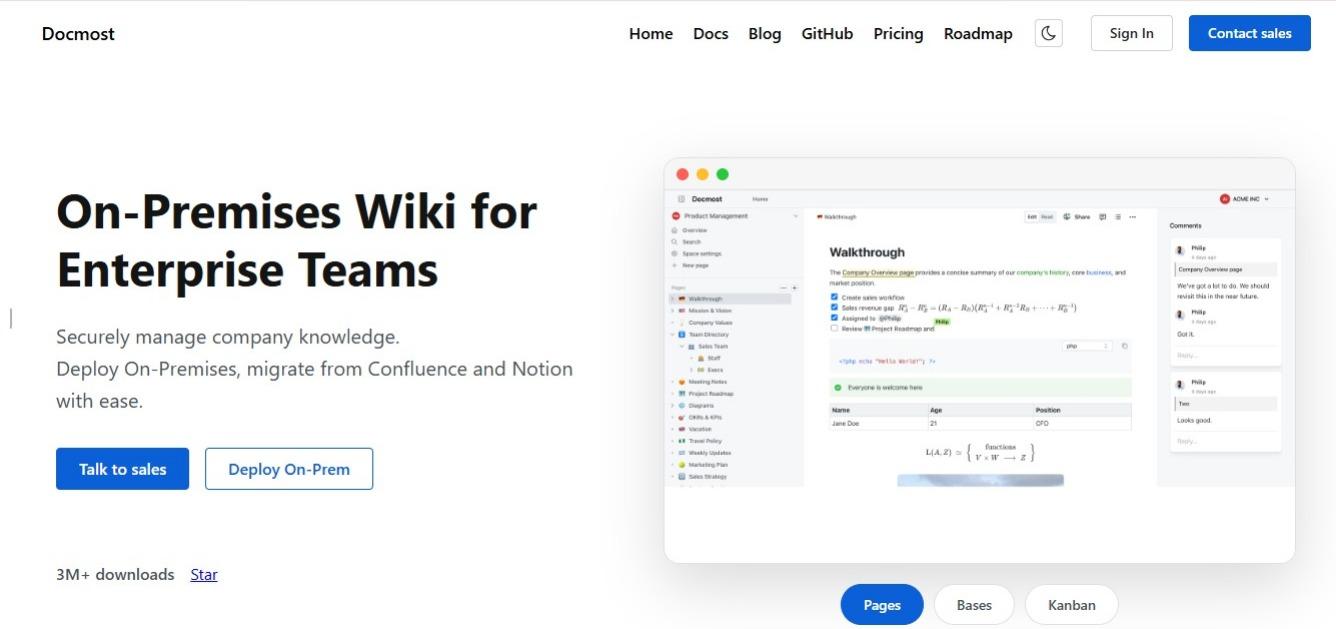
Docmost is an open-source, self-hosted wiki, and the features that matter most for HR are the ones that let you build the separation described above.
- Spaces let you keep employee-facing policy content and internal HR working documents in different permission boundaries, which is the structure in the permissions table.
- Groups grant access by role rather than person by person, so access follows job changes instead of needing a manual clean-up every time someone moves team.
- Page-level view and edit permissions let you lock a single page inside a space everyone else can open. A policy draft under review can sit alongside the published policies while only the people reviewing it can read it.
- Page verification and approval workflow puts a review step in front of publishing, and marks the page once it's approved. Employees can see at a glance whether they're reading confirmed guidance or a draft someone started and never finished.
- Version history tracks how a policy changed and who changed it, which is useful for policy content and is precisely the reason personal data shouldn't be on the page to begin with.
- Importers bring across the handbooks and policy files you already have, including Word and PDF documents.
How to Keep Your HR Wiki Accurate and Useful
- Give every page an owner, and make it a person rather than a team, because a page owned by everyone is owned by nobody.
- Review pages when something changes, not on a schedule. Policy updates, new legislation, benefits renewals, and restructures are what make a page wrong, and if you wait for the quarterly review the page stays wrong in the meantime.
- Put a last reviewed date on every policy page so readers can judge for themselves.
- Watch what people search for and don't find. Those searches are the pages you haven't written yet.
If your team is spread across locations and time zones, most of this becomes more important rather than less, and we've covered that in more depth in our guide to wiki software for remote teams. If you're still deciding which platform to use, our wiki tool buyer's checklist walks through the features worth testing.
Frequently Asked Questions
- Can we put individual salaries in the HR wiki?
No. Compensation bands, the review cycle, and how pay decisions get made all belong in the wiki. Individual figures belong in the HRIS, where access is restricted by default and deletion works properly.
- We already have employee data in our wiki. What do we do now?
Find it before you delete anything. Search your HR spaces for names, and check meeting notes, hiring pages, and anything written during a restructure. Move what belongs in the HRIS, and remember that editing a page leaves the text in its history, so some pages need deleting outright.
- Do we need a data protection impact assessment before putting HR content in a wiki?
Only where the processing is likely to result in a high risk to people, which special category data at scale usually is. If your HR spaces will hold health or disability information about employees, assume you need one and get it done before launch.
- How is an HR wiki different from an intranet?
An intranet is a general internal homepage with news, links, and announcements. An HR wiki is structured around the questions people ask, so someone arriving with a question leaves with an answer rather than a directory.
- What happens if an employee asks to see everything we hold about them?
You have to find all of it, wiki included. A subject access request under GDPR Article 15 covers personal data wherever it sits, so pages, comments, attachments, and page history all count.
- Should HR have its own wiki, or share the company one?
Share the company wiki, with HR content in its own spaces. A separate wiki splits search and gives employees two places to look for a policy. What HR needs is separate permissions, not a separate tool.
Build an HR Wiki You Control
Docmost gives HR teams a self-hosted wiki with the space and permission structure this guide describes, so your policy documentation stays useful and your employee records stay protected.