Top 7 Mintlify Alternatives
Compare seven Mintlify alternatives for developer and internal documentation, including self-hosted, open source, and API-first options.

Mintlify makes developer documentation look easy. You connect your repository, write in MDX, and you get a clean documentation site with an interactive API reference generated from your OpenAPI spec, without anyone on your team spending a month building a frontend. For a small engineering team shipping API docs fast, it does the job well.
The limitations show up later. Your content lives on Mintlify's infrastructure unless you're on the Enterprise plan, where self-hosting becomes available. Writing runs through MDX and Git, so the people who know the answers (your support leads, product managers, and technical writers) either learn to open a pull request or wait for an engineer who can. Your configuration and components use Mintlify's own format, so moving later means rewriting rather than exporting. And the AI features that make the platform interesting run on credits that you buy on top of your plan.
And there's something even bigger underneath all of that. Most teams looking at Mintlify have two documentation problems, not one. There's the public product documentation your customers read, and there's the internal stuff: runbooks, architecture decisions, onboarding guides, security procedures, and the notes nobody outside the company should ever see. Mintlify was built for the public documentation, and teams end up buying a second tool for the internal documentation.
If your team wants to move past any of those limitations, here are seven alternatives to look at.
Why look for a Mintlify alternative?
- Self-hosting is only on the Enterprise plan
For most public product docs, that's fine. It stops being fine when data residency rules, customer contract terms, or your own security policy govern where content can sit. Mintlify does offer self-hosting and EU hosting, but only on the Enterprise plan, which is custom priced and starts with a sales conversation.
- Only engineers can update your docs
Engineers move fast in MDX. Everyone else opens a pull request or asks someone to do it for them. If your documentation depends on people outside engineering to maintain it, like product or support teams, a Git-only workflow makes your docs stop being useful fast.
- You can take your writing, but not your setup
Your writing lives in Markdown files, so those come with you anywhere. But your navigation, theme, and settings live in Mintlify's own file format, and the components you use for things like tabs and callouts are Mintlify's too. So, when teams say migrating off a docs platform was hard, this is usually why.
- Internal documentation needs something else
Runbooks, incident notes, architecture decisions, and HR-adjacent material need permissions, private spaces, and a way for non-engineers to contribute. A public documentation platform isn't the right place for any of it, and writing internal documentation well takes a different setup than publishing public docs.
Best Mintlify alternatives
|
Tool |
Best for |
Deployment |
|
Docmost |
Teams that want collaborative documentation and internal knowledge on their own infrastructure |
Self-hosted / on-premises |
|
GitBook |
Teams where documentation isn't owned by engineering alone |
Cloud |
|
Docusaurus |
Engineering teams that want docs-as-code without a vendor |
Self-hosted static site |
|
ReadMe |
API-first companies that need interactive reference and developer metrics |
Cloud |
|
Fern |
Teams shipping SDKs alongside their API documentation |
Cloud |
|
Starlight |
Small teams that want a docs site running quickly |
Self-hosted static site |
|
Document360 |
Teams running a help center and internal docs together |
Cloud |
1. Docmost
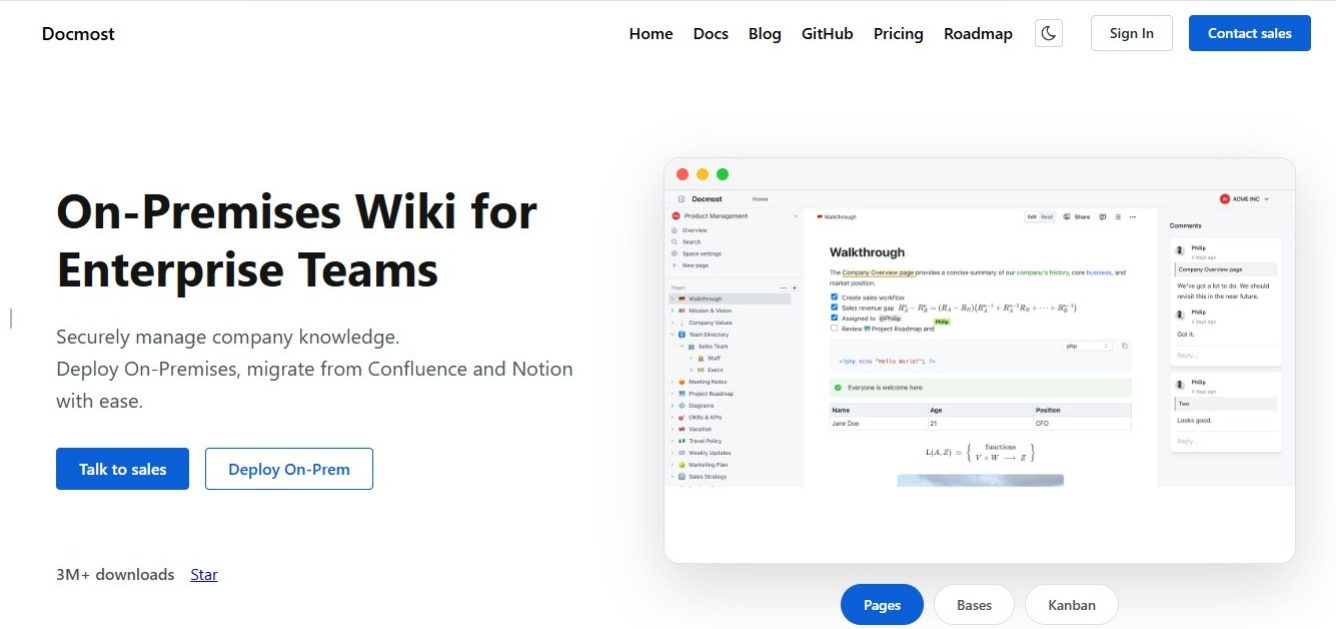
Docmost is an enterprise-ready, self-hosted wiki and documentation platform licensed under AGPL-3.0, with paid tiers that add enterprise features. If you're looking past Mintlify because your documentation needs to stay on infrastructure you control, or because the people who need to update your docs can't write MDX, Docmost answers both.
An editor everyone on your team can use
The editor is block-based and rich text. There's no MDX to learn and no markup syntax to memorize, though Markdown shortcuts work if that's how you like to write. Someone in support can fix a wrong instruction in the time it takes them to notice it, without opening a pull request or asking an engineer.
Real-time collaboration is built in, so several people can edit the same page at once and see each other's cursors as they go.
You also get:
- Inline comments and resolvable threads
- @mentions
- Version history with restore
- Tables, callouts, and toggle blocks
- Math equations and synced blocks
- Page labels and file attachments
- Templates
- Embeds from Airtable, Loom, YouTube, and more
Spaces and nested pages
Content is organized into Spaces, which gives your documentation a system that still works as it grows:
- Spaces per team, product, department, or project
- Nested pages you can reorder by dragging them
- Permissions at both the space and page level
- Groups so you're not editing access one person at a time
- Public page sharing for the pages you want readable without an account
Mintlify publishes everything outward, but Docmost keeps the internal half private and lets you publish the pages that should be public.
Diagrams built into the page
Draw.io, Excalidraw, and Mermaid are all built in. Your architecture diagrams live on the same page as the explanation instead of sitting in a separate tool nobody remembers to update, which is usually why diagrams stop matching the system they describe.
Bases and Kanban boards
Not everything belongs in a page. Bases let you organize information as spreadsheet-like databases with properties, filters, sorting, and formulas, and each Base supports table and Kanban views.
Teams use them for documentation review queues, project tracking, editorial calendars, team directories, and anything else that needs more structure than a page but doesn't warrant a separate tool.
Search and AI
Search covers the full text of every page with filters for spaces and content types, and paid editions index the contents of PDF and DOCX attachments too.
The AI features handle search across your knowledge base, writing assistance, translation, and chat, and Docmost supports MCP so compatible AI tools and agents can read from your workspace. You can point the AI at cloud models or at local ones, which matters when the material being processed is your internal documentation.
Self-hosting and data control
Self-hosting is the part that separates Docmost from every hosted platform on this list.
Running it on your own infrastructure means three things:
- Your data never leaves infrastructure you control
- You define your own compliance posture, including access controls, encryption, and retention, instead of inheriting a vendor's
- Hosting, backups, upgrades, and security patching become your IT team's responsibility
Docmost runs in air-gapped environments with no external dependencies. Enterprise capabilities include SAML, OIDC, and LDAP single sign-on, MFA, SCIM provisioning, page-level permissions, audit logs, API access, and page verification and approval workflows.
Pages can still be published for people without an account, with sub-pages appearing as a tree in the sidebar and a per-page control over whether search engines index them. So the documentation your customers read can come off the same platform your team writes on.
If you're bringing content across from somewhere else, there are importers for Markdown, HTML, Notion, Confluence, DOCX, and PDF.
Best for: Teams that want collaborative documentation and internal knowledge management on infrastructure they control.
2. GitBook
If you want to stay on a hosted platform, GitBook is the closest thing to Mintlify, and it handles the Git-only problem differently. You get a block-based visual editor alongside Git sync, and the sync runs both ways. Engineers keep working in the repo, everyone else edits in the browser, and both sets of changes land in the same place.
That makes it a reasonable fit for teams where documentation isn't owned by engineering alone. GitBook covers product docs, developer docs, API reference, and help centers in one workspace, and it has an AI assistant that answers questions from your published content. We went deeper on the platform in our post on GitBook alternatives, if that's where you're currently headed.
The pricing model, however, is where you'll have to do a proper calculation before you commit. GitBook bills per documentation site and then per user on top. Premium is $65 per site per month and Ultimate is $249 per site per month, both billed annually, with team members adding $12 per user per month. There's a free plan for individuals and custom pricing at the enterprise level. If you're running one site with a small team, that's manageable. But if you're running separate documentation for three products, each site carries its own plan.
There's no self-hosting option at any tier, so your content stays on GitBook's infrastructure.
Pros:
- Visual editor and Git sync working together, in both directions
- Handles public docs and internal knowledge in one workspace
- AI assistant trained on your published content
Cons:
- No self-hosting at any tier
- Per-site and per-user pricing adds up
- Your content and everything the AI indexes sit on GitBook's servers
Best for: Teams that want a hosted platform close to Mintlify's model but need contributors outside engineering.
3. Docusaurus
If what you like about Mintlify is the docs-as-code workflow and what you don't like is paying for it, Docusaurus is where most teams look next. It's a React-based static site generator maintained by Meta, and it powers a large share of open source documentation.
You write in Markdown and MDX, same as Mintlify, and you get documentation versioning, internationalization, and a plugin ecosystem deep enough that most things you want to add already exist.
The output is static files, so you can deploy them to a CDN, your own server, or inside a private network where nothing external can reach them. It's free and open source, so there's no platform fee and no plan tier holding back a feature you need. If open source is the deciding factor for you, we compared the best open source knowledge base software separately.
Everything else is your job: the hosting, deployment pipeline, search configuration, design, and every upgrade. There's no built-in API reference either, so if that's why you were looking at Mintlify in the first place, you'll be adding it yourself or pairing Docusaurus with something else.
Pros:
- Free and open source with no plan limits
- The closest open source match to Mintlify's workflow
- Versioning and internationalization built in
- Deploy anywhere, including inside a private network
Cons:
- No built-in API reference
- Design, search, and hosting are your responsibility
- Needs engineering time to set up and keep running
Best for: Engineering teams that want Mintlify's workflow without a vendor sitting between them and their documentation.
4. ReadMe
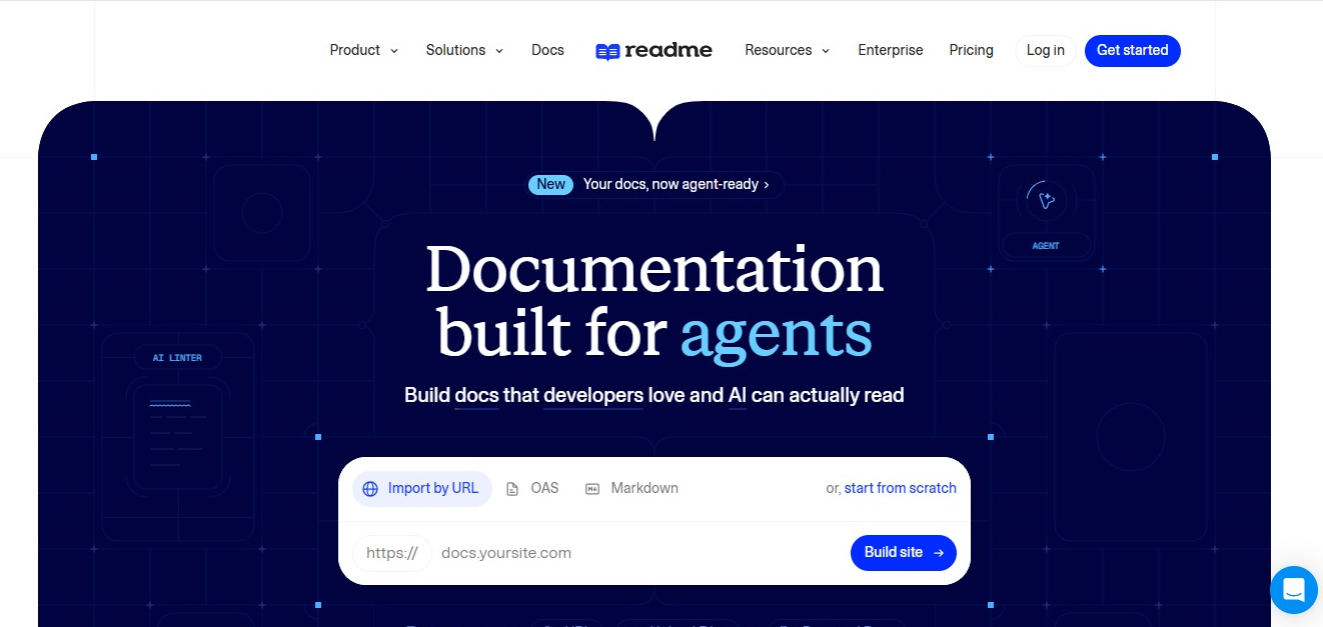
ReadMe is built around API reference rather than documentation in general, which suits you if your product is an API. Its interactive API reference lets developers make real calls against your API from inside the docs, using their own keys, and see what comes back. That's a different experience from reading a static reference page and hoping you've understood the parameters.
The developer metrics are the part teams often miss. ReadMe shows you which endpoints get called, where integrations break, and where developers get stuck, so your documentation starts telling you where the problems in your API are.
Pricing starts with a free Starter plan. Pro is $250 per month billed annually and includes five admins, with additional admins at $20 each per month. Enterprise is custom. One thing to check carefully: Ask AI, the AI search feature most people assume comes with the platform, costs an extra $150 per month on every tier, including Enterprise.
If your documentation covers more than an API, a good portion of what you're paying for will sit unused.
Pros:
- Interactive API reference with real requests and responses
- Developer metrics on how your API gets used
- Documentation personalized to the reader's own API keys
- Built specifically around API adoption
Cons:
- Narrow if your docs go beyond API reference
- No self-hosting
- AI search costs $150 per month on top of any plan
Best for: API-first companies where developer adoption is the number that matters.
5. Fern
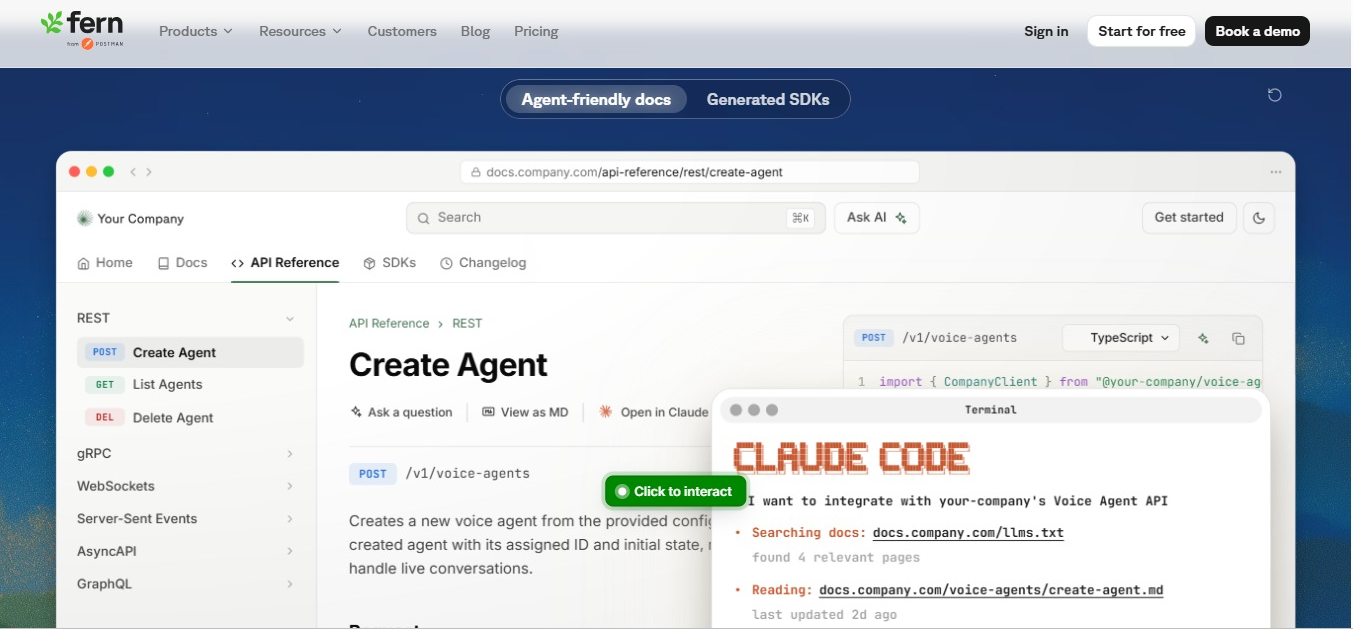
Fern does documentation and SDK generation together, which is the thing that sets it apart here. If you're shipping client libraries alongside your API, both are built from the same API definition. Change the definition once and your docs and every SDK update together, rather than someone updating each one separately and hoping they all match.
Its specification support is the broadest on this list. It covers OpenAPI, AsyncAPI, gRPC, and OpenRPC, and it can generate a reference from a GraphQL schema too, with protocol support spanning REST, webhooks, and WebSockets. The interactive API reference supports live authentication, and there's AI search and MCP server support built in.
Docs pricing starts with a free Hobby plan for two team members. Team is $150 per month for five members, and Enterprise is custom, which is where self-hosting, SSO, role-based access control, and translated content live. SDK generation is priced separately from docs.
Fern is now a Postman company, so factor that into how you think the platform might change over the next few years.
Pros:
- SDK generation and documentation from a single definition
- The widest specification and protocol coverage here
- Live authentication in the interactive API reference
- Self-hosting available on Enterprise
Cons:
- Most of the value depends on you shipping SDKs
- Not a general documentation platform
- SDK pricing sits separately on top of docs pricing
Best for: API companies publishing client libraries next to their reference documentation.
6. Starlight

Starlight is a documentation framework built on Astro, and its whole personality is speed. It ships almost no JavaScript, so pages load quickly even on a bad connection, which is a real consideration if your users are developers in places with patchy internet.
You write in Markdown and MDX and get site search, internationalization, and dark mode without configuring much of anything. The default design is good enough that most teams leave it alone. Output is static, so you host it wherever you like, and it's free and open source.
It also does one thing. Starlight is for documentation sites. So, if you want embedded applications, heavy interactivity, or an interactive API reference, Docusaurus gives you more room to work with.
Pros:
- Very fast page loads on any connection
- Good defaults with minimal configuration
- Free and open source
- Static output you can host anywhere
Cons:
- No built-in API reference
- Smaller plugin ecosystem than Docusaurus
- Hosting and maintenance are on you
Best for: Small teams that want a documentation site running the same day.
7. Document360
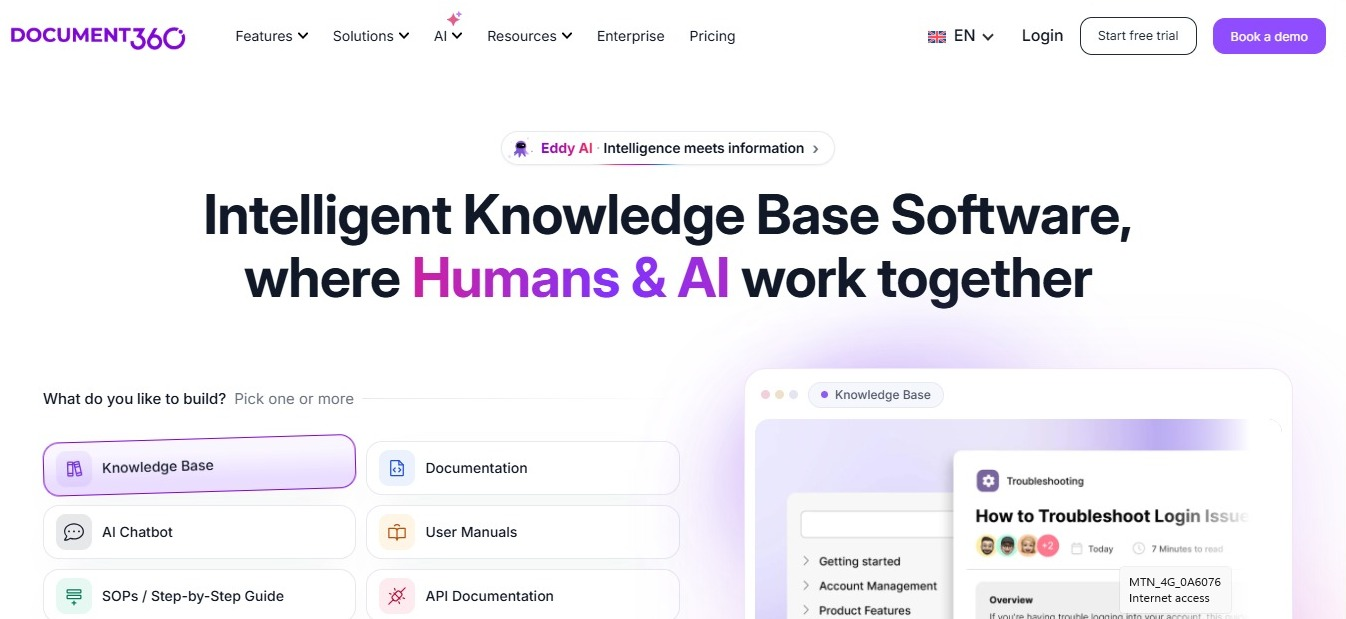
Document360 comes at documentation from the knowledge base side rather than the docs-as-code side. It's built to run a customer-facing help center and an internal knowledge base together, with a category-based structure, versioning, workflow states, and content review built in.
There's AI search and an assistant trained on your published articles. The analytics show you which articles perform and which searches return nothing useful, which is a practical way to find the gaps in your documentation.
On pricing, Document360 doesn't publish its rates. Plans are quoted per project after a conversation with their sales team, which makes it hard to compare against the published numbers elsewhere on this list until you've had that call. That adds time if you're evaluating several options at once.
The bigger question is how your team likes to work. If you're used to writing Markdown in a repo, Document360 will feel unfamiliar, because everything happens in its own editor and workflow instead of in your codebase.
Pros:
- Public help center and internal knowledge base in one place
- Review workflows and versioning built in
- AI search across published content
- Analytics that surface content gaps
Cons:
- No published pricing, so evaluation needs a sales call
- Not a docs-as-code workflow
- No self-hosting
Best for: Organizations running a customer help center and an internal knowledge base at the same time.
What to look for in a Mintlify alternative
Six things decide this, and if you want a wider version of the same exercise, our buyer's checklist for choosing a wiki tool covers the same ground for internal documentation.
- Where your documentation is hosted
Public docs and internal knowledge come with different requirements. Self-hosting matters when data residency rules, customer contract terms, or your own security policy govern where content is allowed to sit. Check whether a platform offers it at the tier you'd realistically buy, not only at the enterprise level.
- Who can contribute
A Git and MDX workflow keeps engineers fast and keeps everyone else waiting. Ask yourself whether your support, product, and writing teams all need to publish without a pull request, because that answer rules several options in or out immediately.
- What your API reference needs to do
If your documentation is mostly API reference, a specification-driven tool covers it well. If reference is one section of something larger, make sure the platform handles both so you're not paying for two products.
- Search and AI
Full-text search is the baseline, and you want it covering page content, not just titles. Before you turn on an AI assistant, find out where your documentation gets sent to be processed and whether you can keep that inside your own network.
- How much maintenance you'll be doing
Hosted platforms sell you a finished product, while open source generators give you the parts to build your own. Someone has to own the build pipeline, the theme, and every upgrade, so make sure there's a person on your team who's willing to take that on.
- How you'll get your content back out
Your content is movable. The file that controls your navigation and theme, along with any custom components you've used, is what you'd have to rebuild. Before you commit, find out exactly what exports cleanly and what would need rewriting.
Which Mintlify alternative is best?
It depends on which Mintlify limitation pushed you to start looking.
|
If you need |
Choose |
|
Documentation on infrastructure you control |
Docmost |
|
A hosted platform with both Git and visual editing |
GitBook |
|
Open source docs-as-code with no vendor |
Docusaurus |
|
Interactive API reference and developer metrics |
ReadMe |
|
Documentation and SDK generation together |
Fern |
|
A fast, lightweight documentation site |
Starlight |
|
A help center and internal knowledge base together |
Document360 |
The right replacement for you is the one that matches where your documentation needs to live and who needs to be able to write it.
If the answer to that first question is "on our own infrastructure," Docmost covers the collaborative documentation and internal knowledge that a public docs platform was never built to hold. You get a rich-text editor anyone on your team can use, Spaces and nested pages, real-time collaboration, diagrams, full-text search, AI, enterprise authentication, and the ability to run all of it in your own environment, including air-gapped ones.