Best 6 Open Source Wiki Software for Teams
Compare six open source wiki tools on license, content structure, editor, real-time editing, and diagrams to see which fits your team.

TL;DR
- Open source wiki software uses a license that lets you read, change, and share the code. Some popular wikis are source-available instead, so check the license before you choose one.
- The six picks here are Docmost, BookStack, Wiki.js, XWiki, MediaWiki, and DokuWiki.
- Docmost is the best pick for teams that write together in real time.
- Not sure which fits? Skip to "Which is the best open source wiki software for teams?" and match the tool your team needs.
Wikis are often described as free and open source, but that label covers two different things. Some are released under licenses approved by the Open Source Initiative (OSI), while others publish their code under terms that limit how you can use it, which makes them source-available. This guide compares six wikis that use OSI-approved licenses, so you can choose based on license, structure, editor, and how your team works.
Open Source Wiki Software Compared
Every tool below is compared on: license, how it organizes content, what the editor is like, whether several people can edit one page at once, whether diagrams are built in, and the kind of team it fits well.
|
Tool |
License |
Structure |
Editor |
Real-time editing |
Diagrams |
Best for |
|
Docmost |
AGPL-3.0 |
Spaces with nested pages |
Block-based rich text |
Yes |
Built in (Draw.io, Excalidraw, Mermaid) |
Teams that write together |
|
BookStack |
MIT |
Shelves, books, chapters, pages |
WYSIWYG or Markdown |
No |
Built in (Draw.io) |
Non-technical teams |
|
Wiki.js |
AGPL-3.0 |
Path-based page tree |
Markdown, visual, or HTML |
No |
PlantUML and Kroki modules |
Technical teams |
|
XWiki |
LGPL-2.1 |
Nested spaces and pages |
WYSIWYG or wiki syntax |
Yes, in the WYSIWYG editor |
Extension (Draw.io) |
Large organizations |
|
MediaWiki |
GPL-2.0 or later |
Namespaces and categories |
Wikitext or VisualEditor |
No |
Extension (Diagrams) |
Large reference wikis |
|
DokuWiki |
GPL-2.0 |
Namespaces over plain-text files |
Wiki syntax |
No |
Plugin (Draw.io) |
Small or technical teams |
All six licenses in that table are approved by the Open Source Initiative. A wiki had to have one of those licenses to make this list. More on what that means next.
What Counts As Open Source Wiki Software?
Plenty of tools describe themselves as open source when what they mean is that you can look at the code. Being able to read the code isn't the same as being open source, and the difference shows up in what your legal team says when you ask to install one.
Open Source vs Source-available Wiki Software
Open source means the software is released under a license approved by the Open Source Initiative. Anyone can use it, change it, and share it, including inside a company and including for commercial work. There's no clause that says you can only use it a certain way.
Source-available means you can read the code, and sometimes change it, but the license puts limits on how you're allowed to use it. Those limits are often about competing with the vendor, or about offering the software as a hosted service. The code being public doesn't make the license open source.
If a wiki's license matters to your organization, read the license file in the project's repository before anything else.
Permissive vs Copyleft Licenses
Open source licenses split into two groups.
Permissive licenses, like MIT, put very few conditions on what you do with the code. You can modify it, build on it, and ship the result under different terms.
Copyleft licenses, like GPL, AGPL, and LGPL, ask something back. If you distribute a modified version, that version has to stay available under similar terms. AGPL extends this to software you run as a network service. For teams installing a wiki for internal use and not redistributing it, this rarely changes anything day to day, but your legal team will want to know which one applies.
Docmost's core is AGPL-3.0, and its paid edition is covered by a separate license.
Best Open Source Wiki Software: 6 Tools Reviewed
- Docmost: Open Source Wiki With Real-time Editing
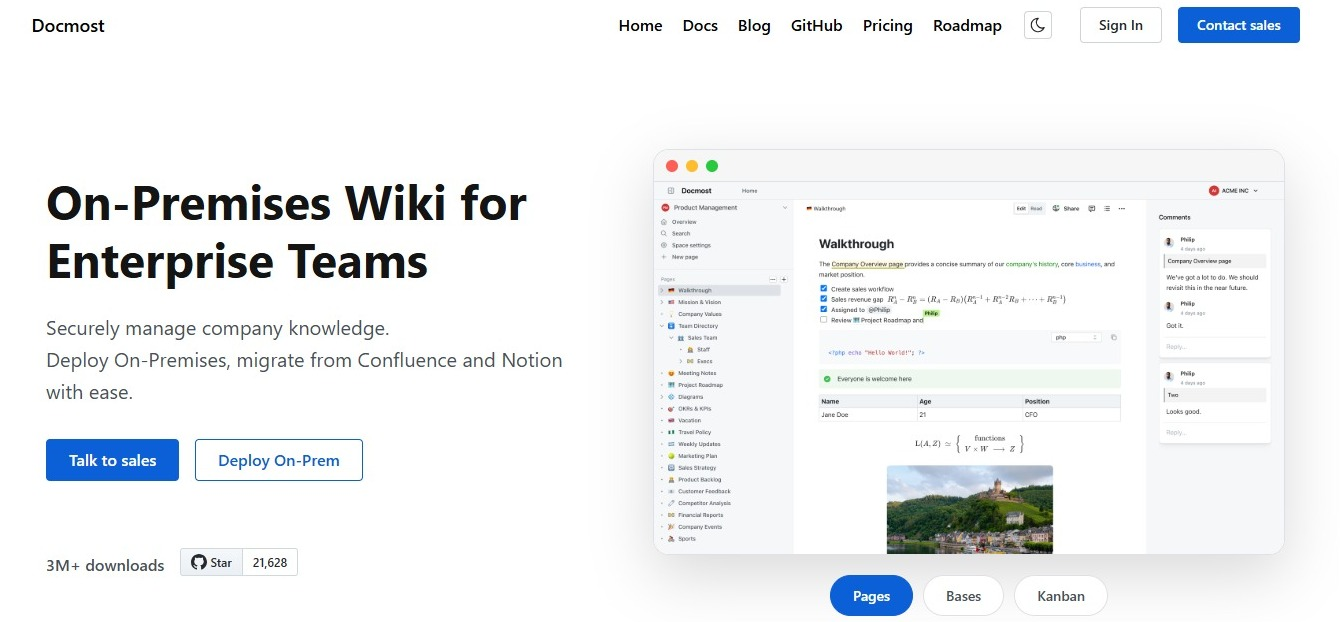
Best for: teams who write and edit documentation together.
- License: AGPL-3.0
- Structure: spaces with nested pages
- Editor: block-based rich text
- Real-time editing: yes
- Diagrams: Draw.io, Excalidraw, and Mermaid, built in
Writing in Docmost feels like writing in a modern document editor. It's a block-based rich text editor with no markup to learn, though Markdown shortcuts are there if you prefer typing them. Several people can edit the same page at once and see each other's cursors, so you don't have to wait for someone else to finish before you start. You get inline comments, @mentions, and page history on every page.
Content sits in spaces, with nested pages inside each one, and permissions can be set at the workspace and space level. Groups make that manageable once you're past a handful of people, and the paid edition adds page-level permissions. Diagramming is in the page itself, so a workflow sketch lives next to the text explaining it.
For admins, the standard install runs Docmost alongside PostgreSQL and Redis using Docker Compose. It can also run with no internet connection at all, which matters for teams working in closed networks.
If you're moving off Atlassian, see how Docmost compares to Confluence.
- BookStack: Shelves, books, and chapters
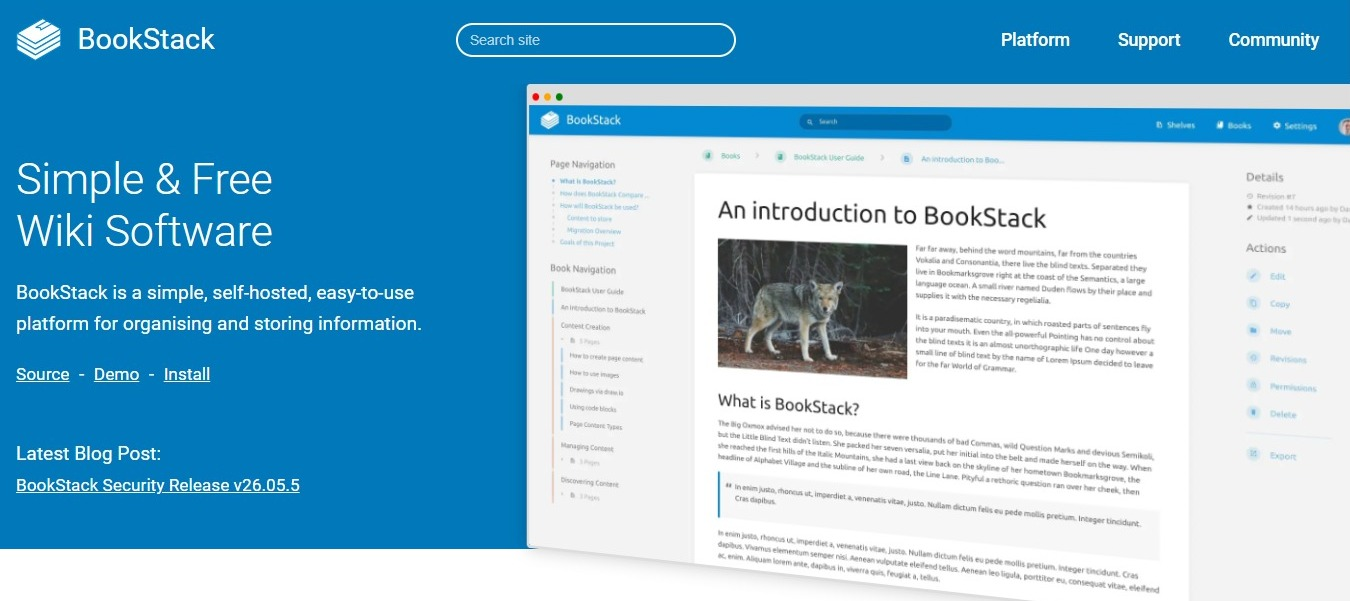
Best for: teams whose contributors aren't technical.
- License: MIT
- Structure: shelves, books, chapters, and pages
- Editor: WYSIWYG or Markdown
- Real-time editing: no
- Diagrams: Draw.io, built in
BookStack hands you a structure and asks you to work inside it. Pages sit in chapters, chapters sit in books, and books sit on shelves. Nobody spends the first week arguing about how to organize things, because the decision is already made. For teams whose last wiki turned into a pile of pages nobody could find, that structure is the appeal.
The editor works like a word processor, with a Markdown option, and a search bar in the header of every page looks across all books, chapters, and pages. But what you give up is live co-editing. BookStack uses a draft-and-save model with edit notifications, so two people working on the same page at the same time don't see each other's changes as they happen.
Admins run it on PHP with MySQL or MariaDB.
Are you comparing the two? See Docmost vs BookStack side by side, or read our list of BookStack alternatives.
- Wiki.js: Flexible Editors
Best for: technical teams that want control over how pages are written and stored.
- License: AGPL-3.0
- Structure: path-based page tree
- Editor: Markdown, visual, or HTML
- Real-time editing: no
- Diagrams: text-based, through the PlantUML and Kroki modules
Wiki.js lets you pick your editor page by page. Write one page in Markdown, the next in the visual editor, and a third in raw HTML. Content lives in a database and can be mirrored to a Git repository, so documentation gets versioned the same way code does. Authentication options are broad, covering local accounts, LDAP, SAML, and OAuth providers.
The cost of that flexibility is setup time. There are a lot of settings, and getting it configured to your liking takes longer than it does with a tool that makes the decisions for you.
Admins can run it on PostgreSQL, MySQL, MariaDB, or SQLite.
To see how it compares to Docmost, check out Docmost vs Wiki.js, or see our list of Wiki.js alternatives.
- XWiki: Open Source Wiki For Structured Content
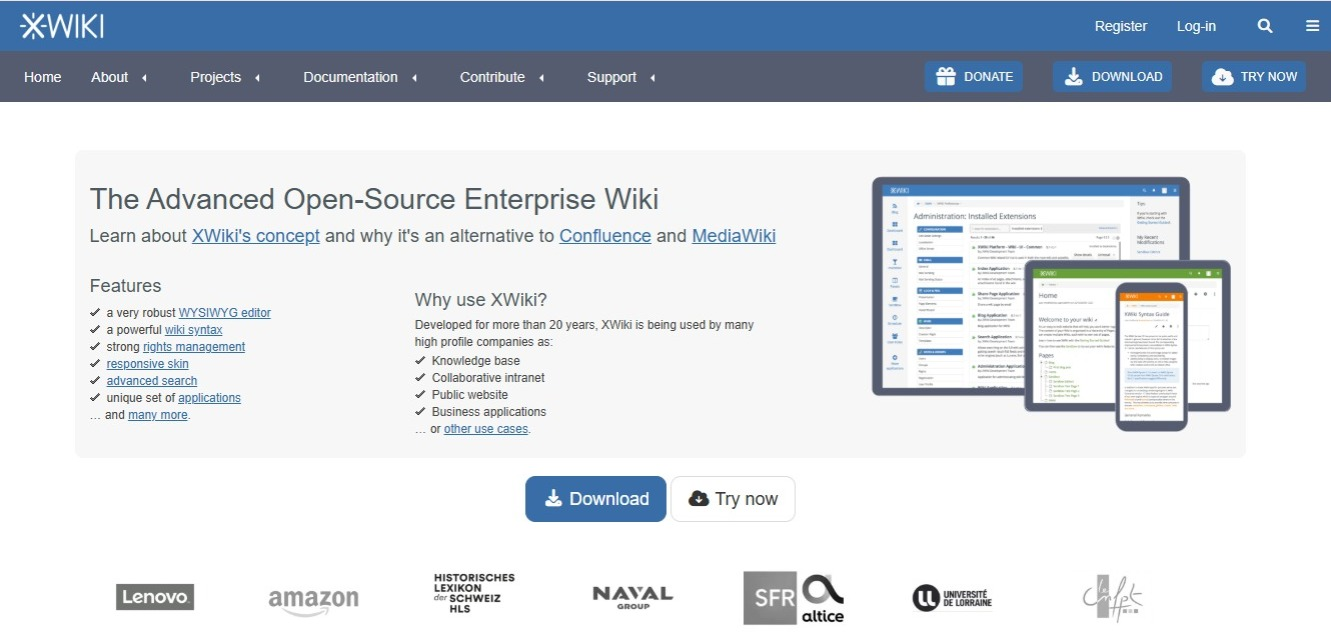
Best for: large organizations that want the wiki to do more than store pages.
- License: LGPL-2.1
- Structure: nested spaces and pages
- Editor: WYSIWYG or wiki syntax
- Real-time editing: yes, in the WYSIWYG editor
- Diagrams: through the Diagram Application extension, which uses Draw.io
XWiki goes beyond documentation. You can define custom data types and turn pages into forms, dashboards, and small internal applications without building a separate app.
Real-time editing arrived through the realtime WYSIWYG editor, which now ships with the standard distribution. Check that it's enabled on the version you install, since the setup has changed across releases.
That power asks more from your admins. XWiki is a Java platform, so it's heavier to run and maintain than a lightweight tool.
If you want the shorter path to structured content plus live editing, compare Docmost and XWiki.
- MediaWiki: For Large Reference Sites

Best for: big reference wikis with many contributors.
- License: GPL-2.0 or later
- Structure: namespaces and categories
- Editor: wikitext, or VisualEditor as an extension
- Real-time editing: no
- Diagrams: through the Diagrams extension, which renders text-based formats such as Mermaid and PlantUML
MediaWiki powers Wikipedia. It organizes pages into namespaces and categories, and you write them in wikitext, its own markup, which takes some learning if you haven't worked with markup before. A visual editor is available as an extension. Other features, including diagrams, also come from extensions. Most extensions are maintained by people outside the MediaWiki development team, so check how well each one is maintained before you install it.
Admins run it on PHP and a database, and setup assumes some comfort with servers.
To see how it compares with Docmost, compare Docmost and MediaWiki.
- DokuWiki: Open Source Wiki With No Database
Best for: small or technical teams that want a wiki with no database.
- License: GPL-2.0
- Structure: namespaces over plain-text files
- Editor: wiki syntax
- Real-time editing: no
- Diagrams: through the diagrams plugin, which uses Draw.io
DokuWiki stores everything in plain text files. There's no database, which means a backup is a folder copy, and restoring one is the same steps in reverse. Page history comes built in, and plugins can add syntax and change behavior, including replacing the editor with a WYSIWYG one.
The default editor uses wiki syntax instead of a rich editor. For a technical team that values durability over polish, that's a fair swap.
For teams outgrowing it, we've covered DokuWiki alternatives separately.
Is Outline open source wiki software?
No. Outline is released under the Business Source License 1.1, and that license states it is not an open source license. You can read the code and self-host it, but the terms put limits on use that an open source license wouldn't.
That's why Outline isn't part of the six above. The list only includes tools under licenses approved by the Open Source Initiative. If the license is the thing you're deciding on, compare Docmost and Outline.
Wikis are one slice of a bigger category. If you're looking more broadly, we have a separate guide to open source knowledge base software.
What To Expect When You Self-host An Open Source Wiki
Installing the wiki yourself changes three things:
- Data never leaves infrastructure you control: Pages, attachments, and user records stay in your own environment.
- You define your own compliance posture through access controls, encryption, and retention settings, instead of inheriting a vendor's.
- Hosting, backups, upgrades, and security patching become your IT team's responsibility: Nobody else is watching the instance for you.
Decide who owns upgrades and backups before you pick the tool, not after.
Which Is The Best Open Source Wiki Software For Teams?
Match the tool to what your team needs:
Choose Docmost if...
- Your team writes together and needs live co-editing.
- You want spaces, groups, and space-level permissions built in.
- You want Draw.io, Excalidraw, and Mermaid inside the page.
Choose BookStack if...
- You want a fixed shelf, book, chapter, and page structure that keeps a growing wiki tidy.
- Your contributors aren't technical and live co-editing isn't a priority.
Choose Wiki.js if...
- You want to pick Markdown, visual, or HTML editing page by page.
- You want content mirrored to Git.
- You're comfortable spending time on configuration.
Choose XWiki if...
- You want the wiki to grow into structured internal apps like forms and dashboards.
- Your admins are comfortable running a larger Java platform.
Choose MediaWiki if...
- You're building a large reference wiki with many contributors.
- Your editors can learn wikitext and your admins are comfortable with servers.
Choose DokuWiki if...
- You want plain-text storage with no database behind it.
- Your team is small or technical and fine with wiki syntax.
FAQ
- What's the difference between open source and source-available wiki software?
Open source software uses a license approved by the Open Source Initiative, which lets anyone use, change, and share the code without restrictions on how it's used. Source-available software publishes its code but limits use through the license. Outline's Business Source License 1.1 is the example in this list, and its own terms say it isn't an open source license.
- Which open source wiki software supports real-time editing?
Of the six here, Docmost and XWiki do. Docmost has it in the default editor. XWiki has it through the realtime WYSIWYG editor that ships with the standard distribution. BookStack, Wiki.js, MediaWiki, and DokuWiki use save-based editing instead, so two people editing the same page at the same time don't see each other's changes as they happen.
- What's the difference between a wiki and a knowledge base?
A wiki is edited by the whole team and grows page by page as people add what they know. A knowledge base is the broader term. It covers internal documentation as well as customer-facing help centers, which are usually written by a smaller group and read by people who don't edit. Most wiki tools can do both. If you're looking at the wider category, see our guide to open source knowledge base software.
- Can I import my Confluence or Notion pages into an open source wiki?
In many cases yes, though how much survives depends on the tool. Docmost imports Markdown and HTML files, ZIP archives, and Notion exports, and the paid edition adds Confluence, Word, and PDF importers.
- Can I run an open source wiki with no internet connection?
Yes. Docmost runs fully offline in air-gapped environments, which suits teams working on closed networks. Check each tool individually.
- How do I move my wiki to a different tool later?
Test the export path before you commit, not after. Check that the tool exports pages in a format another platform can read, such as Markdown or HTML, and that attachments and page structure come with them. If you can't get your content out, the license doesn't help you much.
Open Source Wiki Software That Lets Your Team Write Together
Docmost is an open source wiki with real-time editing, spaces and permissions, and diagramming in the page. Contact sales to talk through what your team needs.