Wiki Software for Consulting Firms: Client Knowledge Management
Setting up a wiki for your consulting firm? Learn how to organize client knowledge, methods, project insights, and past engagements in one place.

TL;DR
- A consulting firm's wiki holds two very different things: reusable firm knowledge like methodologies and templates, and engagement material that belongs to a client.
- The second kind is governed by contracts you already signed. Those contracts often say who else is allowed to hold that material, and what has to happen to it when the work ends.
- Where your documentation lives affects both of those obligations, so deployment belongs in the evaluation alongside search and permissions.
It's Wednesday afternoon and a proposal is due Friday. Somebody on the team remembers that the firm solved almost exactly this problem for a client two years ago, and that there was a good deck and a working model somewhere. Nobody can find either. The consultant who ran that engagement left in March, and her files are in a drive folder that three people have access to, two of whom are on holiday.
So the team rebuilds it from memory over two evenings. The proposal goes out and the knowledge stays lost.
Now say the deck does turn up a week later. Finding it solves one problem and hands you another, because that deck isn't really yours. It was built from things the client told you in confidence, and before the project started your firm signed a contract promising to look after that information.
Those contracts usually set rules about where you're allowed to keep it, who at the firm is allowed to open it, and whether you should have deleted it when the work finished.
That's what makes documentation harder for consulting firms than for almost anyone else. Alongside organising your own knowledge, you're looking after someone else's, and the tool you keep it in decides how well you can do that.
What Belongs in a Consulting Firm's Wiki
Before choosing a tool, it's important to clarify what we're putting in it. Consulting documentation falls into a few recognisable groups.
- Engagement documentation
Scope, approach, key decisions, stakeholder map, what changed mid-project and why. This is the record of a specific piece of client work, and it's the group with the most contractual weight attached.
- Methodology and templates
Your diagnostic frameworks, workshop formats, analysis models, report structures, and the standard set of questions you ask in a discovery phase. This is firm intellectual property, it's reusable, and it should be the most heavily used part of your wiki.
- Proposal and credentials material
Case summaries, capability statements, consultant biographies, references, past pricing approaches, and the rules about what you're allowed to say about which client. Bid teams work under time pressure, so anything that isn't findable in about a minute effectively doesn't exist.
- Onboarding and staffing
How the firm works, tooling, expenses, quality standards, and what a new consultant needs in their first quarter. Also useful for anyone joining a client they haven't worked with before.
- Post-engagement reviews
What worked, what you'd do differently, and what the client responded to. The highest value content in the whole wiki and the least likely to get written, because by the time the engagement closes everyone is already on the next one.
Of these five groups, the middle three are owned by the firm and you control them. But engagement documentation and much of your post-engagement material contain client information, so they're bound by the agreement that governed that engagement.
Most firms store both in the same place and that's where the problem is.
What Your Firm Should Document Based on Its Size
You don't need all five groups on day one. What you start with depends on how many people you have and how many clients you're running at once.
|
Firm size |
Start with |
Add next |
|
Solo and small boutique |
Proposal and credentials material, engagement records per client |
Methodology templates |
|
10 to 50 people |
Methodology library, onboarding, engagement records with per-client separation |
Post-engagement reviews, staffing |
|
50 and above |
All of the above, plus formal ownership and review cycles per practice area |
Cross-practice knowledge sharing, retention and deletion policy |
Why Shared Drives and Slack Stop Working
Most firms don't decide to use a shared drive as their knowledge system. They just never decide anything else, and the drive fills up.
It works fine until roughly the point where you have more clients than you can hold in your head.
After that, a few things stop:
- Search stops helping: Drive search finds filenames and some document text, but it can't tell you which of the four files called "Approach v3 FINAL" is the one that shipped. You end up opening documents to find out what they are.
- Nobody knows what's current: Without a clear owner and a visible last-updated date, every document is equally trustworthy, which means none of them are. People start asking colleagues instead of searching, and the knowledge goes back into conversation where it can't be stored and reused.
- Access never gets revoked: Somebody gets added to a client folder for a two-week piece of analysis, and three years later they're still in it. Multiply that across every engagement and you have an access list nobody can explain.
- Chat swallows the good answers: Someone asks how the firm handles a particular pricing structure, a partner writes three excellent paragraphs, and it scrolls away by Thursday. Slack is good at answering a question once, but it's terrible at answering it the twelfth time.
People leave, and consulting has more movement than most industries. When someone resigns, the files they saved usually stay behind.
What goes with them is everything they knew but never typed out: why the client said no to the first approach, which manager had to be won round before anything could move, the specific project that nearly went wrong in week six. The next team to work with that client starts again without any of that context.
A wiki helps here because the writing happens in a shared space instead of in someone's personal folders. Every page has an owner, a record of who changed what, and a place in a structure your colleagues can find without knowing the filename.
When someone hands in their notice, you close their account and their pages stay exactly where they are, along with the reasoning they wrote down while the work was fresh.
Deciding to use a wiki is the easy part. The harder part is where the client information inside it is allowed to be stored.
Your Documentation Is Your Client's Confidential Information
When you document a client engagement, you're writing down information the client gave you under an agreement.
Those agreements are fairly standard across the industry, and several of their clauses have direct consequences for where your documentation lives.
Someone else holding the data may need approval
Consulting agreements routinely require that you don't hand client data to another organisation without permission.
The usual wording says you won't engage another data processor without the client's prior written authorisation, and that if the client approves, you'll impose the same data protection obligations on that organisation by contract.
Many agreements also require you to give the client a written list of the subcontractors involved in processing their information.
Read that clause with your tooling in mind. A cloud documentation platform that stores your engagement notes is holding client data on your behalf.
Depending on the contract and the sensitivity of the work, that can make it a party you're expected to disclose, and sometimes one you're expected to get approval for.
Under the GDPR this isn't a matter of interpretation. Article 28 requires a processor to have the controller's authorisation before bringing in another processor, and requires the same obligations to be passed down by contract. You can read the text on EUR-Lex.
This doesn't mean cloud tools are forbidden. Plenty of firms disclose their platforms, get sign-off, and carry on perfectly well. It means the question exists, that somebody in your firm should be able to answer it, and that the answer changes depending on how your wiki is deployed.
When the software runs on infrastructure your firm controls, there's no additional organisation in the chain to disclose or seek approval for.
Whoever you bring in has to meet the same rules
The promises you made to the client have to be passed on to anyone who handles their information on your behalf. That covers confidentiality, security, telling them quickly if something leaks, and letting them check.
If you're relying on a platform's standard terms to satisfy a client's specific requirements, check the two against each other yourself, before a client's legal team does it for you.
Return or delete, at the end
Most agreements say that when the engagement ends, client material comes back or gets destroyed. This is easy to write but surprisingly hard to do.
Client information ends up spread across a wiki, a chat history, personal notes, and half a dozen exports, and very few firms can say with confidence that they've cleared all of it. Deployment model matters here too.
When your documentation platform runs on your own servers, deletion is something your own team carries out and can show proof of.
When it runs on a vendor's platform, you're relying on the vendor's deletion process and reporting on it secondhand.
Serving clients who compete with each other
Firms of any size eventually work for two organisations that don't like each other. Keeping those clients apart has to be handled by the software, not by folder names and people remembering to be careful.
If a consultant staffed on one account can search their way into the other account's material, you have a problem that no amount of policy documentation will fix.
In practice, this means each client's material needs its own area, with a list of who can enter it, and people taken off that list once they stop working on that client.
Any wiki you're considering should make both of those things straightforward, and should let you check who currently has access to a given client's material without an export and a spreadsheet.
Answering Client Security Questionnaires
If your clients are large, regulated, or both, you'll get sent a security questionnaire before the contract is signed. Sometimes it's a short form, other times, it's a spreadsheet with two hundred rows and a deadline.
The questions vary, but a recognisable core comes up nearly every time.
- Where is our information stored, and in which country?
- Who at your firm can open it?
- Which other companies will hold or handle it?
- How is it encrypted, both in storage and in transit?
- How long do you keep it, and how do you destroy it?
- How quickly would you tell us if it leaked?
- Do you hold a recognised security certification?
When firms answer these questions, they usually think about their file storage, their laptops, and their email. The wiki rarely comes up, because it feels like an internal tool the team uses among themselves rather than somewhere client information is kept.
But client information is exactly what's in it, sitting in your notes, your analysis, and your write-ups. So your wiki belongs in those answers too, and most firms only realise it when a client asks.
Hosting the wiki yourself doesn't answer these questions for you. You still have to control who can open what, encrypt the information, decide how long you keep it, and put someone in charge of all three. What changes is that the answers describe your own setup instead of a supplier's.
You can say which country the information sits in because you chose the server, and your list of other companies handling it gets shorter, because there's one fewer company on it.
And when a client asks how information gets deleted, you can describe a process your own team runs and show them it happened.
For firms bidding into government, defence, healthcare, or financial services work, that difference can be the reason a bid proceeds. Our guide to self-hosted wiki software goes further into what self-hosting does and doesn't solve.
How to Evaluate Wiki Software for a Consulting Firm
- Search that works on your kind of content
Consulting documents are long, similar to each other, and full of shared vocabulary. Five engagement reviews will all mention scope, stakeholders, and workshops.
Search has to be good enough to separate them, and it has to search inside page content rather than titles alone.
- Permissions that separate one client from another
You need spaces or their equivalent, membership controlled per space, and permissions granular enough to separate a client's engagement area from the rest of the firm.
Being able to see who has access, in one place, without exporting anything.
- Access from client sites
Consultants work in other people's offices, on other people's networks, sometimes on locked-down guest wifi.
Whatever you choose has to be usable from a laptop in a client's meeting room, and reasonable on a phone.
- A migration path off what you're using now
You have years of material in a drive, in Confluence, or in Notion. Check what the import supports before you commit, especially whether page structure and attachments survive the move.
- Someone who owns it
A wiki with nobody in charge falls apart within a year. Name that person early, and be clear that the job covers structure, review dates, and answering "where should this go". This applies to whichever tool you pick.
- Deployment model
Cloud, self-hosted, or both. Given everything in the previous two sections, this belongs in the evaluation, and for some firms it narrows the field immediately.
|
What to check |
What good looks like |
Why it matters in consulting |
|
Search |
Searches inside page content, not just titles |
Engagement records use near-identical vocabulary |
|
Permissions |
Separate areas with membership set per area |
Client work has to stay closed to everyone outside it |
|
Access from client sites |
Works on a locked-down guest network and on a phone |
Consultants work in other people's offices |
|
Migration |
Page structure and attachments survive the import |
You have years of material sitting in a drive |
|
Ownership |
A named person with time allocated |
An unowned wiki stops being trusted within a year |
|
Deployment |
Cloud or self-hosted, chosen deliberately |
Decides what you can put in writing to a client |
Docmost as a Wiki for Consulting Firms
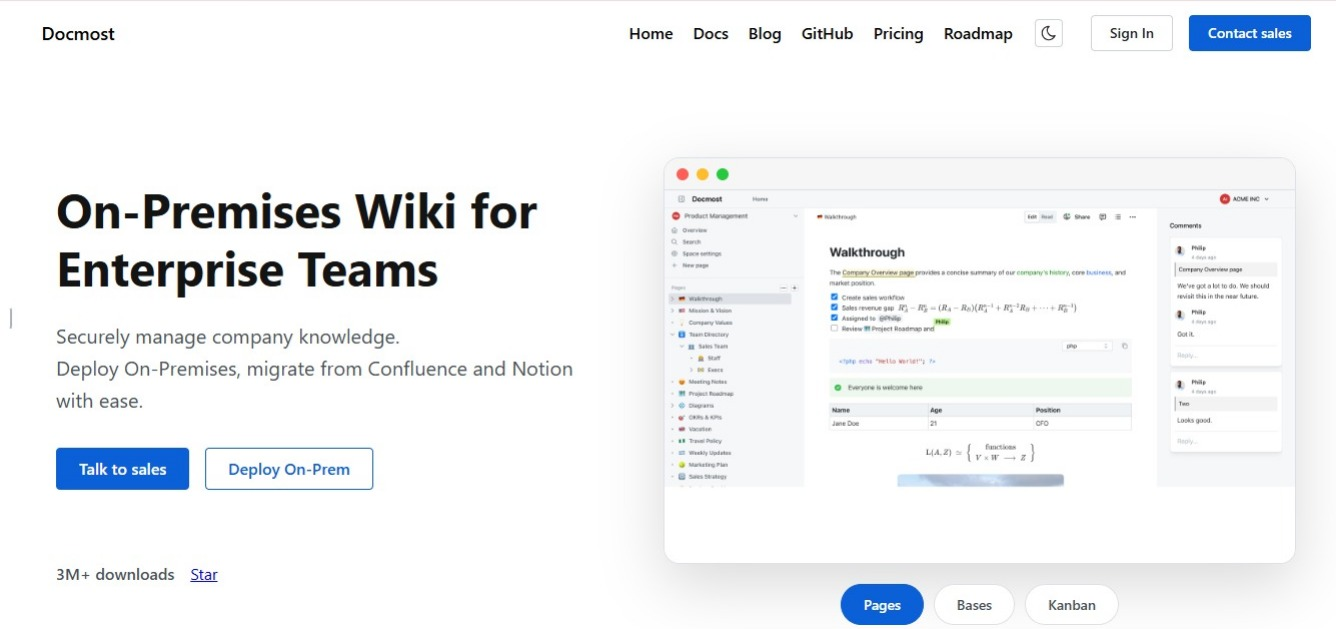
We built Docmost as an open source, self-hosted wiki, and it fits client knowledge management for two reasons: how client work is kept apart, and where the whole thing runs.
Content lives in spaces, with membership managed per space and permissions set at both space and page level. In practice that means a space per client engagement, a space per practice area for methodology, and a firm wide space for the things everyone needs.
That gives you the two kinds of content we described earlier, each handled the way it needs to be: firm knowledge stays open to the firm, and client work stays closed to everyone outside it.
When a consultant stops working on a client, you remove them from that space. When a client asks who has access to their material, you can answer by looking at one list.
On hosting, Docmost runs on your own servers. It can also run air gapped, with no connection to the outside world, which occasionally matters for defence and government work.
Running the software yourself gives you three things, and the third one costs you something:
- Your data never leaves infrastructure you control.
- You define your own compliance posture, covering access controls, encryption, and retention, instead of inheriting a vendor's.
- Hosting, backups, upgrades, and security patching become your IT team's responsibility.
That third point is the one to think hardest about. If your firm has no IT function and no appetite for one, a cloud tool with a disclosed subprocessor arrangement may serve you better than a self-hosted platform nobody maintains.
Docmost is released under AGPL-3.0, with paid tiers adding enterprise features. If you're currently on Confluence, our Docmost and Confluence comparison covers the differences in more detail.
Best Practices for Running a Consulting Firm Wiki
- Start with one team, not the whole firm
Most firms go wrong the same way. Someone decides the whole firm will move everything across by the end of the quarter, nobody has the spare hours, and six weeks later you have an empty wiki and a shared drive that's still growing.
Start with one team instead. The best group to pick is usually whoever writes bids or owns your methods, because they have the most material other people will reuse.
Let them fill their space properly before you invite anyone else in. One section people actually use is better than a tidy structure with nothing in it.
- Agree how pages are named before people start writing
Create what you need, and what you need is pages to land where people expect. Start with one space per client, the same page names inside each one, and a clear home for your methods so they don't get copied into every client space.
Naming matters more in consulting than in most jobs, because your work repeats. Twelve clients will each have a kickoff, a review, and a closing summary.
Use the same page name for every client. Say a bid team wants to see how the firm has opened the last five projects. If those pages are called "Kickoff" for one client, "Project start" for another, and "Week one summary" for a third, they'd have to open every client space and read around to find them. Name them all "Kickoff" and one search brings back all five.
- Give it one named owner
One person, with time set aside for it. They don't have to write everything. Their job is to answer where a page should go, delete what's out of date, and stop the structure falling apart as the firm grows.
- Check pages on a set date, not when someone spots a problem
Pages go out of date quietly. A method page that was correct two years ago still sits there looking correct, and a new teammate has no way of telling that it isn't.
So put a review date on the pages people rely on: your methods, your templates, and anything a bid team copies from. Once a quarter, the owner goes through whatever is due and either updates it, files it away, or confirms it's still right.
Client records don't need this. They describe what happened on a job, so they don't go out of date the way advice does.
- Write up what you learned before everyone moves on
Make the write-up part of finishing a job rather than something people do when they find a free afternoon.
Half an hour on the final call, with three questions:
- What worked
- What we'd do differently
- What the client responded to
Half a page written while everyone still remembers is better than a long document nobody goes back to.
- Move your old files across slowly
Move what people use now, leave the rest where it is, and pick a date after which anything new only goes in the wiki. Old files can follow later, when somebody needs one.
Frequently Asked Questions
- Can we reuse material from past clients engagements in new proposals?
Check the agreement with that client. Many allow reuse of general methods and anonymised approaches, but rule out anything that identifies the client. Record what each client allows next to the material itself.
- How long does moving off a shared drive usually take?
A few weeks of part-time work for one team. Firm-wide moves take longer. Move what people use now, leave the archive alone, and set a date after which new material only goes in the wiki.
- Do we still need a project management or PSA tool with wiki?
Yes. A wiki holds knowledge that stays useful after a job ends. Your PSA handles time, billing, resourcing, and tracking. Firms that merge the two usually end up with a tool that does neither well.
3. How do we handle associates and subcontractors who aren't employees?
Give them access to the client spaces they're working on and nothing else, then remove that access the day the job ends. Check your client agreement first, since some require you to name anyone outside your firm who'll see their information.
- How do we get consultants to actually use the wiki?
Put the wiki where the work already happens. Two things move people over: making the write-up part of closing a job, and answering questions with a link to a page instead of a reply. Telling people to use it rarely works on its own.
Keep Client Knowledge Where Your Firm Can Find It
Every job your firm finishes leaves behind something the next one could use, and every job leaves behind information a client trusted you with.
A wiki you host yourself keeps both in one place: your methods stay open to the people who need them, client work stays closed to everyone else, and you can say exactly where all of it sits when a client asks. Docmost is open source and free to self-host.
Start a trial or talk to our team about running it inside your firm.