Best 7 Runbook Software for DevOps Teams
Compare 7 runbook software tools for DevOps teams on search, access controls, version history, and execution, with a runbook example.

TL;DR
- Runbook software helps DevOps teams document repeatable operational tasks, run them in a controlled way, and give engineers something dependable to turn to when something breaks.
- Documentation platforms store runbooks as written procedures, execution platforms run the steps, and many teams use both.
- Confluence, Notion, Docmost, and Outline are documentation platforms. Rundeck and PagerDuty run runbook steps, and incident.io coordinates incident response.
- Before choosing, compare search, access controls, version history, execution and approvals, integrations, and hosting options, and decide who will keep your runbooks current.
A runbook software is any tool that stores the step-by-step procedures your team follows to run, fix, or recover a system. A runbook might cover restarting a failed service, rotating a certificate, or failing over a database. The software you pick decides whether engineers read those steps in a wiki or have a platform run them.
A runbook is only useful when an engineer can find it, understand it, and follow it under pressure. That means your team needs more than a folder of documents. You need a reliable place to store procedures, keep instructions current, and make sure the right people can get to what they need.
Two Kinds of Runbook Software
You'll see two kinds of tools in this category, so it's important to know which one you're shopping for.
Documentation platforms store the runbook as a written procedure that an engineer reads and follows, while execution platforms run steps for you, such as a script that restarts a service or a workflow that gathers diagnostics.
Confluence, Notion, Docmost, and Outline are documentation platforms, while Rundeck and PagerDuty are execution platforms, and incident.io works alongside them with incident coordination.
The seven tools below are grouped by those two kinds.
What Is the Best Runbook Software for DevOps Teams?
The best choice depends on how your team works. For written runbooks that engineers can search, edit together, and keep organized by service, choose a documentation platform such as Confluence, Notion, Docmost, or Outline. But if you want procedures to run as controlled jobs, look at Rundeck or PagerDuty. And if your main need is coordinating people during an incident, incident.io is built for that.
Quick Comparison: 7 Runbook Software Tools
|
Software |
Type |
Self-Hosting |
Pricing Model |
Real-Time Collaboration |
Open Source |
|
Confluence |
Documentation |
Yes, through Data Center (existing customers only) |
Free and paid Cloud plans |
Yes |
No |
|
Notion |
Documentation |
No |
Free and paid plans |
Yes |
No |
|
Docmost |
Documentation |
Yes |
Free Community; paid edition |
Yes |
Yes, AGPL-3.0 core |
|
Outline |
Documentation |
Yes |
Free self-hosted Community; paid self-hosted and Cloud plans |
Yes |
No, source-available |
|
Rundeck |
Execution |
Yes |
Free Community; quote-based commercial edition |
Not applicable |
Yes, Community edition |
|
PagerDuty |
Execution and incident response |
Yes, for Runbook Automation (Self-Hosted) |
Paid plans; Runbook Automation is a separate add-on |
Not applicable |
No |
|
incident.io |
Incident response |
No |
Free and paid plans |
Not applicable |
No |
Documentation Platforms
1. Confluence
Best for: Organizations using Atlassian products.
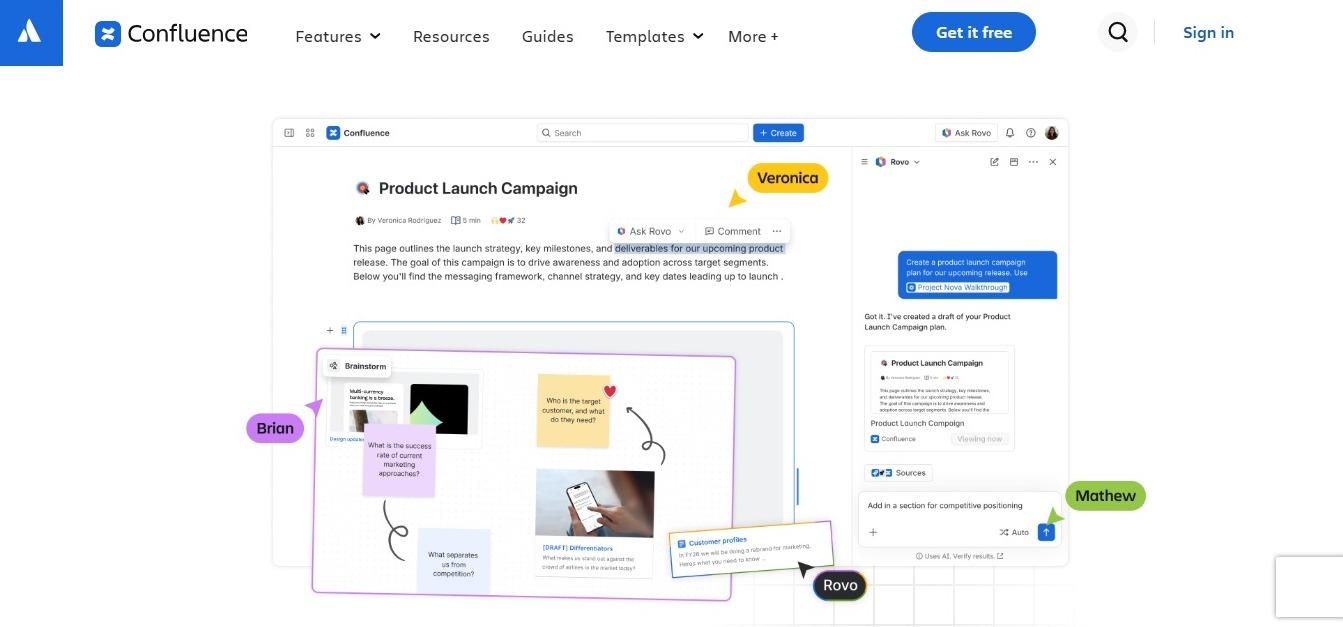
Confluence provides a documentation workspace with page templates, version history, permissions, and integrations with Jira. Its spaces and pages help engineering teams organize technical guides, deployment procedures, and service documentation alongside their project workflows. If you're comparing it with a self-hosted option, you can see how Docmost compares to Confluence. Teams on Data Center should also read about Confluence Data Center end of life before planning long-term.
Why choose it: Its integration with Jira makes it a practical choice for teams already working within the Atlassian ecosystem.
2. Notion
Best for: Teams combining documentation with project management.
Notion combines documents, databases, and team workspaces. DevOps teams can use its flexible database structure to organize service directories, deployment checklists, incident notes, and documentation ownership. It also supports templates and collaborative editing.
Why choose it: It suits teams that want operational documentation inside a broader workspace for planning and collaboration.
3. Docmost
Best for: Collaborative technical documentation.
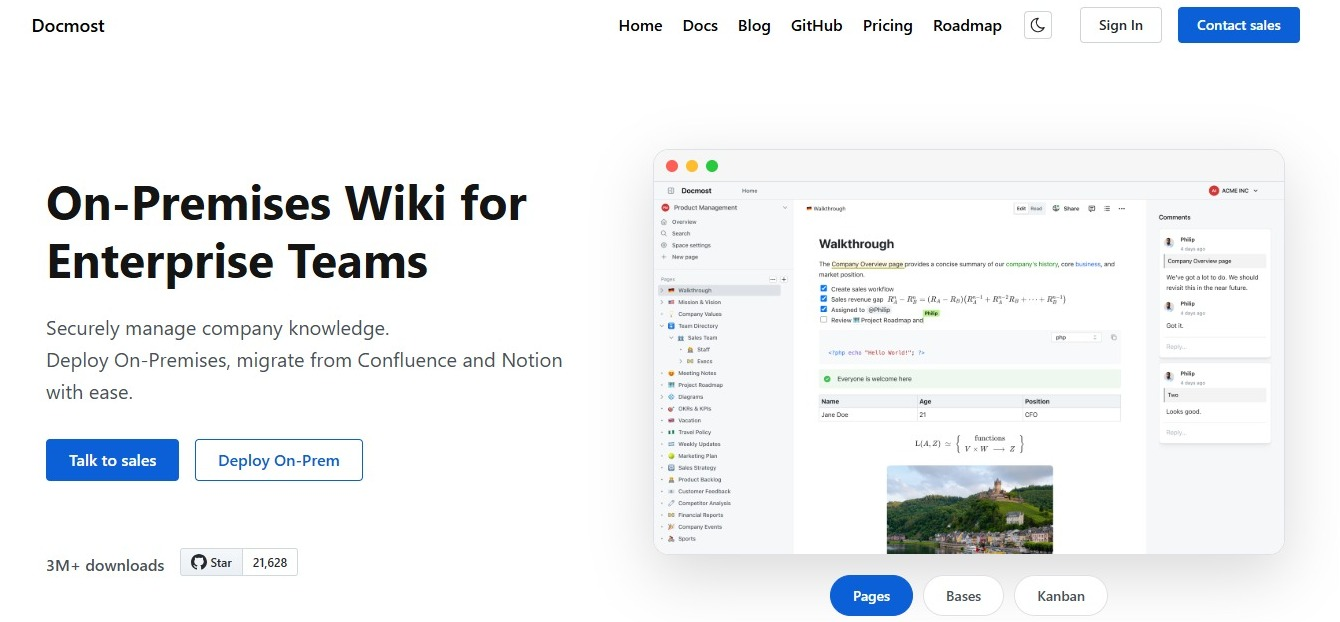
Docmost is an open-source wiki for organizing runbooks, technical documentation, and internal knowledge. Its features include real-time editing, version history, search, comments, permissions, and technical diagrams. Teams can organize information into spaces and nested pages, which makes it easier to separate documentation by service, department, or project.
Why choose it: Docmost brings operational procedures and wider technical knowledge into one collaborative workspace, and you can self-host it if your runbooks contain sensitive infrastructure details.
4. Outline
Best for: Teams that want a structured knowledge base.
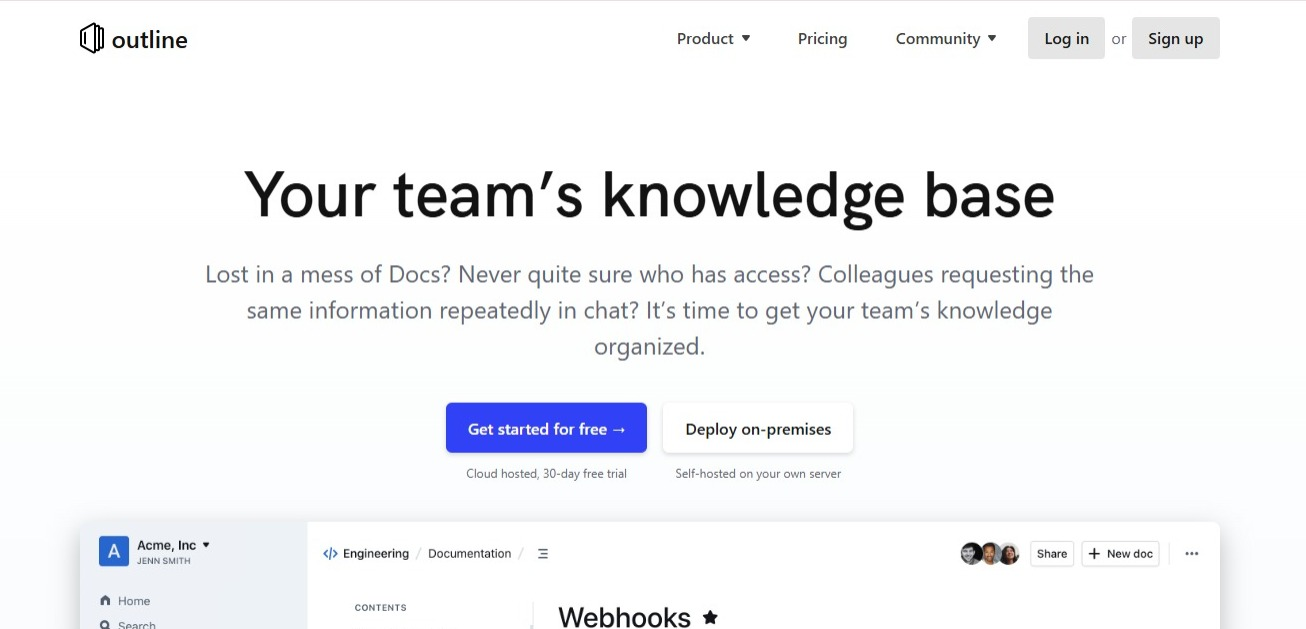
Outline provides collections, collaborative editing, comments, search, and access controls. Its document structure helps teams organize technical guides and procedures.
Why choose it: It's a good fit if you're building an internal knowledge base and want your documents grouped into collections.
Execution and Incident Platforms
5. Rundeck
Best for: Running routine operational tasks as approved, repeatable jobs.
Rundeck turns scripts and commands into jobs your team can run on demand, on a schedule, or from a trigger. Engineers can give on-call or support staff a controlled way to run a task like restarting a service, with access controls deciding who can run which job. The Community edition is free and open source, while the commercial editions add single sign-on and a GUI editor for access control policies.
Why choose it: Pick it when the written steps in your runbook are already scripts and you want your team to run them safely.
6. PagerDuty
Best for: Teams that already use PagerDuty for on-call and alerting.

PagerDuty pairs on-call scheduling and incident response with runbook automation, so the platform that pages an engineer can also start a diagnostic or recovery job. It fits teams that grow their runbooks over time, from fully manual procedures to semi-automated and then fully automated ones. PagerDuty sells Runbook Automation as a separate add-on, and a self-hosted version is available for teams that need to run it inside their own firewalls.
Why choose it: It makes sense when alerts, on-call, and runbook execution should live in one place.
7. incident.io
Best for: Incident response and coordination.
incident.io focuses on managing incidents instead of storing documents. It supports incident coordination, on-call workflows, responder communication, incident timelines, and postmortems.
Why choose it: It's a strong option for teams that need dedicated incident management alongside their runbook documentation.
Documentation Platforms vs. Execution Platforms: Which Do You Need?
A documentation platform tells an engineer what to do, and an execution platform does it. Your team probably needs both.
What each one covers:
- Documentation platform: The context and the decisions, including when to use the runbook, what to check first, how to confirm it worked, and who to call. This is the part that doesn't go away, because automation still needs someone to decide when to run it and what to do if it fails.
- Execution platform: The repeatable actions. It runs the scripts and jobs behind risky or repetitive steps, with controls over who can run them.
Incident tools like incident.io work alongside both by coordinating the people responding.
How they work together:
- The alert fires and the engineer opens the runbook in your wiki.
- The runbook covers the parts that need a person, such as confirming the alert is real and deciding whether to escalate.
- One of its steps names the approved automation job and links straight to it.
- The engineer starts the job from the runbook.
- They return to the page to check the result and follow the validation and escalation steps.
If you're only starting out: Begin with documentation. Procedures that are written down and tested are the ones you can safely automate later.
What to Look For in Runbook Software
Search and Organization
Engineers should be able to find procedures quickly. Look for full-text search, clear navigation, and ways to organize documentation by service, team, or environment.
Access Controls
Operational documentation may contain sensitive infrastructure and security information. Check for user roles, group permissions, page restrictions, and single sign-on.
Version History
A platform should let your team review previous changes and restore earlier versions when necessary. This is particularly useful when a procedure is updated incorrectly.
Execution and Approvals
If you want steps to run automatically, check who can run each job, whether risky actions need approval, and whether you get a record of who ran what and when. Test jobs in a non-production environment first.
Integrations
Consider how the platform connects with your existing tools. Integrations with Jira, GitHub, monitoring systems, and communication platforms can put the right information in front of engineers where they already work.
Links From Alerts
Engineers shouldn't have to search during an incident. Look for a way to attach a runbook link to an alert or incident so the right procedure is one click away.
Hosting and Data Requirements
If you self-host, the main points to consider are:
- Your data never leaves infrastructure you control.
- You define your own compliance posture, including access controls, encryption, and retention, instead of inheriting a vendor's.
- Hosting, backups, upgrades, and security patching become your IT team's responsibility.
Check these against your organization's security and data residency policies before you commit. For a closer look at the options, see our guide to self-hosted documentation tools.
Runbook Software Compared on These Criteria
The table below compares each tool on search, access controls, version history, execution and approvals, and integrations, using each vendor's own documentation. Hosting and pricing are covered in the quick comparison near the top.
|
Software |
Search |
Access Controls and SSO |
Version History |
Execution and Approvals |
Integrations |
|
Confluence |
Advanced search with labels |
Content permissions for users and groups (Standard plan); SAML SSO through Atlassian Guard |
Page versions with compare and revert, on all plans |
Not applicable |
Jira, Jira Service Management, Trello, Figma, GitHub, Google Drive, and Marketplace apps |
|
Notion |
Search across the workspace; connected-app search on Business (beta) |
Page permission levels for people and groups; SAML SSO on Business |
Restore past versions: 7 days on Free, 30 on Plus, 90 on Business, any length on Enterprise |
Not applicable |
Slack and Google Drive on Plus; GitHub, Asana, and Jira database syncs on Business |
|
Docmost |
Full-text search with space and type filters; AI search and attachment search in the paid edition |
Groups and space-level permissions; page-level permissions and SSO (SAML, OIDC, LDAP) in the paid edition |
Page history with restore on all editions |
Not applicable |
Link previews and embeds for GitHub, GitLab, Jira, Linear, Azure DevOps, and Figma; MCP server in the paid edition |
|
Outline |
Search across the workspace; AI answers on Cloud plans and self-hosted Business and Enterprise |
Groups and individual permissions on all plans; SSO on all plans; SAML 2.0 on self-hosted Business and Enterprise |
Unlimited version history on all plans |
Not applicable |
20+ integrations including Slack and GitHub; API and webhooks on all plans |
|
Rundeck |
Job filter by name, group, and description; execution history filter by job, user, and result |
Access control policies for who can read, run, edit, and kill jobs; SSO and a GUI ACL editor in commercial editions |
Job definitions versioned in Git through the Git SCM plugin (Community) |
Access policies control who can run each job; execution history with full output logs |
ServiceNow, Datadog, AWS, GitHub, PagerDuty, Ansible, Kubernetes; community plugins; API |
|
PagerDuty |
Job filter by name, group, and description (shared Rundeck documentation) |
Role and context-based access control; SSO or LDAP authentication |
Git SCM plugin for job definitions (shared Rundeck documentation) |
Role and context-based control over who builds and runs automation; approval workflows; a log of all job runs and outcomes |
40+ plugin integrations; Jira, ServiceNow, Slack; Ansible, Docker, Kubernetes runners |
|
incident.io |
Finds similar past incidents; searches connected docs (Confluence, Notion, GitHub, GitLab) |
Sign in with Slack or Microsoft on all plans; your own SAML or OIDC provider on Pro and Enterprise; custom roles on Enterprise |
Incident timelines; workflow version history; audit logs on Enterprise, kept one year |
Workflows with 20+ triggers; optional confirmation before a workflow runs |
Slack, Teams, Jira, GitHub, PagerDuty, Datadog, Confluence, Notion, and more |
"Not applicable" means the criterion doesn't apply to that type of tool. PagerDuty's documentation for Runbook Automation is hosted with Rundeck's, so the search and version history cells for PagerDuty rely on that shared documentation.
How to Create and Maintain an Effective Runbook
Choosing software is only part of the process. Your team also needs a consistent approach to writing and maintaining procedures.
Runbooks differ by purpose, so decide which kinds you need before you start writing:
- Incident response runbooks: Guide the first steps for a known alert, such as a failing health check.
- Operational runbooks: Cover routine tasks like patching or certificate renewal.
- Deployment runbooks: Cover releases and rollbacks.
- Disaster recovery runbooks: Cover restoring systems and data.
A useful runbook should contain:
- Objective: Explains what the procedure accomplishes.
- Trigger: Identifies when it should be used.
- Prerequisites: Lists required tools, access, and permissions.
- Instructions: Provides clear, numbered steps.
- Validation: Explains how to confirm successful completion.
- Rollback: Explains how to undo the change if the steps fail.
- Escalation: Identifies who to contact if something goes wrong.
- Owner: Names the person or team responsible for updates.
Keep procedures specific, and include the commands, expected results, and checks engineers need to complete each task accurately.
To keep documentation reliable, assign an owner to every critical runbook, review it when systems change, and update it after incidents expose gaps in the instructions. Where possible, test procedures in a safe environment before relying on them in production.
Runbook Example: Restarting a Failed Service
Use this short example as a starting point. The names are placeholders.
Objective: Restore the checkout service after the health check fails.
Trigger: The "checkout health check failing" alert has fired for more than five minutes.
Prerequisites: Access to the production cluster and permission to restart deployments.
Steps:
- Check the current state with kubectl get pods -n production -l app=checkout.
- Read the logs from the most recent failing pod for obvious errors, such as a failed database connection.
- Restart the deployment with kubectl rollout restart deployment/checkout -n production.
- Watch the restart finish with kubectl rollout status deployment/checkout -n production.
Validation: The health check returns to passing, and error rates on the checkout dashboard drop within five minutes.
Rollback: If the restart makes things worse, roll back with kubectl rollout undo deployment/checkout -n production.
Escalation: If the service is still down after ten minutes, page the payments on-call engineer.
Owner: Platform team. Review after any change to the checkout deployment.
Runbook vs. Playbook vs. SOP
These terms are often used together, but each one does a different job.
|
Document |
Purpose |
Example |
|
Runbook |
Provides steps for a specific operational task |
Restarting a failed service |
|
Playbook |
Guides a response to a broader scenario |
Responding to a security incident |
|
SOP |
Defines an approved, repeatable process |
Production deployment procedure |
A playbook may reference several runbooks, and an SOP defines the standard process a team must follow. Plenty of teams use all three.
Frequently Asked Questions
- What Is the Best Place to Store DevOps Runbooks?
A dedicated team wiki or documentation platform is a practical option. Choose one with strong search, clear organization, access controls, and version history.
- Can Runbooks Be Automated?
Yes. Many teams start with a written runbook, script the repetitive steps, and later run the whole procedure from a platform. Keep a person in the loop for steps that carry risk, and keep the written version current because it's what engineers fall back on when automation fails.
- What Is the Difference Between a Runbook and a Script?
A script performs a single action. A runbook is the full procedure around it, including when to use it, what to check first, how to confirm it worked, how to roll back, and who to call. A runbook can call one or more scripts.
- Which Runbooks Should You Automate First?
Start with tasks that are frequent, repetitive, and low risk, such as restarting a known service or collecting diagnostic information. Keep steps that need judgment with a person, like deciding whether to fail over a database, until you've done them many times.
- Should Runbooks Be Stored in Git?
Git works well for documentation maintained alongside code, particularly when engineers want to review changes through pull requests. A wiki can be easier when several people edit together or other departments need access, and some teams use both.
- What Should a Disaster Recovery Runbook Include?
It should cover affected systems, recovery prerequisites, responsible teams, restoration steps, validation checks, and escalation contacts. Include instructions for confirming that services and data have been restored.
- How Often Should Runbooks Be Reviewed?
Review critical procedures whenever the underlying systems or processes change. Assign owners and review dates, and update documentation after incidents reveal missing or inaccurate instructions.
- What Is the Difference Between a Runbook and a Postmortem?
A runbook provides instructions for completing a task or responding to an operational issue. A postmortem documents an incident, its impact, contributing factors, and follow-up actions.
Keep Your Team's Operational Knowledge Organized
A runbook only helps if the right person can find it and follow it when something breaks. The right platform makes that easier.
Docmost gives DevOps teams one place to write, organize, and share runbooks, technical documentation, and diagrams. Get a free trial license to try it with your own runbooks.